
Leaderboard
Popular Content
Showing content with the highest reputation on 06/29/2013 in all areas
-

Tires sinking into ground
Car CrazeXVI and 4 others reacted to Antillies for a topic
Is that ice I hear creaking? Hmm, must be thin....5 points -

Tires sinking into ground
twoeasythree and 3 others reacted to Fifi La Fume for a topic
Maybe he doesn't want to slow down, ya know? It being a racing game and all it shouldn't have a problem like this to begin with. Quit being a jerk, he's just trying to help.4 points -
The Infoderpiac's Hobbies (Series)
Car CrazeXVI and 2 others reacted to Antillies for a topic
Y so rude? Really, stop. It's neither productive nor funny.3 points -

Rock Raiders montage
MadGamer and 2 others reacted to zimonitrome for a topic
I made somthing you might enjoy3 points -
Rock Raiders montage
Lair and 2 others reacted to rrcoder for a topic
So... I stop by after (an admittedly long) hiatus, and this is what greets me! That was awesome!! Props to you Mr Zimonitrome!!3 points -

Skype Libs!
Car CrazeXVI and 2 others reacted to Drill Master for a topic
I didn't do a Skype Libs! story yesterday because I was busy practicing the piano, so I made 2 stories today. I chose these stories because they are related to each other. Here are the next 2 Skype Libs! stories! #6) UPSIDE-DOWN DICTIONARY STARTING WITH THE LETTER "A" AARDVARK (noun): A [bIG] mammal who feeds on ants and [sTORIES]. The aardvark is squat and has a [sELECTABLE] tongue, and a long [iNSIGNIA] ending in a round pig-like [sCREEN]. ANGEL (noun): A supernatural [CAMPAIGN], either good or [DAMPENED], who is [iNCORRECTLY] seen as a white-robed [RELATION] with wings over his or her [PINGAS]. ASTRONAUT (noun): Sometimes a [sTICKY] scientist, but usually an army or navy [sANDVICH] trained to make flights to the [sONG] in a space [WIZARD]. #7) (WARNING: YOU MAY NEVER EAT ANOTHER BAGEL EVER AGAIN AFTER READING THIS. YOU CAN THANK LZ FOR THAT.) UPSIDE-DOWN DICTIONARY STARTING WITH THE LETTER "B" BAGEL (noun): A glazed [TREBUCHET]-shaped roll with a [bLACK] texture, made from [KNICKERS] that are dropped into [FEVERISHLY] boiling [bOLLOCKS] and then baked. BALLOON (noun): A [FRISKY] bag that rises in the [TEMPLE] when it is filled with hot [ROOTKIT]. BASEBALL (noun): A game [RAILED] with a bat and a [CANNONBALL] by two teams of nine [sKAGS] each. These two teams play [TENDERLY] in the [sTUMP] and at bat. Tune in tomorrow for another Skype Libs! story!3 points -
Now, who would put a ramp there?
Car CrazeXVI and one other reacted to Fifi La Fume for a topic
Pepper will need to call Dr. Clickit in the morning after this... Or ASAP.2 points -

Tires sinking into ground
twoeasythree and one other reacted to lol username for a topic
What bee got in your bonnet, Car Craze? You just snapped at a new member who was simply posting help for a tech problem, for no apparent reason at all. Meanwhile you complain about other members being rude... Hypocritical much? :|2 points -
The Infoderpiac's Hobbies (Series)
Car CrazeXVI and one other reacted to Fifi La Fume for a topic
NO. REALLY? HOW CAN THIS BE? I've had it with you. Good day, sir. Wow, unnecessary.2 points -

RRU Quotes 2008-2013
Fush and one other reacted to Alcom Isst for a topic
[9:38:27 PM] Drill Master: nother NOUN [9:38:30 PM] L Z: SANDVICH [9:38:31 PM] Esaias: SANDVICH [9:38:35 PM] Alcom Isst: SANDVICH2 points -
How did you get interested in Legos?
Alcom Isst and one other reacted to lol username for a topic
http://www.youtube.com/watch?feature=player_embedded&v=p9JPGJ1h7tY2 points -

RRB files
Quisoves Potoo reacted to RobExplorien for a topic
LEGO Racers: The structure and values of AI path files NOTE: The following information was generally obtained by testing with the .RRB file of one racer on Royal Knights Raceway. I'm not completely sure, but the information about to follow will apply to other .RRB files in the LEGO.JAM too. Values in code tags apply to the boss racer on Royal Knights Raceway. This topic is not (yet) a full documentation of the regarding files. Tools used to gather this information are JMMB's Jam Extractor and origamyguy's Binary File Editor. I know that it is confirmed that .RRB files are the path files for an AI, but I have not found a good documentation of these files yet. I've been working a lot with these files last week, and would be glad to share the information I gained from working with these files. I will discuss the main values/structure of an .RRB file, and explain what value does what wherever I can. Some information that follows is already known by some or many, but I felt that I should include most, if not all, information of these files here. If I missed out information, or if you know more that adds to the understanding of these files, I'd be glad to hear from you then. To start off with, where can these files be found? Each track folder (RACEC*R*) in the LEGO.JAM contains a certain amount of .RRB files, mostly around 15 or so (adding up to about three for each AI). Only the TEST folder doesn't contain these files, because an actual race was never meant to be held on that track. Therefore, there aren't any path files there, or checkpoints and so forth. How are these files named? The .RRB files are named like this: Rx_y_z.RRB, where the red letters are variable for the file name. x is defined as 0, 1, 2, 3, 4 or 5. These numbers represent an AI, with 1 being the boss racer, 2 being Governor Broadside/Islander/Willa the Witch/Black Knight, 3 being Rob-'n-Hood/Royal King/Blackjack Hawkins/Admiral etc. The .RRB file with 0 is not found in all racetrack folders, as this file is the path for the demo, which is King Kahuka by default. y is defined as F, M, S. These letters might represent the speed of an AI's path, perhaps for reference to the designated AI, where F would be fast, S would be slow, and M would be, eh, Medium? These letters however do not have any influence on the speed of the path of an AI. Changing the letter in the file name won't do much to its path speed. Velocity is defined in the .RRB file itself, and I will discuss this later on, when we get to the contents of the .RRB file. z is defined as 0, 1, 2 or 3. These numbers probably represent a path number. Then it would mean that every AI has a minimum of 2 paths, and a maximum of 4 paths (I've seen racers with just two .RRB files, and racers with 4 .RRB files, and ofcourse others with 3 .RRB files). What happens when I delete or replace .RRB files from a track folder? Nothing really happens to an AI's path, when you remove certain .RRB files. Only when the first of all paths, being Rx_y_0.RRB, is deleted, the AI will not move from its startposition. Even pushing the AI won't work, it will be stuck at his startposition. When deleting the other paths for the AI (but leaving Rx_y_0 in the folder), it will move and continue following this remaining path. Thus, removing all .RRB files means that the AI is stuck at his startposition. Adding, or rather replacing the .RRB files with those of another track simply makes the AI follow this replaced path. For example, replacing the boss's Knightmare-Athon path with the one from Magma Moon Marathon makes the boss follow the latter path on Knightmare-Athon. This path obviously isn't aligned with the Knightmare-Athon track, so you would see the red dot on the Knightmare-Athon map 'floating' around the actual track. How is an .RRB file structured? Elements of an .SPB file can be found in the .RRB files as well. These elements are the startpositions and their respective rotation. However, an .RRB file has many more code lines, and only applies to a single racer, an AI. The main structure of an .RRB file is shown below. The code lines are divided in seven groups. I left out the other 681 nodes, for an obvious reason. k_29 (float)356.9742 (float)210.8356 (float)0.199971 k_28 (float)0 (float)0 (float)-0.704013 (float)0.710187 k_2A (float)367.861 (float)210.6208 (float)0.19997 k_2B (float)0 (float)0 (float)-0.765386 (float)0.643571 k_2C 77536 k_2D 464 k_27 // Nodes [682] { (f16)0 (f16)0.02734375 (f8)0 (f8)0 (f8)0 (f8)10.4375 (f8)5.625 (f8)2.5 (f8)2.5 (byte)193 ... } What are the values for in an .RRB file? The values in an .RRB file vary from defining the startposition of an AI, to the waypoints it has to follow in a race. These values are appearing as integers, floating points and bytes. How is a startposition set in an .RRB file? The floats under k_29 and k_28 are the same for all path files of a single racer of a track. For example, the following files share the same floats in the .JAM archive (providing they are located in the same track folder): R2_M_0.RRB, R2_M_1.RRB and R2_M_2.RRB. But the files R3_S_1.RRB and R4_S_1.RRB in that same track folder do not share the same floats for k_29 and k_28, because these two files do not apply to the same racer (different startpositions). The floats under k_29 are relatively simple to understand. These floats define the startposition of an AI, and work the same as for the player (which are defined in an .SPB file). The first float under k_29 is for x-positioning. This means that the horizontal position (left/right) of an AI's vehicle is set with this float. The second float under k_29 is for y-positioning. This means that the horizontal position (up/down) of an AI's vehicle is set with this float. The third and last float under k_29 is for z-positioning. This means that the vertical position of an AI's vehicle is set with this float. If you still like to know more about (editing) the startpositions, >this tutorial explains most of it. How is rotation set in an .RRB file? The floats under k_28 are for the rotation of the AI vehicle IN its startposition. This rotation is not for setting the direction of the path it has to follow, there is no connection between startposition rotation and path direction. That means, setting the rotation for the AI vehicle under k_28 to a different value may change the direction his/her vehicle faces, but at the moment the race starts, the AI will directly face its path direction. This can be clearly observed when setting the AI vehicle in reversed position (i.e. having its facing direction 180 degrees switched). At the moment the race starts, its vehicle will switch back 180 degrees to align instantly with the direction of its path again. All floats under k_28 range from -1 to 1. This rotation is not based on radians, as far as I know, so that means rotation of an AI vehicle works different than that of a player. The first two floats under k_28 are for a 3D rotation of an AI vehicle in startposition, to call it that way. This also explains why the value of this float is always (close to) absolute zero, because in all tracks, the startposition is on a leveled surface. If this float is bigger or smaller than 0, the AI vehicle will align with the surface in an angled (see image) and somewhat twisted way, but not perpendicular at absolute 1 or -1 I believe. The last two floats under k_28 are for horizontal rotation of an AI vehicle in startposition. What are the k_2A, k_2B, k_2C and k_2D groups standing for? The k_2A and k_2B groups share the same structure as the k_29 and k_28 groups, something you may have noticed already. The floatvalues under k_29 and k_28 are the same for all AI path files for a single track, whereas the floatvalues of the k_2A and k_2B groups are different for all AI path files for a single track. For example, the floatvalues under k_29 and k_28 are the same in these two files (from the same track folder): R1_F_0.RRB and R1_F_0.RRB. But the floatvalues under k_2A and k_2B are different in these two files (from the same track folder). The values under k_2A and k_2B denote the finishing position of an AI racer, the point where it crosses the finish line after three laps. The values under k_2C and k_2D are always an integer. But these integers are different for all AI path files for a single track as well. The integer under k_2C denotes the total race time of a racer on a given track in milliseconds. What are the nodes (the k_27 group)? Nodes are waypoints for an AI to follow during a race. Going through all nodes in a single .RRB file means that the AI completed three laps (thus one race). That means, that there are about three different paths for each AI on a track (one .RRB file representing one path). The nodes are the ones that really add up to the amount of code lines in the .RRB file, because one node only represents a small distance to race on the racetrack. Therefore a lot of nodes are used to fill a complete AI path. The amount of nodes can be 682, as seen in the code lines below (directly under k_27) for an AI path on Royal Knights Raceway, but the amount can also be over 1000 (which is for Rocket Racer Run AI paths). Below follows the structure of the nodes again. Each node consists of 10 code lines. I also put additional comments next to the nodes. These comments refer to the explanation given in the text below the code. k_27 // Nodes [682] { (f16)0 //value 1 (f16)0.02734375 //value 2 (f8)0 //value 3 (f8)0 //value 4 (f8)0 //value 5 (f8)10.4375 //value 6 (f8)5.625 //value 7 (f8)2.5 //value 8 (f8)2.5 //value 9 (byte)193 //value 10 ... } What happens if I remove certain nodes? If you remove a few nodes completely, and also define the new amount of nodes in the brackets (e.g. from [682] to [672]), the game won't give any errors when the AI uses this modification to its path file. The AI will simply skip the 'missing' nodes, and will eventually not be aligned with the track anymore because of this modified path. If you remove parts of a node, like only removing the (f16) part, it does affect the AI path. At the moment the AI reaches this node (with the changed structure), it will be stuck at this waypoint. You cannot move it by pushing his/her vehicle, because the node structure is messed up, meaning that the game doesn't know where the AI has to go next in the waypoint list. What are the first three values for? Values 1 and 2 contain the relative coördinates in an AI path. You have to add or subtract these numbers from the former coördinates to get the new coördinates of the racer on its path. Basically you have to calculate the position of each node as following. For the first node of the path: value 1 = (new x-coördinate) - (startposition x-coördinate) value 2 = (new y-coördinate) - (startposition y-coördinate) value 3 = (new z-coördinate) - (startposition z-coördinate) And for all subsequent nodes: value 1 = (new x-coördinate) - (old x-coördinate) value 2 = (new y-coördinate) - (old y-coördinate) value 3 = (new z-coördinate) - (old z-coördinate) However, for the z-position (value 3) it works a little different, since it is not adressed the same amount of space as the former two values. It ranges from 0 up to 16. All values (starting) from 0 up until 8 indicate an increase of z-position and all values (starting) from 8 up until 16 indicate a decrease in z-position. The change in z-position is, like values 1 and 2, also stored relative to the previous height, but since it is limited in adressing, the maximum increase or decrease z between two nodes is: |z| < 8 Also, an increase of respectively z = 1 unit and z = 5.3 units is given by (f8)z = (f8)1 and (f8)z = (f8)5.3, whereas a decrease of respectively z = 1 unit and z = 5.3 units would be stored as (f8)z = (f8)15 and (f8)z = (f8)10.7 (thus 16 - z). No change in height is denoted by 0. The other four values are the rotation stored as quaternions. Quaternions are a number system which are an extension of the complex numbers, which on itself are an extension of the real numbers (the system that generally everyone is familiar with). I have never studied any further than complex numbers, so my knowledge of how this rotation works lacks here. Values 4 and 5 appear as 0 most of the time. When it is set as 0, the AI vehicle is perfectly aligned to the surface. Tweaking or majorly changing the value causes the vehicle to appear 3-dimensionally rotated while using its path. That means you could have the AI make a wheelie for the whole race, when having the right value for these two subnodes. Values 6 and 7 are values to express the direction the AI vehicle has to face. Meaning, that in combination with modified subnodes 1 and 2, you can have the vehicle drive the 'wrong way' AND face the 'wrong way'. Values 8 and 9 are still unknown to me. I've seen that the value for these two subnodes is 2.5 in every .RRB file in LEGO Racers, but do not quite understand what they are for. What is the last value for? At last, value 10. You could say that the speed (or absolute velocity) of an AI is determined by this value. The byte (an 8-bits number) appears as an integer with an absolute value ranging from 0 up until 256. If you open a random .RRB file, the bytes will mostly be integers of around 200. My guess is that the bytes are the times in milliseconds assigned to each node. I could sustain or reject this if I took the time to calculate the sum of all bytes for a path and compare this with the value under k_2C (total race time in milliseconds). The values most commonly seen are around 3, 129 and 200. If my guess is correct, then the value has a great impact on the smoothness of the path. A large distance between two nodes with a relatively small byte value causes a great positive acceleration for the car, whereas the opposite will do a negative acceleration. It is this correlation that shows that you cannot just alter coördinates and expect the racer to run a smooth as it originally was, you'd need a good recorder to get the path right (one that records both coördinates and relative time elapse). If this measuring happens on constant intervals, then the byte value can be regarded as a contstant. The question that arises is the interval time at which to measure. An .RRB file can only hold that much information, thus you cannot create intervals so small that you'd exceed the maximum amount of nodes. Then again, it is easy to surpass the condition for the third value of the node (relative z-position) on some tracks if you measure with intervals too big. It is this issue that has kept grappigegovert from completing his RRB recorder (the GHB recorder does not have to deal with this issue as it only uses rotation and absolute coördinates for each node, with lap times defined at the start of the file). A possible solution to this is to keep record of the potential overflow of this third value and add this to the next node's third value. Does overflow occur again, pass it forward to the next node. Continue this proces until your overflow record is at 0 again (the principle of a ripple-carry adder).1 point -
Ninjago Movie Announced
BerixMaster2010 reacted to lol username for a topic
Well, this is interesting. The trailer for The LEGO Movie was just revealed, and already LEGO has announced another one, this time based on Ninjago. The movie will be written by Dan and Kevin Hageman, who also write the hit TV show Ninjago: Masters of Spinjitzu (which airs on Cartoon Network) and have contributed to The LEGO Movie. Dan Lin and Roy Lee, producers of The LEGO Movie, will also be producers for Ninjago. Jill Wilfert, who oversees all LEGO movies, will be the executive producer, and Courtenay Valenti will oversee production for Warner Bros. No director has been decided on yet. Interestingly, while the movie has the same writers as the TV show, it will actually "feature a new take that diverges from the TV series", though no further details have been revealed yet. Sources: The Hollywood Reporter1 point -
LDD Multiplayer VS Mode.
Fush reacted to Alcom Isst for a topic
So I started pondering how I might squeeze a multiplayer competitive experience out of LDD, and ended up with this amusing result. A turn based vs Mode in which 2 players each build a creation of a specific theme under various constraints. Rules used here: Each player starts off with a minifigure and a seat as positioned. With alternating turns, each player places a single brick to build their creation within the constraints of a theme and possibly additional rules. When a player places a brick, the other player is no longer able to use that specific brick. After 98 turns, where each creation is 50 pieces (minus the minifigure in this case), the game ends. Victor is determined based on peer judging The video replay was just me rapidly undoing the model while recording, and reversing the result. LDD File: Here. Images:1 point -

Cutscene base
ShadowDraikana reacted to Lair for a topic
1 point -
Hello!
Car CrazeXVI reacted to Lair for a topic
I'm offensive and I find this a pirate.1 point -
Tires sinking into ground
Car CrazeXVI reacted to Fifi La Fume for a topic
You don't know the least of it. :/1 point -
Made a new Package design for fun for LEGO Racers
Fifi La Fume reacted to lol username for a topic
Maybe I missed something, but I think you're confusing him with someone else. 0.o1 point -
Cutscene base
Lair reacted to rrcoder for a topic
This is exactly right, from what I remember. The cutscenes were started/created before the models had been finalized (and while the game itself was still very much in its infancy), so while it was very easy to update and change the in-game models, there are a number of things in the cutscenes that either didn't make it into the game itself, or that were changed during the game's development.1 point -

Made a new Package design for fun for LEGO Racers
Fifi La Fume reacted to LimeKiller for a topic
I just noticed Redbeard is in a completely black suit. Did he, like, become a ninja or something? What will the other pirates think?1 point -
Tires sinking into ground
Car CrazeXVI reacted to Fifi La Fume for a topic
I would think you have already answered yourself. I refuse to fight, so uh, bye I guess. Oh and the fancy soap isn't free.1 point -
Made a new Package design for fun for LEGO Racers
Fifi La Fume reacted to LimeKiller for a topic
As I was going to say, it looks like you might have put some work into this. Congratulations on that at least. It just doesn't work out as box art.1 point -
Hello
Lair reacted to Alcom Isst for a topic
Hey... Hey Vitawrap. If you are going to go on a spam fest across the New Members thread... Do not... DO NOT PROCEED WITH THAT FESTIVAL WHILE WEARING THE SAME HAT AS ME! It makes me feel very sad. Hehehe... hehe... I like those pants, and I am not spamming, i'm greeting newcomers, that's different You know what. Fine. FINE. These pants were a sanctuary for me, but they have been defiled. I want nothing to do with you, your antics, your choices. If you are going to wear these pants too, then that is a similarity THAT I WILL NOT ABIDE BY! For my sanity and the sanctity of my identity, one of us must stop wearing this hat. There are two options, only one of which is within my power. I have no choice... THIS HAT IS COMING OFF MY HEAD!1 point -
The LEGO Movie Trailer
legosponge reacted to Fush for a topic
Where did these names come from? Only Emmett is named in the trailer. Of course I've not been caring about this movie up till now so there's probably a lot of things I missed. Where? I've keep looking at the logo and I can't find it EDIT: Nevermind I found it. It's during the build sequence for the logo and not the logo itself, which threw me off. Or alternatively,"I find your lack of Star Wars disturbing." As I mentioned I've not really cared up till seeing this, but having seen this I am 100% sold and WILL be going to see the movie when it comes out. Even better if we get some reference to Rock Raiders, Insectoids or Life on Mars in there. (those are my personal favorites .-.) I mean there's Johnny Thunder and 1980-something space man in there, so it wouldn't be too far fetched. Especially with the following LRR has. Also, I notices several minifigures changed positions suddenly during the assembly scene. For example, Michelangelo and the ghost appear to switch places at one point. I hope this is due to the scenes being played out of order and doesn't happen in the final cut.1 point -
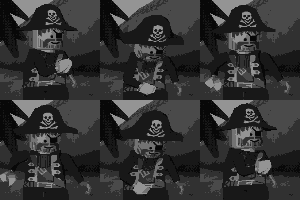
The LEGO Movie Trailer
legosponge reacted to Brickulator for a topic
I watched it last night on my phone but I've watched it properly now and I'm quite impressed. I love the animation style and the way the figs look. I'm very happy to see Proper Johnny Thunder making an appearance, and the little details are very nice, like the cracked spaceman helmet and that the ninja's smoke cloud is made up of those ice cream pieces and not just a generic smoke effect. I'm okay with the basketball guys being replaced with normal figs because the creepy hands and springy legs are a bit weird. Also, is the music some kind of remix of Take On Me or am I imagining that? EDIT: It's a Pitbull song that samples A-ha EDIT 2: On another viewing I noticed a couple of other things I really like - the ghost also uses the ice cream pieces, the TMNT disappears into his shell, the blaster shots are all the trans pole pieces instead of crappy effects and there's a cat inside the movie logo :P1 point -
The LEGO Movie Trailer
legosponge reacted to Fifi La Fume for a topic
I love how they added a cowlick and definition to Emmett's hair. I hope it becomes a physical piece.1 point -
The LEGO Movie Trailer
legosponge reacted to lol username for a topic
Haha, yeah, that and Johnny Thunder really brought a smile to my face. Also, because I've seen some people get confused by this and want to clarify before it's asked here: The movie is indeed correct in calling him a "1980something space guy". Yes, classic space was introduced in 1978, but it only had red and white astronauts at first. Yellow astronauts were added in 1979, and blue and black astronauts were added in 1984 - and seeing as the spaceman in the movie wears a blue space suit, yes, he is indeed from the 80s, not 70s. Also, Johnny Thunder. Heck yes. And what's more, they didn't try to overhaul his design like what almost happened in certain other more recent appearance of his. No blue-whip-wielding bikers here! And as for the new characters introduced with this movie, I've gotta say, I like their designs. Emmett's design fits the "typical minifigure" character well with the classic smile, Lucy looks like one heck of an action girl, Vitruvius... Well, his eyes are a bit strange but ok, and Bad Cop looks like... Well, a bad cop. I'm sure hoping we get proper minifigures of these guys. And of course, the visual style as a whole... Wow, I knew about the "super charged stop-motion" thing they said they were going for, but WOW, this looks absolutely gorgeous. The attention to detail is fantastic, and the animation style brings back a lot of LEGO Island nostalgia. This sounds rather strange, but now that we know they're including more licensed characters than just Batman and Superman, I don't mind the licensed elements as much - I'll take "LEGO everything" (which could be interesting) over "LEGO original stuff plus two random DC characters". It feels less like a marketing deal with DC and more like the ultimate wacky LEGO mash-up. The story... We don't know a lot about it so far, but it sounds pretty whimsical from what has been said. Doesn't seem to be too serious or too silly, just humorous and LEGO-y. A guy called President Business with a henchman called Bad Cop... Hah, I suppose it is actually fairly silly, but I like it. I was previously unsure what to think of this movie based on the info we had, but after seeing this, I'm hyped. This looks fantastic. Let's hope it won't disappoint. :D1 point -
Oh look, a screen shot I found on my who knows how old computer
aidenpons reacted to Car CrazeXVI for a topic
I think I broke it.1 point -

Chima - Pushed too much?
BerixMaster2010 reacted to STUDZ for a topic
Suddenly I was reminded of this:1 point -
i finnaly found my disk now how do i make a digital copy
Fifi La Fume reacted to Car CrazeXVI for a topic
True, but this is a backup CD, which may be used in the event the original disc is lost or destroyed. Yes, digital copies are indeed illegal. (Please see the Software License Agreement) Although, he legally bought the game(Possibly)and therefore he did indeed pay the company.(Unless he got it from Amazon or eBay, or, worst of all, a garage sale, but he still owns it legally.) He never said he was going to send it to a friend, he said he needed to know how to make a backup disc, which, is perfectly legal so long as it is used for personal use only. (Again, see the Software License Agreement) Software License Agreement (I-II) ^Even a 12 year old could understand that.1 point -

Rock Raiders montage
Alcom Isst reacted to McJobless for a topic
----THE JOKE----> <- YOUR HEAD Never seen the 360 4/20 MLG n0-skrubz videos?1 point -

Hello!
McJobless reacted to le717 for a topic
That was intended to be a compliment, Extreme. In my eyes, you and a few other people are comedians. You guys continually come up with these stories about pants and chairs and tobacco sauce, and these running jokes are what makes RRU the place it is. I meant that with the utmost respect. If that came off the wrong way, I'm sorry.1 point -
News: Two LEGO DVDs Coming Soon
Fifi La Fume reacted to Car CrazeXVI for a topic
1 point -
The Infoderpiac's Hobbies (Series)
BerixMaster2010 reacted to Lair for a topic
5: it's funny because he's a plant AND a zombie AT THE SAME TIME OOH 7: wouldn't he be happy that the greenred bricks are stolen? But in all seriousness, I think you've gone a bit overboard with this Infoderpiac thing. It's not meant to be spammed like this. He's just this anti-infomaniac. He's some evil reality-warping thing. He's also a joke. I made him up out of a random effect I used in a poop and didn't even think about it until Jamesster screenshot him. You're not supposed to look so deep into it, it's just something ridiculous like everything I make. Plus, this all seems a little out of character1 point -
Very off-topic, but perhaps some of you can help
Alcom Isst reacted to rrcoder for a topic
Yeah, I really dislike the voting system they've picked. I also discovered yesterday that people have been "buying" votes. I think one team got disqualified for it, because they posted on a freelancer site asking for someone to create 1000 shill accounts, and vote with them... and the guy stupidly used his real name!! ……………………………………..________ ………………………………,.-‘â€â€¦â€¦â€¦â€¦â€¦â€¦.“~., ………………………..,.-â€â€¦â€¦â€¦â€¦â€¦â€¦â€¦â€¦â€¦â€¦â€¦..“-., …………………….,/………………………………………..â€:, …………………,?………………………………………………, ………………./…………………………………………………..,} ……………../………………………………………………,:`^`..} ……………/……………………………………………,:â€â€¦â€¦â€¦/ …………..?…..__…………………………………..:`………../ …………./__.(…..“~-,_…………………………,:`………./ ………../(_….â€~,_……..“~,_………………..,:`…….._/ ……….{.._$;_……â€=,_…….“-,_…….,.-~-,},.~â€;/….} ………..((…..*~_…….â€=-._……“;,,./`…./â€â€¦â€¦â€¦â€¦../ …,,,___.`~,……“~.,………………..`…..}…………../ …………(….`=-,,…….`……………………(……;_,,-†…………/.`~,……`-………………………….……/ ………….`~.*-,……………………………….|,./…..,__ ,,_……….}.>-._……………………………..|…………..`=~-, …..`=~-,__……`,…………………………… ……………….`=~-,,.,…………………………. …………………………..`:,,………………………`…………..__ ……………………………….`=-,……………….,%`>–==“ …………………………………._……….._,-%…….` ……………………………..,<`.._|_,-&“…………….` It's annoying that people are trying to game the system, since it makes it so tough for us to do well with genuine votes.1 point