
Leaderboard
Popular Content
Showing content with the highest reputation on 08/19/2013 in all areas
-

Dumping my RR dream here because.
Car CrazeXVI and 3 others reacted to Addictgamer for a blog entry
Right kiddies, I want you to listen to this awesome experience I'm archiving here. Last night, I had a recurring dream. And in this dream, were a bunch of rockraiders. It was that one weird level I often end up playing in RR dreams. However, this time, I found several interesting and different things: A) There were two new floor types. The first was a modification of Ice, and the second was some sort of purpley weird rocky? ground. B) There was a big blue crystal/stalagmite growing out of the floor. If I clicked on it, I could tell my raiders to harvest red energy crystals and some weird grey stuff C) There was a big purple crystal/stalagmite growing out of the floor nearby. Clicking on it showed it was some sort of machine/device that was asking for 4 red energy crystals. D) My raiders brought them over and suddenly I was brought to a cutscene of this giant chained thing breaking free. It was some kind of cool rockmonster with armor. Its helmet was red and white. Then it broke out of the armor and transformed into a mostly noncorpeal being that was surrounded in black mist/darkness/poor special fx. Then the cutscene ended and the "boss battle" began in this odd cave with the guy from the cutscene and the raiders who had brought the crystals. D1) I had the premonition that defeating him was the alternate way to win the game since he was supposed to be some kind of secret final boss, as opposed to merely beating all the levels. So, yay. Cool dream worthy of archiving. May this serve as inspiration for me and other people someday.4 points -

New version of ROCK RAIDERS - update
coffins and one other reacted to StewartG for a topic
I thought I would share some good news on the remake of Lego Rock Raiders, we were going to call it Block Raiders (due to Lego trademark on the RR name, however the good news is that the trademark has expired and also the extra time they have to renew it, and we have just registered the 'Rock Raiders' trademark ourselves. The name will live on.2 points -

RRU Quotes 2008-2013
le717 and one other reacted to Alcom Isst for a topic
The following are select quotes from the Duck/Linux Fiasco. [6:55:11 PM] Andrew (MsD): wtf is Linux [6:55:17 PM] (Alexis) Seradima: ...Pff andrew. [6:55:17 PM] jamesster: hoooooboy [6:55:26 PM] Alcom Isst: WHERE IS CIPRIAN! [6:55:30 PM] jamesster: CIPPY [6:59:01 PM] Ciprian: WHO DOES NOT KNOW WHAT LINUX IS!? [6:59:10 PM] Ciprian: PREPARE FOR CHASTISING! [6:59:20 PM] jamesster: oh good you got my PM [6:59:52 PM] Ciprian pulls out whip and primer. [7:00:01 PM] Ciprian: Prepare yourself. [7:00:08 PM] Andrew (MsD): no [7:00:51 PM] Cirevam: You're only making it worse for youself, you know. [7:02:49 PM] Triangle717: Worst mistake of your virtual life, pal! [7:03:12 PM] Alcom Isst: ...and I can't thank you enough. [7:03:21 PM] jamesster: So, I won't. [7:07:15 PM] McJobless: FFFFFFFFFFFFFFFFFFFFUUUUUUUUUUUUUUUUUUUUUUUUUU [7:07:19 PM] McJobless: CCCCCCCCCCCCCCCCCCCCCCKKKKKKKKKKKKKKKKKKKKKKKKKKKK [7:07:29 PM] McJobless: MY LEATHER SHOES ARE MISSING [7:07:35 PM] McJobless: f****f**** [7:07:40 PM] McJobless: AAAAARRRRRRRRRGFFFFFFFFGGGGGGHHHHHHHHHHHHHHHH [7:11:44 PM] Ciprian: Linux is the holy grail of computer operating systems. The best of this giant muddle of terribly designed, programmed, and sometimes obsolete software. Linux is: A) More secure than your window will ever be. And don't even bring that up, Mac, you're a sick joke. B) More customizable than your box will ever be. C) Not perfect, but a whole lot closer than anything out there. D) Follows a good standard, unlike windows and Mac which don't even comply with any reasonable standards. E) Has better performance. I mean seriously, why do you have so much overhead, windows? F) Any decent distribution is free so you don't have to waste your money. You don't like it? Get another one of the many free distributions. Don't like any? That's your own problem. Go make your own or pay microsoft or apple for their overrated junk. G) Cannot run your windows only programs. It's a conspiracy! Don't support Microsoft's monopoly! H) Actually can run windows programs. Wine, as of late, is a whole lot more reliable and even ends up running programs better than Windows itself can. I) I like it. A lot. That should be reason enough. J) Supports a wide range of hardware. If you can name the piece of hardware, somebody wrote a kernel module that makes it work. And if nobody did, you can easily request it or write your own. K) Has the best customer support. Why? There is no customer support. There is no warranty, express or implied. Everything is your own liability you lazy bugger. Something breaks? Fix it yourself with the help of the entire Linux userbase only a forum or stackoverflow post away. L) Supports posix. That's 100 brownie points right there. M) Packages. They make life so much easier than dealing with dumb installers, program files hell, and the infernal registry. N) I'm getting tired of typing this. Switch to linux now or all your base are belong to us. [7:12:14 PM] Ciprian: YOU HAVE BEEN CHASTISED. NOW GET OFF MY LAWN. [7:12:25 PM] Ciprian: Ciprian explodes in pink cloud.2 points -

Character Skinner
Ben24x7 reacted to Jimbob for a topic
This is a simple modding tool for LEGO Racers which makes the process of inserting custom skin textures into the game easier. Using the GUI which is designed to look like the in-game character builder, you can scroll through all the textured body parts in the game (note that some parts don't have textures, but are defined separately in the binary files), select your desired part, and import a custom texture. The application then gives it the correct name and places it in the correct folders on your desktop, structured as an extracted LEGO.JAM file for ease. I made this tool as I discovered that the process of naming textures became laborious, as I had to frequently check my parts list and in some cases decipher which textures matched which character. The Character Skinner is therefore intended to aid this process, and is aimed at both beginner and advanced modders. I would like to give a huge thanks to le717 for helping me on the Python side of the tool, having never used Python before you really helped me. And thank you for your support along the way, despite my frequent nonsensical outbursts whenever I hit an error. Note: There are two keyboard shortcuts to make modification through the app faster. Pressing the Enter key performs the same function as clicking the 'Modify Texture' button, and the arrow keys can be used as an alternative to the on-screen arrow keys. Download Character Skinner v1.1 Character Skinner v1.0 Requirements - 24MB hard disk space - Windows operating system - The latest versions of Adobe Flash Player and Adobe AIR Installation Simply extract the .ZIP file and place it anywhere you have read/write permissions. For administrators this includes Program Files; for limited users this is restricted to folders such as My Documents and Desktop. IMPORTANT: Everything inside the Character Skinner folder must stay as-is, any changes to names or folder positions will crash the program. If you wish to hide the folder, just create a shortcut to the Character Skinner.exe file in the root directory. Note: This cannot currently be done, I will patch it in v1.2. Version History Character Skinner v1.1 - Added higher quality music and sound on/off button - Matched 'Close Help Window' text to other text buttons - Added file conversion for non-BMP images Planned Updates Note: Items with a strike through have been completed, but not yet updated. - Modification of expressions - Cycle menu options using up/down arrow keys - Mac support - Option to save to GAMEDATA and MENUDATA folders individually I have already started work on a Track Skinner, however this will take significantly longer due to the amount of different tracks and textures.1 point -
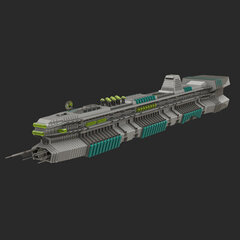
1:32 scale LMS Explorer
aidenpons reacted to Arthuriel for a topic
After revising my 1:16 model of the L.M.S. Explorer, I tought about an even smaller version of the L.M.S. Explorer. I knew, that it was relatively difficult to contain enough details on such a scale, but I tried my best and here it is: The 1:32 scale version (okay, it more like 1:33 or 1:35, but it depends on how you measure the ship): I built it on two days (yesterday and today) and it contains 202 bricks. Older Render Pictures: And you don't have to fear even smaller versions, because all of them are here now:1 point -

GHB files
le717 reacted to RobExplorien for a topic
LEGO Racers: The structure and values of ghost path files NOTE: The following information was generally obtained by testing with the .GHB file located in the RACEC0R1 (Imperial Grand Prix) folder of the .JAM archive. Though I'm not completely sure, the information about to follow will apply to other .GHB files in the LEGO.JAM too. Values in code tags apply to the ghost racer on Imperial Grand Prix. This topic is not (yet) a full documentation of the regarding files. Tools used to gather the following information are JMMB's JAMExtractor and origamiguy's Binary File Editor. I know that it is confirmed that .GHB files are the path files for the time trial ghost (AKA Veronica Voltage), but I have not found a good documentation of these files yet. I've been tinkering with these files lately, and would be glad to share the information I gained from working with these files. I will discuss the main values/structure of an .GHB file, and explain what value does what wherever I can. Some information that follows may already be known by some or many, but I felt that I should include most, if not all, information of these files here. If I missed out information, or if you know more that adds to the understanding of these files, I'd be glad to hear from you then. To start off with, where can these files be found? Each track folder (RACEC*R*) in the LEGO.JAM contains a single .GHB files by default, with the exception of RACEC3R0 (Rocket Racer Run) and TEST (Test Track), because time trial races are/were not meant to be held on those tracks. How are these files named? All .GHB files are named 'GHOST', indubitably referring to the semi-transparent racer which you race against on the time trials, Veronica Voltage. The file extension could mean something like 'Ghost Binary'. What happens when I delete or replace a .GHB file from a track folder? Deleting a .GHB file from a track folder hardly affects the game at all. It's like running on an unmodified LEGO.JAM, the ghost still follows the path from the designated track and no error messages show up during the game. Replacing a .GHB file with those of another track simply makes the AI follow this replaced path. For example, replacing the ghost's Knightmare-Athon path with the one from Magma Moon Marathon makes the boss follow the latter path on Knightmare-Athon. This path obviously isn't aligned with the Knightmare-Athon track, so you would see the red dot on the Knightmare-Athon map 'floating' around the actual track. How is a .GHB file structured? Elements of an .RRB file can be found in a .GHB file as well, but there are differences in both structure and definitions of values. Below is part of a .GHB file. All .GHB files share this structure. The code is 'divided' in five groups being: k_2A, k_28, k_29, k_2B and k_27. All in a single .GHB file applies to the path of a ghost racer on one track. This time, the path isn't named as 'nodes' in a comment, but we'll call it nodes anyway now. I left out the other 488 nodes for an obvious reason. You can already see a difference with the .RRB file nodes; (f16) and (f8) is structured different and (byte) is nowhere to be found. k_2C { k_2A 42204 38936 40953 k_28 (float)455.1043 (float)-239.2298 (float)-76.33071 k_29 (float)0 (float)0 (float)0.970296 (float)0.241923 k_2B 0 k_27 [489] { (f16)56.88672 (f16)-29.90234 (f16)-9.539063 (f8)0 (f8)0 (f8)7.6875 (f8)1.875 ... } What are the values for in an .GHB file? The values in a .GHB file vary from defining the startposition of the ghost racer, to the waypoints it has to follow in a race. These values are either set in integer or decimal numbers. How is a startposition set in a .GHB file? The floats under k_28 are used for defining the startposition of the ghost racer. They are relatively simple to understand. These floats define the startposition of an AI, and work the same as for the player (which are defined in an .SPB file) and opponents (in an .RRB file). The first float under k_28 is for x-positioning. This means that the horizontal position (left/right) of an AI's vehicle is set with this float. The second float under k_28 is for y-positioning. This means that the horizontal position (up/down) of an AI's vehicle is set with this float. The third and last float under k_28 is for z-positioning. This means that the vertical position of an AI's vehicle is set with this float. If you still like to know more about (editing) the startpositions, >this tutorial explains most of it. How is rotation set in an .RRB file? This is a double-sided question, because the rotation can refer to the startposition or the path. I'll discuss the former. The floats under k_29 are for the rotation of the AI vehicle IN its startposition. This rotation is not for setting the direction of the path it has to follow, there is no connection between startposition rotation and path direction. That means, setting the rotation for the AI vehicle under k_28 to a different value may change the direction his/her vehicle faces, but at the moment the race starts, the AI will directly face its path direction. This can be clearly observed when setting the AI vehicle in reversed position (i.e. having its facing direction 180 degrees switched). At the moment the race starts, its vehicle will switch back 180 degrees to align instantly with the direction of its path again. All floats under k_29 range from -1 to 1. This rotation is not based on quaternions, so that means rotation of an AI vehicle works different than that of a player. The first two floats under k_29 are for a 3D rotation of an AI vehicle in startposition, to just call it that way. This also explains why the value of this float is always (close to) absolute zero, because in all tracks, the startposition is on a leveled surface. If this float is bigger or smaller than 0, the AI vehicle will align with the surface in an angled (see image) and somewhat twisted way, but not perpendicular at absolute 1 or -1 I believe. The float is represented as 'z'. The last two floats under k_29 are for horizontal rotation of an AI vehicle in startposition. (NOTE: In a .GHB file, the floats under k_28 define the startposition and under k_29 the rotation of this position. In an .RRB file, the floats under k_29 define the startposition and under k_28 the rotation of this position.) What do the k_2C, k_2A and k_2B groups stand for? I have this issue too with the .RRB files; I don't know what these stand for. I tried changing the values, and removing them, but nothing extraordinary happened when I ran a time trial against the ghost racer having these modified groups. The k_2C probably defines as to what we're talking about in this file, like a tag does in XHTML. The k_2A holds unsigned 16-bit integers in which ghost times are saved. Each line under k_2A contains an integer which is the lap time in milliseconds of laps 1, 2 and 3 respectively. Lastly, k_2B, don't know what it is for. They only appear 'naturally' as positive integers, but the game doesn't complain about signed integers. What are the nodes (the k_27 group)? Just like in an .RRB file, the nodes are set under k_27. Nodes are waypoints for a ghost to follow during a race. Going through all nodes in a single .GHB file means that the ghost racer completed three laps (thus one race). The nodes are the ones that really add up to the amount of code lines in the .GHB file, because one node only represents a small distance to race on the racetrack. Therefore a lot of nodes are used to fill a complete AI path. The average amount of nodes for a ghost's path is 450, but I've seen .GHB files with up to 603 nodes found in the RACEC2R2 folder (Adventure Temple Trail, the longest track in the game). Below follows the structure of the nodes again. Each node consists of 7 code lines. I also put additional comments next to the nodes. These comments (subnode may not be the correct term) refer to the explanation given in the text below the code. k_27 [489] { (f16)56.88672 //subnode 1 (f16)-29.90234 //subnode 2 (f16)-9.539063 //subnode 3 (f8)0 //subnode 4 (f8)0 //subnode 5 (f8)7.6875 //subnode 6 (f8)1.875 //subnode 7 ... } What are the floats at (f16) for? These three nodes are for the position of the path. Subnode 1 is for the x-position, subnode 2 is for the y-position and subnode 3 is for the z-position. So the ghost racer travels via positions, unlike the bytes in an .RRB file that define the 'speed' an AI has to pass a node. It seems that each node is passed in the same amount of time (probably in the range of 25-40 milliseconds?) and the difference in the position from the former node and next node have an effect on the speed of the ghost racer. For example, if the distance in position between node 4 and 5 is equal to 7ft and the distance in position between node 5 and 6 is 9.5ft, the ghost racer will travel faster from node 5 to 6 than from node 4 to 5 (same time limit). The three nodes represent the coördinates of each node divided by 8 (due to limited storing space). What are the floats at (f8) for? These nodes concern the rotation of the ghost racer in its path. The rotation of the racer (object) is saved as unsigned 8-bit fixed points, representing quaternions. Subnode 4 is for vertical rotation, thus the vertical alignment with the track. It works the same as the first two floats under k_29 (rotation of startposition). Subnode 5 is also for vertical rotation, but then sideways. I guess I can explain it best with the image below (the float for subnode 5 is represented as 'z'): Subnode 6 is for the horizontal rotation of the ghost racer during the path, meaning which direction the vehicle faces. Note that the faced direction does not define the direction of motion. Subnode 7 also does something to the horizontal rotation, like subnode 6, but I also managed to flip the ghost racer upside down by setting the node to a specific value. What happens if I remove (sub)nodes? Unlike the .RRB files, tinkering with the subnodes in a .GHB file is prone to errors. If the node structure is messed up (e.g. only having two lines of (f16) instead of three) will result in a syntax error upon loading the track with the 'wrongly' modified .GHB file. Removing whole nodes from the .GHB will work fine if the amount specified between square brackets is the same as the amount of nodes under k_27. If certain nodes are removed from the .GHB, the ghost racer will skip the relevant nodes (positions) and immediately proceed to the path position of the next node, as if the ghost teleports. Thus the ghost racer keeps aligned with the track and won't go 'out of bounds'. .GHB file compatible with .RRB file? The idea has been floating around of replacing AI paths (in circuit races and single races) with ghost paths, like having your prerecorded path used by an AI. A great idea that would boost LR modding if possible. If you read through this documentation, you've seen the different structure of the waypoints compared to an .RRB file. A ghost racer moves via positions, a normal AI via bytes and relative coördinates; a ghost racer has three (f16) floats, a normal AI two; a ghost racer has a significant less amount of waypoints than a normal AI. First of all, messing up the structure of waypoints is prone to errors in a .GHB file. Thus replacing those with the waypoints of an .RRB file won't simply work just like that, you get a syntax error. And second, replacing the waypoints of an .RRB file with those from a .GHB file will result in an 'invalid value' error. However, I did manage to have an AI use a ghost path, but I don't recall anymore how I pulled this off (I'll see if I can manage to get it to work again). When the AI uses the ghost path, it will float around doing weird rotations (remember, bytes were missing from the nodes in .GHB waypoints), not really making any progression forward or backwards. Also, I haven't found a file storing the player's prerecorded path (appearing as a ghost in time trial races) anywhere in the .JAM archive (hopefully I didn't look for it well enough). I extracted the .JAM after I had raced a full race in time trial mode, so in the next try a second ghost racer (using your previously raced path) shows up (marked with a blue dot in the HUD map). I was hoping that I could expose this prerecorded path this way somewhere in the .JAM archive, but without success. Extra facts: Despite playing on time trial mode, all AI paths in the corresponding track folder are being loaded at the start of a time trial. Veronica Voltage keeps shaking her head (animation sequence when losing a race) during time trial races.1 point -

Stuff Happens: My Grandma Passed Away...
Drill Master reacted to Ben24x7 for a blog entry
Same thing happened to me... around 2009 I think when my Grandma died due to cancer. Seriously it was hard to try and spend the day not thinking about it. And if anyone asks me about it it'll take me an hour of remembering my grandma before going back to tears again. To sum up what I said; I know how you feel, and it certainly will be a part of your mind and stick there for eternity.1 point -

Acid 1.5
Wognif reacted to fun for a gallery image
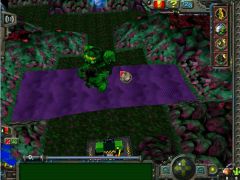
From the album: Lego Rr stuff/Radom stuff
My acid monster is also here what's your opinion on that?1 point -

I am the real Infomaniac
STUDZ reacted to Cloudstrife987 for a topic
Wow,It is the real infomaniac,So you created the island a zillion years ago and you and the brickster were playing on the island then you decided to build someone else to play with so the brickster got jealous and tried to take over the island,But then got thrown in jail? Amazing!1 point -

Solidworks and Rock Raiders
Cyrem reacted to Agent Arrow for a topic
I think that people are pretty interested in my project, so I thought that I would share some of my progress as I work towards my ultimate goal. So far I've created the Chrome Crusher, the Tunnel Transport, the Power Station, the Support Station, and I am nearly done with the Super Teleport. I'd like to give a huge thanks to JimbobJeffers for creating the instructions that I've been using for the buildings and of course to everyone here for being so supportive of this long and arduous process. For the record, I am using Solidworks 2013 to create each individual brick and then putting those bricks together in assemblies. It started as an exercise to maintain software proficiency but turned into an opportunity to digitally recreate some of my favorite kits using components not offered in conventional Lego CAD software. As an intro, I thought that you'd all like a quick glimpse of my construction process. I've compiled this GIF as an idea of how I put these together. I'll update this again when I get further along. Edit: I'll have a large selection of additional images shared on my DeviantArt page.1 point -
Legos in Space: The Movie: The Fanfic: The Animated Fan Movie
le717 reacted to LimeKiller for a topic
A setback has occurred. So my computer decided to die on me... Pro: New computer. Con: Lost all data & must restart work. Never fear though! I'll just stop eating and sleeping. Seriously though, I was really happy with how the animation was turning out and I think you guys would quite enjoy it. I'm going to restart it right away. I'm going to set an arbitrary goal of two weeks from now that I will blame on school if I don't meet. Looks like I hit my goal exactly. Awwwww Yeaaaahhhhh.1 point -
Beta speedometer
Jack Bluebeard reacted to RobExplorien for a topic
I've seen that the speedometer looks different in the beta version of LEGO Racers, and thought it'd be nice to re-create this speedometer. So here it is. The indicator is not yet set in 'beta-style' though.1 point -

Any way of still getting LEGO Island?
IceHusky reacted to Baz for a topic
The first one to me is only worth playing for nostalgia. There isn't much to do besides the quests which take 2 hours to complete total and changing everyone's hats into cats. LI2 was just a bigger game with a bigger replay value in my opinion. And I thought the voice-overs were hilarious. The fact that the game was buggy fit in with its general wackiness for me (also, LI1 was just as buggy, remember how any vehicles you were in would keep going if you exited them while moving? that was fun though). My only qualm with it was the load times, which are fortunately much faster on my new computer than the one I already played it on, and the fact that it never saved my resolution settings. The only thing I wish it had more of was more quests and enterable buildings on Lego Island, such as an underground racetrack like in the first, etc. Jetski races would be cool too. But that and the load times all stem from the fact that they were on a deadline. Overall I still enjoy LI2 more than LI1. Oh and the fishing mini-game was one of my favorites That and the hang-gliding. My least favorite was probably the jousting one or whatever on castle island where you had to mash keys.1 point