
Leaderboard
Popular Content
Showing content with the highest reputation on 01/30/2014 in all areas
-

LEGO Universe Playthrough
Ayliffe and 4 others reacted to lol username for a topic
I spent too much of my life on this freaking game. A game specifically designed to keep me playing and interested while simultaneously cringing at its fundamental design, to make me love its developers for being awesome people who put their hearts into it while also making me wonder just what the hell they were thinking when they created it. Ladies and mentlegen, I give you LEGO Universe. Playlist Part 1 Part 100, end of the main Sentinel playthrough Part 101, Paradox exclusive missions Part 102, Venture League exclusive missions Part 103, Assembly exclusive missions During the last three months of this game's determined but confused existence, I recorded as complete of a playthrough of it as I could. Seeing as the game was designed to sap up as much of a kid's time as possible, that meant 39 hours (perhaps closer to 40 counting stuff I cut out or sped up) of recording just to complete every mission (including the missions exclusive to certain factions) and collect every collectible. In the end, I got all of the core content recorded, but if I had actually been playing the game for the sake of playing it, then I would have been only beginning... With many, many more clothing and weapons and armor sets to complete, and what was for all practical purposes an endless barrel of achievements that required smashing what was likely a grand total of hundreds of thousands of enemies to complete (side note: if somebody could actually figure out exactly how many enemies one would have to smash to 100% complete LU, I will laugh and hug you as a fellow nutcase should). After a bit of a break, I will be uploading another series of videos about LEGO Universe, recorded around the same time as this playthrough: Tours of all the worlds, showing both how players normally saw them on foot, and broader overviews from the sky via jetpack. The point of this second video series will be twofold: First, to show how easily the illusions used by the level designers used break when viewed at the wrong angle. Second, to show how amazingly little time it takes to simply explore them, thus accentuating the fact that this game dragged a few hours of world exploration (at most) into solid days of running back and forth as a little yellow plastic FedEx wannabe/zombie slayer. Enjoy. Except I seriously don't expect anybody to actually watch the whole thing. LEGO Minifigures Online, coming later this year! Oh dear wad.5 points -
2014 LEGO Sets
ProfessorBrickkeeper and 3 others reacted to lol username for a topic
The German Toy Fair has arrived, and we have pictures thanks to this Fedro dude. Check 'em out! http://www.flickr.com/photos/61839591@N08/ Things of note include Ultra Agents, a new cyberpunk-esque secret agent theme heavily tied into comics and apps, and a new Arctic theme - or rather, a subtheme of City. The new Arctic sets are very reminiscent of the 2000 sets, though there seem to be crystals in the meteors/ice chunks rather than ancient aliens. Also, Johnny Thunder has back printing. Sources: Fedro Dude4 points -
All Of The LEGO Movie Sets
Fush and one other reacted to lol username for a topic
There's a lot of non-LEGO objects in the movie - laser pointers, a bandaid, floppy disk, and a ton of other stuff. Even the main plot revolves around Lord Business using the "Kragle" (a tube of Krazy Glue) to glue the world together, with Emmet having the tube's cap (the Piece of Resistance) glued to his back. http://www.youtube.com/watch?v=52oa6hx4Cgc2 points -

2014 01 30 03.43.16
STUDZ and one other reacted to Wognif for a gallery image
From the album: Wognif's creations
2 points -

2014 LEGO Sets
emily and one other reacted to le717 for a topic
'' target='_blank'>> @tazakk, Johnny has done something and you've failed to break the news.2 points -

2014 LEGO Sets
STUDZ and one other reacted to Alcom Isst for a topic
Deja-vu.2 points -

Tutorial: Adding Custom Decals into LDD
Zed reacted to Jimbob for a topic
Adding Custom Decals into LEGO Digital Designer As great as LEGO Digital Designer is, it doesn't contain all the textures ever produced by the LEGO group. This tutorial will show you how to mod in custom textures to LDD so that you can use them in your models, and includes a little section at the end on setting these models up for rendering in POV-Ray. In order to add custom decals into LDD, you will need the following: LIF Extractor by JrMasterModelBuilder Notepad++ (or any decent text editor, this is free and recommended) A decal in PNG format Step 1: Preparing LDD Before you can add in custom decals, you'll need to prepare LDD for modding. To do this, you will use the LIF Extractor you downloaded previously. Navigate to your Application Data directory, and locate LDD's folder. On Windows 7 this path should be: C:\Users\YOURUSERNAME\AppData\Roaming\LEGO Company\LEGO Digital Designer Inside you will find, among other files, a large file called db.lif. This file contains all the decorations that are loaded into LDD, in addition to various other files. Now open the LIF Extractor in a new window. Navigate inside the folder relevant to your operating system - for my 32 bit computer, this is LIF_Extractor_Win_32bit. Drag the db.lif file onto the LIFExtractor.exe file inside, and it will begin the extraction process. This might take a while depending on your computer - on my Windows 7 netbook it took almost an hour, but on my old Windows XP laptop it took about a minute - so feel free to pop off to the nearest Support Station for a sandwich. Do not get impatient; just wait for the command window to disappear. Once it does, the extraction is complete. Ta-da! You'll see a shiny new folder called db sitting next to the db.lif file. Now, to set LDD to run from this folder rather than the db.lif file, simply rename the db.lif file to something else (don't delete it - you'll want to keep it as a backup). In this example I'll rename it to originaldb.lif. Your folder should now look like this: That's it, Step 1 is complete and you're all set! Step 2: Adding Custom Decals Now to the main part of this tutorial. Adding custom decals into LDD is actually very easy, and you probably won't need to refer to this tutorial any more after your first few tries. Open the db folder you extracted in Step 1. There are several files and folders here, but the only two we're concerned with are Decorations and DecorationMapping. I have highlighted them in the image below. The Decorations folder contains over 1,500 PNG images, all of which are used as decals on bricks and minifigure parts. The DecorationMapping.xml file is just one big list of all these files, and tells LDD which parts these decals should be available to. To add your own decal into LDD, simply save it in PNG format (if it isn't already) and copy it into the Decorations folder. The important thing is that you must now name it with a unique 5-digit number (plus the extension, of course). You can give it any number, so long as no other file in that folder already has it, so in this example I will use 10001. Here you can see I've created a masterpiece of a face decal and placed it in the Decorations folder. Now that the decoration is in the correct location, go back out into the db folder, and open DecorationMapping.xml in Notepad++ (or another decent text editor). You will see, after the first two lines, an indented list many lines in length. The format is: <Mapping decorationID="54580" designID="3626" surfaceID="1"/> The decorationID number is the name you gave your decal in the Decorations folder, excluding the extension. If you remember, in this example it is 10001. The designID number refers to the part that the decoration can be placed onto - in this case, it is 3626, which is the minifigure head piece. Tip: To find out the number of a particular piece, look for a decal that the relevant piece currently uses in the Decorations folder (for example, 55071). Then search this number in the DecorationMapping.xml file, and the associated designID is the part's ID (55071 has designID 3070, hence the 1x1 tile piece's ID is 3070). My custom decoration is intended to be used on a minifigure's head, so I'll leave it as 3626. Copy any line you wish and paste it at the top of the list, after the first two lines (or manually type a new one). Then change the decorationID to your decal's name, and the designID to your part's ID. By placing your decoration at the top of the list, LDD will read it first, so it will appear at the top of the decorations list in the application. Save the file, close it, and you're done! Step 3: Checking Out Your New Decal Launch LDD and enter LDD Extended mode. You can do this by selecting View > New themes > LDD Extended. Place the part you added a new decal to, select the Decoration tool (found by first selecting the Paint tool), and click on your model. If all goes well, the first decoration in the list should be your newly modded one! But what happens if you want to distribute this file? Well, the decoration ID of each part is saved to the file. If you save your model with a custom decal on it, then load it into an unmodded (or modded without the current decal in it) version of LDD, it simply won't appear. The part is still registered as containing that decal though, as mentioned previously, and therefore if you open the file in a correctly modded version of LDD it will reappear again. This means that you can distribute your .LXF files either with standard decals, for users with unmodded version of LDD, or containing the modded files so that other people can use them too. Or both, which is probably better. One final note: le717 pointed out that updating LDD will cause any current mods to be lost, so you will need to backup your decals somewhere else and reinsert them into LDD each time there is an update, starting from Step 1 of this tutorial. Rendering Models with Custom Decals You've just finished building an AWESOME model using custom decals, and want to render it in POV-Ray*. But the POV-Ray converter requires that you use an unmodded version of LDD, so what do you do? It's very simple. After saving your model, change all the decals in it to any standard decals that LDD uses by default. Save a new copy of the file, and then rename your originaldb.lif file back to db.lif. When you load the LDD-to-POV-Ray converter, there is an option to render with custom decals. Just tick this, and replace all the decals with your own ones. Remember, if you want two of the same part (a minifigure's head, for example) to use different decals in the same model, you will need to give them both different standard head decals. The LDD-to-POV-Ray converter changes each individual decal for all parts that use it in a model. *Not sure how? Check out le717's tutorial here.1 point -

GHB Recorder
Jack Bluebeard reacted to grappigegovert for a topic
GHB Recorder It records ghost paths! The only thing is, it saves as TXT file, not (yet) as GHB file. So you'll have to copy the contents into 's binary editor. The readme file in the archive explains how to record a ghost path. (in short: F2 starts/stops recording) Many thanks to RobExplorien for explaining the GHB format. Download: https://www.rockraidersunited.com/files/dl-r18/ Changelog: v1.2 Actual time is now correctly saved Recording will stop automatically upon finishing the race (don't press F2 after finishing, or it will start a new recording, overwriting the previous one.) v1.1 Fixed rotation for 2001 version v1.0 Initial release1 point -

Thumper
Lair reacted to Cirevam for a topic
Thumper Prerequisites: Tool Store\Teleport Pad\Power Station Cost: 8 Ore, 1 Crystal Foundation Area: 1 tile (though the piping overlaps the adjacent square, it can be driven through) Effective Range: 2 squares away Description: The Thumper is a perimeter defense structure, much like the Electric Fence but fulfilling a different role. As Slimy Slugs are generally immune to the fence or crawl right under it, the Thumper creates strong shockwaves which scare slugs who get too close. The sound of the compressor running also annoys slugs, so it acts much like a large version of the Sonic Blaster. However, one must take care that building Thumpers next to walls may cause landslides, and they are completely ineffective against Rock Monsters. Yes, the pneumatics actually work, and it makes a decent plastic thump. I want to see a lot of entries this time, so this is why I'm posting mine now instead of near the end. I don't care about winning, I'm just trying to motivate all of you. EDIT: Lowered effective range. Three is too much as you could have one Thumper defending a large tunnel which throws it out of balance. Two is better because you still have four squares of separation between multiple Thumpers but you also can't stick it in the middle of a cluster of buildings and expect it to defend all of them.1 point -

Rock Raiders Snowmobile
Lair reacted to Fush for a topic
FINAL VERSION: IRL photos Original OP:1 point -
LEGO Universe Playthrough
Rokreder reacted to Fush for a topic
http://tvtropes.org/pmwiki/pmwiki.php/Main/PlayerTic1 point -
Tutorial: Adding Custom Decals into LDD
Jimbob reacted to Fush for a topic
I meant more that the pixels on the edge of a decal can be distorted, or whatever. Best way to explain is with an example, if you look at this picture from one of my models, and look at the vest on the minifig (which is a custon decal) you can see the line on the bottom is thicker than the others, despite being the same size in the image itself, simply because it touches the edge and got stretched. Similarly, the black 'v' shape on the yellow plate (also a custom decal) is ever so slightly cut off on the edges (though it's hard to tell by how much as it's a little cut off in the original...) So what I'm saying is, when making the decal it would help to leave a one-pixel border around it that's totally empty, for good measure.1 point -

2014 LEGO Sets
ProfessorBrickkeeper reacted to emily for a topic
Yes, back printing for Johnny! That's a really cool construction site diorama they have, too. I'm wondering if those extra long beam elements that are used for the buildings' frames are actual LEGO elements, and if they might appear in sets. Oh, I'm sure there will be plenty of news coming along in a week or so.1 point -
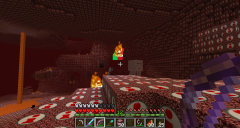
Minecraft Screenshots
Jimbob reacted to Wognif for a topic
I was messing around with some textures.1 point -
RRU Quotes 2: Reckoning
STUDZ reacted to lol username for a topic
[9:41:41 PM] Cirevam: Yeah this thing is impossible to fly without balancing engines [9:41:58 PM] Cirevam: Let's try removing thrust on the light side [9:54:00 PM] Cirevam: Never mind [9:54:12 PM] Cirevam: I need the infinite fuel mod because this is stupid [9:54:32 PM] Cirevam: Everything is wiggly and it prevents me from going full thrust [9:54:40 PM] Ciprian: Ach, that. [9:55:26 PM] L Z: There's a pill for that [9:55:59 PM] Cirevam: sush1 point -
LEGO Universe Playthrough
Quisoves Potoo reacted to lol username for a topic
@Prof, you're missing quite a good chunk of stuff there, what about Gnarled Forest and Ninjago? Thanks guys.1 point -
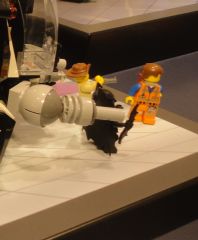
Uh-oh
STUDZ reacted to le717 for a gallery image
From the album: The Album of Randomness!
tazakk, your move.1 point -

RRU Quotes 2: Reckoning
The Ace Railgun reacted to dead_name for a topic
[00:11:35] McJobless: See, I recognise Jamessters deep sex voice. EDIT: [00:19:46] McJobless: Jamesster is no longer just a guy with a deep voice. [00:19:53] McJobless: He is now a complete sex god.1 point -
Rock Raiders Snowmobile
aidenpons reacted to Fush for a topic
Yep, I will try to put a bucket there. Fix er'thing. What is it with you and exposed studs? I may or may not put something there, but having exposed studs is not bad. I will consider this. I noticed as well, even though it shares the same color scheme as other LRR models it just doesn't fit. Idk. I agree, will probably go with flat grey panels. Remove the black? No. This has probably less black than any of my other models and Every Single Piece that is in black is a piece that should not be any other color (exception being that 2x3 plate on the front, I'll un-black that.) As far as the turquoise goes, I actually tried to use more in this model than others to give it a sort of 'arctic' look to it. Going along with that I should maybe lighten a couple of the greys... ...no. Trying to not use as much dark grey this time. Only DG parts are, like the black, parts that shouldn't not be DG. Yeah I do wanna try and put this into the game. Either convince someone who knows how to make it for me or figure out how to do it myself..... EDIT: Version 2.1 complete. Fully Upgraded:1 point -

RRU Minecraft Server
ProfessorBrickkeeper reacted to Drill Master for a topic
No.1 point -

RRU Quotes 2: Reckoning
MaelstromIslander reacted to STUDZ for a topic
[19:09:15] jamesster: hold on to your buttocks I'm going in [19:09:17] McJobless: What. [19:10:16] Cirevam: Begin aerobraking maneuver! [19:10:54] jamesster: bkdlgzg [19:10:58] jamesster: i don't wanna go in [19:11:04] jamesster: you may release your buttocks [19:11:11] jamesster: ... [19:11:23] jamesster: OK I SHOULD THINK MORE CAREFULLY ABOUT WHAT I'M SAYING I THINK [19:11:45] McJobless: I'm going in. [19:11:49] McJobless: Hard and fast. [19:11:50] jamesster: WOW DELAYED REACTION MUCH [19:12:19] Joe9412: Do you think I think about what I say? [19:12:55] Stan McStudz: No, we don't Joe. MOAR: [22:14:04] Philip: it's 1 AM [22:14:10] Philip: I've been up for nearly 20 hours [22:14:58] Philip: the earth should be flat like a potato chip and the sun should be a light bulb so we can all have the same time zone [22:15:03] Philip: real thing I just thought [22:15:53] jamesster: what about potato chips with ridges all over [22:16:01] Stan McStudz: EARTHQUAKE [22:16:26] jamesster: what happens if somebody eats our planet [22:16:33] Philip: On 1/29/14, at 1:15 AM, jamesster wrote: > what about potato chips with ridges all over hum, well, we could have oceans in the ridges and live on the other ridges [22:16:35] jamesster: does our planet taste like sour cream and onion or dill pickle [22:16:38] Stan McStudz: DEVOURER OF THE WORLDZ [22:16:53] Philip: i think i will go with sour cream and onion, i like sour cream [22:17:00] Stan McStudz: THE WORLD IS MY PRINGLE [22:17:04] McJobless: But what about those air popped ones? [22:17:15] McJobless: Where you barely touch them and they explode? [22:17:24] McJobless: Do we jump and die? [22:17:36] Stan McStudz: afghanistan [22:17:53] Philip: we gently tunnel into the air popped ones and we go in there when it rains [22:18:00] jamesster: our solar system is a tube of pringles [22:18:15] jamesster: I really don't like pringles [22:18:23] jamesster: are they even potato chips [22:18:28] jamesster: what are they made out of [22:18:29] McJobless: What if Earth was a plate of Natchos. [22:18:37] jamesster: I WOULD EAT THE FREAKING WORLD [22:18:42] McJobless: Is rain salsa sauce? [22:19:00] jamesster: so the rain dance and the salsa dance would bE THE SAME [22:19:02] jamesster: AHAHHAHAHAISHOUDSLEEP1 point -
Tutorial: Adding Custom Decals into LDD
le717 reacted to Fush for a topic
Er.... your counting is off. Also, LDD has a scrollbar in the decal window now, so nothing gets cut off.1 point -

All Of The LEGO Movie Sets
Car CrazeXVI reacted to Yajmo for a topic
Hey is that workman Fred? Probably just a similar face.1 point