
Leaderboard
Popular Content
Showing content with the highest reputation on 04/02/2014 in all areas
-

Alcom Plays Goat Simulator!
Wirza and 6 others reacted to Alcom Isst for a blog entry
Realizing that I payed for a $70 mic and have yet to do something worthwhile with it, I decided to finally do a Let's Play, and chose Goat Simulator for that Let's Play! Enjoy! https://www.youtube.com/watch?v=eYuxu7LhKkI7 points -

RRU Quotes 2: Reckoning
Jimbob and 6 others reacted to lol username for a topic
[9:21:53 PM] Cyrem: CIRE [9:21:56 PM] Cyrem: JUST IN TIME [9:22:17 PM] Cyrem: You got awards to process [9:27:48 PM] Cirevam: fak u cylen7 points -
All of you. Can we please stop bringing that MC server post everywhere (You too MaelstromIslander). It was a first time mistake, and dragging it everywhere won't help us to like each other any better. K thx bai. P.S. Nice work on Jobless.4 points
-
So I needed some drawing practice now that I have my new tablet, and Ace suggested drawing RRU members as Rock Raiders. So That's what I'm doing. Completed: (note: the color bleeds out of the outline in some of these, I am currently working to fix that) Ace Ben Drill Master Fushi (Me) Jedi299 Jimbob Le LEGOCyborg McJobless McStudz MaelstromIslander Pereki and Phantom Terror Phantom Terror Pranciblad ProfessorBrickkeeper Rocket Shadowblaze Xiron Zeph If you want drawn, post here, along with a brief description. Physical traits only, the rest I'd prefer to do myself. New drawings will be added to the OP as I finish them.3 points
-

RRU Quotes 2: Reckoning
The Ace Railgun and 2 others reacted to Fush for a topic
[2:20:58 PM] Bug Catcher: finished Jobless. I think I captured his essence well. [2:29:50 PM] Ramius Antillies: Why does he purple hair? [2:30:08 PM] Bug Catcher: Becuase he has purple hair [2:30:10 PM] jamesster: Because he has purple hair3 points -

RRU Minecraft Server
The Ace Railgun and 2 others reacted to Jimbob for a topic
Hi-ho, hi-ho, it's two announcements I've... Got... Uh, to go. 1) There's been a fair bit of griefing around the place recently. This was a little unexpected, particularly as RRU is meant to be a mature and friendly place, so I'm unfortunately going to set down some more strict rules. Moderators will now give you a warning each time you grief. After three warnings, you will be issued a temporary ban and your case will be discussed among the moderators. If you are allowed back on to the server and grief just once more, a permanent ban will be issued. There are no exceptions to this rule - you grief and ruin this server, you're out. I'm paying for this server to allow people to come together and enjoy themselves externally from the forum, you have no right to ruin that and there will be no more Mr Nice Guy from me if you are abusive. 2) On a more light-heated note: With 32 members now, Drill Master has been promoted to the ranks of Moderator! Happy law-enforcing, DM .3 points -

RRU Minecraft Server
The Ace Railgun and 2 others reacted to Fluffy Cupcake for a topic
Please read the OP first next time. And the last 10 posts.... this is the third time in a row.3 points -

MaelstromIslander's Introduction
STUDZ and one other reacted to MaelstromIslander for a topic
Hello RRU! I'm MaelstromIslander, a complete fan of the LEGO Islanders theme from Pirates. I first became a fan of the theme when my parents bought me LEGO Racers, the character "King Kahuka" was awesome to me for no reason at all (i don't know why) and when i unlocked him i always raced as him. I learned more about him and learned what theme he was from, then, i became a fan of Islanders and i collected a set that included kahuka's minifigure. Now, i play lego racers knowing the names of all the characters, i also completed it. After meeting a very nice person named Jamesster off the now-dead wikia wiki Brickipedia, i learned about this place. Not only that, i learned all the LEGO Racers music soundtracks i downloaded for my music player was made by Eight-three-one, that was especially suprising. Now, i finally made an account, and i'm here, on Rock Raiders United, hoping to collect LEGO Island 1 for my birthday, and to feel welcomed here. I can't wait to get some modifications for my LEGO Racers copy! I hope you all can teach me the basics on making topics and etcetera!2 points -
Despite losing progress due to a computer crash, McJobless has been finished and added to OP. I tried to make the hat work, but I coudn't, so you get generic helmet >:c Also a note about clothes, since it's been mentioned in several descriptions. The whole point is to draw you guys as Rock Raiders, so all of you will abide by the RR dress code. However, since there are several uniforms to choose from, I tried to get as close to the clothes specified while still being within my own self-imposed limits.2 points
-
MaelstromIslander's Introduction
MaelstromIslander and one other reacted to lol username for a topic
'Ello der. I was wondering if you'd join at some point.2 points -
MaelstromIslander's Introduction
le717 and one other reacted to Fluffy Cupcake for a topic
Why hello there, welcome! May I suggest getting a better version than Mr831 of the Racers soundtrack here? '?do=embed' frameborder='0' data-embedContent>> Well one thing, be sure to read the first post in a topic to get what it is going on before replying (you didn't do that in the Minecraft topic...) Please, starting at 2 minutes2 points -

Mixels!
Brigs reacted to STUDZ for a topic
Seeing as Fushigisaur has made us all even more aware (and interested) in LEGO's new Mixel line, I've bought myself a few and decided to watch a bit of the "show" (if one could even call the cartoons such). So, I've made it my responsibility to make a thread for Mixels discussion. What do you think of the "story" (loosely speaking here), and the models themselves? Personally, I think that while this series seems like a cash-in by LEGO and Cartoon Network, it's not the WORST idea I've seen (*COUGHBEN10COUGH*), and the pieces are highly reusable. My main qualm would be that the series 1 Mixels would be more memorable than the other series (although they do look cooler) Also, Flain looks NOTHING like his cartoon counterpart. But that's my opinion. What's yours?1 point -

RRB files
Quisoves Potoo reacted to RobExplorien for a topic
LEGO Racers: The structure and values of AI path files NOTE: The following information was generally obtained by testing with the .RRB file of one racer on Royal Knights Raceway. I'm not completely sure, but the information about to follow will apply to other .RRB files in the LEGO.JAM too. Values in code tags apply to the boss racer on Royal Knights Raceway. This topic is not (yet) a full documentation of the regarding files. Tools used to gather this information are JMMB's Jam Extractor and origamyguy's Binary File Editor. I know that it is confirmed that .RRB files are the path files for an AI, but I have not found a good documentation of these files yet. I've been working a lot with these files last week, and would be glad to share the information I gained from working with these files. I will discuss the main values/structure of an .RRB file, and explain what value does what wherever I can. Some information that follows is already known by some or many, but I felt that I should include most, if not all, information of these files here. If I missed out information, or if you know more that adds to the understanding of these files, I'd be glad to hear from you then. To start off with, where can these files be found? Each track folder (RACEC*R*) in the LEGO.JAM contains a certain amount of .RRB files, mostly around 15 or so (adding up to about three for each AI). Only the TEST folder doesn't contain these files, because an actual race was never meant to be held on that track. Therefore, there aren't any path files there, or checkpoints and so forth. How are these files named? The .RRB files are named like this: Rx_y_z.RRB, where the red letters are variable for the file name. x is defined as 0, 1, 2, 3, 4 or 5. These numbers represent an AI, with 1 being the boss racer, 2 being Governor Broadside/Islander/Willa the Witch/Black Knight, 3 being Rob-'n-Hood/Royal King/Blackjack Hawkins/Admiral etc. The .RRB file with 0 is not found in all racetrack folders, as this file is the path for the demo, which is King Kahuka by default. y is defined as F, M, S. These letters might represent the speed of an AI's path, perhaps for reference to the designated AI, where F would be fast, S would be slow, and M would be, eh, Medium? These letters however do not have any influence on the speed of the path of an AI. Changing the letter in the file name won't do much to its path speed. Velocity is defined in the .RRB file itself, and I will discuss this later on, when we get to the contents of the .RRB file. z is defined as 0, 1, 2 or 3. These numbers probably represent a path number. Then it would mean that every AI has a minimum of 2 paths, and a maximum of 4 paths (I've seen racers with just two .RRB files, and racers with 4 .RRB files, and ofcourse others with 3 .RRB files). What happens when I delete or replace .RRB files from a track folder? Nothing really happens to an AI's path, when you remove certain .RRB files. Only when the first of all paths, being Rx_y_0.RRB, is deleted, the AI will not move from its startposition. Even pushing the AI won't work, it will be stuck at his startposition. When deleting the other paths for the AI (but leaving Rx_y_0 in the folder), it will move and continue following this remaining path. Thus, removing all .RRB files means that the AI is stuck at his startposition. Adding, or rather replacing the .RRB files with those of another track simply makes the AI follow this replaced path. For example, replacing the boss's Knightmare-Athon path with the one from Magma Moon Marathon makes the boss follow the latter path on Knightmare-Athon. This path obviously isn't aligned with the Knightmare-Athon track, so you would see the red dot on the Knightmare-Athon map 'floating' around the actual track. How is an .RRB file structured? Elements of an .SPB file can be found in the .RRB files as well. These elements are the startpositions and their respective rotation. However, an .RRB file has many more code lines, and only applies to a single racer, an AI. The main structure of an .RRB file is shown below. The code lines are divided in seven groups. I left out the other 681 nodes, for an obvious reason. k_29 (float)356.9742 (float)210.8356 (float)0.199971 k_28 (float)0 (float)0 (float)-0.704013 (float)0.710187 k_2A (float)367.861 (float)210.6208 (float)0.19997 k_2B (float)0 (float)0 (float)-0.765386 (float)0.643571 k_2C 77536 k_2D 464 k_27 // Nodes [682] { (f16)0 (f16)0.02734375 (f8)0 (f8)0 (f8)0 (f8)10.4375 (f8)5.625 (f8)2.5 (f8)2.5 (byte)193 ... } What are the values for in an .RRB file? The values in an .RRB file vary from defining the startposition of an AI, to the waypoints it has to follow in a race. These values are appearing as integers, floating points and bytes. How is a startposition set in an .RRB file? The floats under k_29 and k_28 are the same for all path files of a single racer of a track. For example, the following files share the same floats in the .JAM archive (providing they are located in the same track folder): R2_M_0.RRB, R2_M_1.RRB and R2_M_2.RRB. But the files R3_S_1.RRB and R4_S_1.RRB in that same track folder do not share the same floats for k_29 and k_28, because these two files do not apply to the same racer (different startpositions). The floats under k_29 are relatively simple to understand. These floats define the startposition of an AI, and work the same as for the player (which are defined in an .SPB file). The first float under k_29 is for x-positioning. This means that the horizontal position (left/right) of an AI's vehicle is set with this float. The second float under k_29 is for y-positioning. This means that the horizontal position (up/down) of an AI's vehicle is set with this float. The third and last float under k_29 is for z-positioning. This means that the vertical position of an AI's vehicle is set with this float. If you still like to know more about (editing) the startpositions, >this tutorial explains most of it. How is rotation set in an .RRB file? The floats under k_28 are for the rotation of the AI vehicle IN its startposition. This rotation is not for setting the direction of the path it has to follow, there is no connection between startposition rotation and path direction. That means, setting the rotation for the AI vehicle under k_28 to a different value may change the direction his/her vehicle faces, but at the moment the race starts, the AI will directly face its path direction. This can be clearly observed when setting the AI vehicle in reversed position (i.e. having its facing direction 180 degrees switched). At the moment the race starts, its vehicle will switch back 180 degrees to align instantly with the direction of its path again. All floats under k_28 range from -1 to 1. This rotation is not based on radians, as far as I know, so that means rotation of an AI vehicle works different than that of a player. The first two floats under k_28 are for a 3D rotation of an AI vehicle in startposition, to call it that way. This also explains why the value of this float is always (close to) absolute zero, because in all tracks, the startposition is on a leveled surface. If this float is bigger or smaller than 0, the AI vehicle will align with the surface in an angled (see image) and somewhat twisted way, but not perpendicular at absolute 1 or -1 I believe. The last two floats under k_28 are for horizontal rotation of an AI vehicle in startposition. What are the k_2A, k_2B, k_2C and k_2D groups standing for? The k_2A and k_2B groups share the same structure as the k_29 and k_28 groups, something you may have noticed already. The floatvalues under k_29 and k_28 are the same for all AI path files for a single track, whereas the floatvalues of the k_2A and k_2B groups are different for all AI path files for a single track. For example, the floatvalues under k_29 and k_28 are the same in these two files (from the same track folder): R1_F_0.RRB and R1_F_0.RRB. But the floatvalues under k_2A and k_2B are different in these two files (from the same track folder). The values under k_2A and k_2B denote the finishing position of an AI racer, the point where it crosses the finish line after three laps. The values under k_2C and k_2D are always an integer. But these integers are different for all AI path files for a single track as well. The integer under k_2C denotes the total race time of a racer on a given track in milliseconds. What are the nodes (the k_27 group)? Nodes are waypoints for an AI to follow during a race. Going through all nodes in a single .RRB file means that the AI completed three laps (thus one race). That means, that there are about three different paths for each AI on a track (one .RRB file representing one path). The nodes are the ones that really add up to the amount of code lines in the .RRB file, because one node only represents a small distance to race on the racetrack. Therefore a lot of nodes are used to fill a complete AI path. The amount of nodes can be 682, as seen in the code lines below (directly under k_27) for an AI path on Royal Knights Raceway, but the amount can also be over 1000 (which is for Rocket Racer Run AI paths). Below follows the structure of the nodes again. Each node consists of 10 code lines. I also put additional comments next to the nodes. These comments refer to the explanation given in the text below the code. k_27 // Nodes [682] { (f16)0 //value 1 (f16)0.02734375 //value 2 (f8)0 //value 3 (f8)0 //value 4 (f8)0 //value 5 (f8)10.4375 //value 6 (f8)5.625 //value 7 (f8)2.5 //value 8 (f8)2.5 //value 9 (byte)193 //value 10 ... } What happens if I remove certain nodes? If you remove a few nodes completely, and also define the new amount of nodes in the brackets (e.g. from [682] to [672]), the game won't give any errors when the AI uses this modification to its path file. The AI will simply skip the 'missing' nodes, and will eventually not be aligned with the track anymore because of this modified path. If you remove parts of a node, like only removing the (f16) part, it does affect the AI path. At the moment the AI reaches this node (with the changed structure), it will be stuck at this waypoint. You cannot move it by pushing his/her vehicle, because the node structure is messed up, meaning that the game doesn't know where the AI has to go next in the waypoint list. What are the first three values for? Values 1 and 2 contain the relative coördinates in an AI path. You have to add or subtract these numbers from the former coördinates to get the new coördinates of the racer on its path. Basically you have to calculate the position of each node as following. For the first node of the path: value 1 = (new x-coördinate) - (startposition x-coördinate) value 2 = (new y-coördinate) - (startposition y-coördinate) value 3 = (new z-coördinate) - (startposition z-coördinate) And for all subsequent nodes: value 1 = (new x-coördinate) - (old x-coördinate) value 2 = (new y-coördinate) - (old y-coördinate) value 3 = (new z-coördinate) - (old z-coördinate) However, for the z-position (value 3) it works a little different, since it is not adressed the same amount of space as the former two values. It ranges from 0 up to 16. All values (starting) from 0 up until 8 indicate an increase of z-position and all values (starting) from 8 up until 16 indicate a decrease in z-position. The change in z-position is, like values 1 and 2, also stored relative to the previous height, but since it is limited in adressing, the maximum increase or decrease z between two nodes is: |z| < 8 Also, an increase of respectively z = 1 unit and z = 5.3 units is given by (f8)z = (f8)1 and (f8)z = (f8)5.3, whereas a decrease of respectively z = 1 unit and z = 5.3 units would be stored as (f8)z = (f8)15 and (f8)z = (f8)10.7 (thus 16 - z). No change in height is denoted by 0. The other four values are the rotation stored as quaternions. Quaternions are a number system which are an extension of the complex numbers, which on itself are an extension of the real numbers (the system that generally everyone is familiar with). I have never studied any further than complex numbers, so my knowledge of how this rotation works lacks here. Values 4 and 5 appear as 0 most of the time. When it is set as 0, the AI vehicle is perfectly aligned to the surface. Tweaking or majorly changing the value causes the vehicle to appear 3-dimensionally rotated while using its path. That means you could have the AI make a wheelie for the whole race, when having the right value for these two subnodes. Values 6 and 7 are values to express the direction the AI vehicle has to face. Meaning, that in combination with modified subnodes 1 and 2, you can have the vehicle drive the 'wrong way' AND face the 'wrong way'. Values 8 and 9 are still unknown to me. I've seen that the value for these two subnodes is 2.5 in every .RRB file in LEGO Racers, but do not quite understand what they are for. What is the last value for? At last, value 10. You could say that the speed (or absolute velocity) of an AI is determined by this value. The byte (an 8-bits number) appears as an integer with an absolute value ranging from 0 up until 256. If you open a random .RRB file, the bytes will mostly be integers of around 200. My guess is that the bytes are the times in milliseconds assigned to each node. I could sustain or reject this if I took the time to calculate the sum of all bytes for a path and compare this with the value under k_2C (total race time in milliseconds). The values most commonly seen are around 3, 129 and 200. If my guess is correct, then the value has a great impact on the smoothness of the path. A large distance between two nodes with a relatively small byte value causes a great positive acceleration for the car, whereas the opposite will do a negative acceleration. It is this correlation that shows that you cannot just alter coördinates and expect the racer to run a smooth as it originally was, you'd need a good recorder to get the path right (one that records both coördinates and relative time elapse). If this measuring happens on constant intervals, then the byte value can be regarded as a contstant. The question that arises is the interval time at which to measure. An .RRB file can only hold that much information, thus you cannot create intervals so small that you'd exceed the maximum amount of nodes. Then again, it is easy to surpass the condition for the third value of the node (relative z-position) on some tracks if you measure with intervals too big. It is this issue that has kept grappigegovert from completing his RRB recorder (the GHB recorder does not have to deal with this issue as it only uses rotation and absolute coördinates for each node, with lap times defined at the start of the file). A possible solution to this is to keep record of the potential overflow of this third value and add this to the next node's third value. Does overflow occur again, pass it forward to the next node. Continue this proces until your overflow record is at 0 again (the principle of a ripple-carry adder).1 point -
Xiron's LR2 Modding Tutorial Series
Rocket Racer reacted to Fluffy Cupcake for a topic
Hello all. So some of you may have heard that a tutorial series was in the works. Yes, it has been. Although I've been stalling for the last two-three months, I've finally been picking it up again, so after many revisions, I'm deciding to release part one of my series. Let me know what you think! Here is the menu first for easy access to any tutorials though. Tutorial 1: Getting Started Tutorial 2: Textures Tutorial 2.5: Animated Textures Tutorial 3: Audio I have not forgotten or gotten too lazy to do the remaining tutorials, they are just too complex due to the lack of modding programs.1 point -

RRU Minecraft Server
Sharkly reacted to The Ace Railgun for a topic
You have been added to the server.1 point -
RRU Minecraft Server
Sharkly reacted to The Ace Railgun for a topic
What's your IGN? I'll whitelist you1 point -
What are you listening to right now?
Mantra reacted to The Ace Railgun for a topic
I love TSFH...they're so awesome... Also this violin... http://www.youtube.com/watch?v=toPm-L7Ib441 point -
Get drawn
Drill Master reacted to The Ace Railgun for a topic
This is already ending up like the MC server post... _-_ Yes please read, it helps to prevent stuff like this...Also... There's your "rules"...we don't normally badger people about stuff like this but...yeah...READ THE FIRST POST... Also thanks a bunch Fushi, for drawing my new Avi it looks awesome. I want to like you Mael but I don't like people who don't read rules...1 point -

Get drawn
The Ace Railgun reacted to Drill Master for a topic
All you had to do was read the OP to find out that you weren't eligible. 4 months active and 10 posts I believe, And if I recall you had 2 posts and you were our newest member at the time you posted in the topic. I don't see what the problem is... In other news, these are looking really awesome Fush! Keep it up!1 point -

What are you listening to right now?
The Ace Railgun reacted to Sharkly for a topic
Girls who play bass... HOT. Jamiroquai is pretty hot too. https://www.youtube.com/watch?v=C_Xy_pD_Or8 Also, I was listening to this while working out when suddenly... Well, you'll know when you hear it. https://www.youtube.com/watch?v=WYgA8icwT901 point -
What are you listening to right now?
Sharkly reacted to The Ace Railgun for a topic
Now i'm addicted to Armenian music... http://www.youtube.com/watch?v=ooXzN2ICULk&feature=share&list=PLci9fsqRbQ88xWEf-VCh2p76zeJSLMTYL1 point -
Improving MLN
aidenpons reacted to Jimbob for a topic
I assume this is all hypothetical, as I doubt LEGO would ever remake MLN? It's been there longer than other 'MMO' games such as Drome Racing Challenge. 1) Agreed. I don't mind handing out random items to friends, so long as they aren't directly related to acquiring the masterpieces. Especially modules like the Golem - I need the Gypsum, I don't want to send it to other people when I get clicks. 2) There's a reason for this, as you've mentioned. They don't expect many hardcore gamers to be playing MLN, rather little kids, so strict moderation has to be in place. Allowing custom messages even as an option for friends wouldn't be acceptable, from my experience kids' friends lists aren't generally dominated by people they actually know (MLN, Club Penguin, etc.), which means anyone could come along and use offensive language or worse. Even having a 'report' button wouldn't be acceptable to a parent who has hidden their 6-year-old from swear words all their life. 3) Yeah, I guess so. But I suppose the reasoning is that you have limited page space, so with the number of modules you collect as you continue ranking up, it would be more difficult to keep obtaining all items. 4) That'd be a handy feature, I would like it but again if we focus on the target audience, perhaps a little too complex. 5) I thought the trading list was HUGE? (In fact, It's not even alphabetically ordered which is stupid). There's a reason they don't allow you to hand out certain items, people need to work for them. 6) Yep, that'd be handy, but as mentioned in 4) it'd perhaps be too complex for kids. It would give us older players more reason to earn the badges though. 7) Agreed. Not sure how you'd fix the last point though, other than requiring a player to complete a game before they can make it public. 8) This kind of stuff is a very annoying. The requirement of mass player-interaction in a game where it isn't that easy to find other players (other than randomly searching)... Ain't so good. Especially when said players only get a certain amount of clicks to use on interaction each day. I'm not sure what else to add myself, you've covered most of it I think. Aside from... 1) A little more customisation on the modules, please. The background patterns aren't that great. 2) At least keep this thing up to date if you're going to leave it on your website. 3) GET LOST ROBOT THING EVERY TIME I LOG ON I DON'T WANT TO HEAR YOUR STUPID VOICE I'm done.1 point -
MaelstromIslander's Introduction
aidenpons reacted to MaelstromIslander for a topic
Haha, LEGO Island reference.1 point -
RRU Minecraft Server
Fluffy Cupcake reacted to Drill Master for a topic
Please read the OP first next time.1 point -
Alcom Plays Goat Simulator!
STUDZ reacted to lol username for a blog entry
Freaking brilliance.1 point -
The Great Kanohi Project
Quisoves Potoo reacted to Prototyke for a topic
Due to April foolishness this mask is posted late. Oh well. Hydraxon isn't actually wearing a mask, so I guess this is his face... The gas-mask chin explains how he breathes underwater, but he really needs to eat. His cheekbones are a bit over-prominent. Ignoring the fear to have too many long names, we'll just say it the mask of ruining-some-random-matoran's-life-when-thier-identity-is-(almost)completely-overwritten-when-you-are-brought-back-to-life-since-you-are-stupid-and-got-stuck-in-"heaven"?-but-are-a-really-good-prison-guard-and-no-one-likes-the-pit-anyway-so-you-just-get-stuck-down-there-again. I think that just about sums Hydraxon up.1 point -
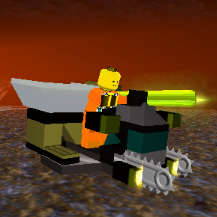
Alcom Plays Goat Simulator!
Brigs reacted to aidenpons for a blog entry
...Is this somehow related to the famous infamous well-known topic in the Elimbies (sorry Brigs, you've created something ): "Final Boss in LDD is too hard?" And that is one great goat model.1 point -
RRU Quotes 2: Reckoning
Cirevam reacted to lol username for a topic
[5:01:13 PM] [sGT] Alcom Isst: Sometimes I wish text would be read upwards. Then it would be like climbing a mountain. [5:01:23 PM] [sGT] Alcom Isst: No, I'm not high. Don't be absurd. [5:01:34 PM] McJobless: You're unusually poetic today, Alcom. [5:03:47 PM] jamesster: Alcom is writing It is very nice to read Look it's a haiku [5:04:34 PM] McJobless: Spaceship Spaceship SPPPPAACEEEEship. [5:04:43 PM] McJobless: A haiku written by Benny. [5:04:47 PM] [sGT] Alcom Isst: There once was a LEGO Community That worked in perfect unity But then children showed up Everything f**ked up And it all just broke our synergy1 point -
Xiron's LR2 Modding Tutorial Series
coffins reacted to Fluffy Cupcake for a topic
The next part is up! This week: Texturing.1 point -
Mixels!
Brigs reacted to STUDZ for a topic
Another thing worth noting: It's like these sets came out ten years ago in a CREATOR series. With fitting articulation for back then, too.1 point -
Mixels!
BerixMaster2010 reacted to Fush for a topic
Well I have already dumped my opinions on the matter on anyone who will listen (and many who would rather not) but I will just reiterate: HOLY CRAP THE PIECES. It's like LEGO decided to take all of their most useful elements, throw them in a bag and sell them for super cheap. And they did. WHAT'S NOT TO LOVE?1 point -
What are you listening to right now?
Sharkly reacted to Cyrem for a topic
Love this song, it's so pretty http://www.youtube.com/watch?v=6GdJdy108W01 point -
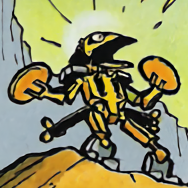
LEGO Awesomeness
Leumeister reacted to emily for a topic
I don't think anyone's posted this?1 point -
LEGO Racers Soundtrack
le717 reacted to Olivus Prime for a topic
Eh, what? Lyrics in the LEGO Racers music? I would imagine it'd sound goofy if somebody sang along with those tunes. The totally-official lyrics consist of you singing the word "LEGO" to the tune of the game's music. It's very deep listening.1 point