
Leaderboard
Popular Content
Showing content with the highest reputation on 04/10/2014 in all areas
-
A bit of a continuation of my previous post: I've written a number of java classes to load a range of file types used in the LDD assets. I thought I'd add a few more and slap them together in a little library for others to use. It can currently only read these files: .lif .g (includes .g1, .g2, ..) .loc (localised string files) materials.xml I'd love to say right here it also writes files, but that is not the case. Most files should be straightforward to write anyway, due to the large amount of plain text formats (XML, LUA, GLSL, ..). However, in the case of the LIF and G formats I don't think the information on these files is complete enough to allow writing. Although I haven't tried doing so either. The github project is here: https://github.com/bartvbl/LibLDD You'll also find a build there.5 points
-

Veronica Voltage
Rock Monster and 2 others reacted to lol username for a topic
Replaces player model 7 by default (the female construction worker) but you can change the file names to fill whatever character slot you want. Shares a few files with the Classic Rocket Racer mod. Download3 points -

RockRaiderWolf's Ye Olde Questions (and requests) Thread
alan and 2 others reacted to Cirevam for a topic
I'm going to steal Alan's post for a second since I'm too lazy to split up all of the quotes. Absolutely, I've created tons of new vehicles and added them to the game. Buildings are a bit iffy because of how the game adds them to the build menu, but they're possible too. This is possible. There is a null that specifies where a raider exits a vehicle. Just place that really far away and you can make a teleporter by having someone enter the vehicle and exiting it. It's a one-way trip though, and I'm pretty sure it wouldn't work through walls. I've never bothered to formally test it but I've noticed that this is possible while creating new vehicle animations and seeing my raider exit further away than normal. Nah, if it's a vehicle you can drive it around, but you have to remember that the driver will get ejected far away. What I meant was this: .___..___..___..___ |...||...||...||...| |___||___||___||___| This is an example of a building foundation. Green tiles can only be placed on flat ground. Blue tiles can only be placed on water. Placing this building such that it spans a two-tile-wide body of water will let you transfer power to the other side. Blue tiles in building foundations don't make a walkable surface, they're just a restriction. This is why you can't build the Docks without being next to water. IS NOT POSSIBLE! OOOOOH THIS IS BAD. Blue tiles in building foundations don't create walkable surfaces. I've created game overlays before, but there's no way to make them level-specific, and they're tied to animations. If you want to have something like that then why don't someone you do all these things?3 points -

Two Hidden In-Game Cheats Discovered
Rocket Racer and one other reacted to Fluffy Cupcake for a topic
So as you know me, I hack LEGO Racers 2 a lot with Cheat Engine. I made a discovery today though with it. There are two hidden in-game cheats that no one has ever posted key combinations for, overhead camera, and mirrored world. Now since no one knows the key combination to press to activate these in game cheats, I decided to make a trainer that you can enable/disable them with. I've also included the other 2 cheats be a martian and wide angle cam for your convenience. (The unlock Xalax and Mars don't have a shared address with these so are not included, sorry!) Enjoy! https://app.box.com/s/23m7irz9rx8wh9er31aa2 points -

Letter to Microsoft from the UK Government
STUDZ and one other reacted to Jimbob for a blog entry
You can tell le isn't British. We have Pounds, not Euros. POUNDS. NOT. EUROS. NOT EVER. DIE MOTHERHUGGING EUROS WE WILL NEVER JOIN YOU MWAHAHAHAHAHA2 points -
LEGO Racers Recreations
Brightfall reacted to Jimbob for a topic
UPDATE: If you'd like to build these models yourself, check out the part lists and instructions I've made here. LEGO Racers Recreations The characters in Lego Racers are so great, that after seeing many pictures of people's recreations of them, I decided I had to have my own. Not just the bosses though, but all 24 racers in the game. Using jamesster's great LDD boss racer designs he uploaded, as well as my own LDD opponent car designs, I have collected the first 12 of the 24 racers in the game - all character's for circuits 1, 2, 4, and 5. I'm very proud of them, and in my excitement thought I'd share them with you First, here are pictures of them all together: More detail on the Circuit 1/4 cars: Captain Redbeard I think Captain Redbeard is pretty epic, although unfortunately due to his peg leg he doesn't sit down very well. Ann Droid This guy has the black car that several opponents share, but is still quite fun. Governor Broadside A bright character, at some point I'll replace the back flag with a 2x2 plate and a printed decal to be more like the game's one. Pharaoh Mummy I think this guy is pretty cool too, his car just seems to work nicely. Robin Hood Ah, Robin Hood, one of my favourites from the game. As his centre sloping section isn't available in green, I had to do some DIY. At first I tried dyeing it like Jamesster suggested, but unfortunately melted the bricks and the dye barely started to work - instead of trying again I figured I wouldn't waste money when the colour was darker than I wanted anyway. So I painted the parts, choosing to do all the green ones for consistency. The flash makes the brush strokes more obvious... And also the minifigure arrived with a split leg and scratches on its back, despite being described as 'good condition', but I guess that's to be expected from Bricklink every now and then. Johnny Thunder And finally, Johnny Thunder, another of my favourites. I think the game designers did well to make his car look so cool. More detail on the Circuit 2/5 cars: King Kahuka Ook-ah-ook-ook. Ook-ah-ah-ook-ah, ah-ook-ook-ah-ook. Ah-ook-ah-ook-ook-ah-ook. Achu Grrr, a chipped face (not visible here)! Well, his car is still cool. That green clip at the back, which King Kahuka also has, is only available in two sets so had to be shipped over from two different sellers in Canada and the USA, these racers are a mixture of USA, UK and Canadian blood Commander Cold Brrr, this guy's so cool. Islander Another of the black car owner's, but still epic. I kind of want to hug him. Wait, I'll be right back. Okay, next up... Royal Knight All hail the king! This guy defends royalty with a rather interesting blend of blue and red. Baron Von Baron He probably has one of the (if not the) biggest cars, suiting his villainous personality. I wonder what that replacement wheel at the back is for, it's a little too small I also have designed some dioramas to display them on, which fit nicely into my cabinets. Credit to jamesster again for the boss models: Circuit 1 Diorama The space at the back will have a tent in it, and the palm trees obviously leaves on top, I've just never owned one so don't know how they fit on Also the models won't be supported by those stands, it's just for LDD to hold them in place. I was looking for a way to have bricks floating, and this seemed the best to me, but if anyone has any suggestions involving transparent bricks I'd be happy to hear them! Additionally, the bricks will be from the original desert Johnny Thunder sets where possible (e.g. the printed tower things). Circuit 2 Diorama This one isn't as dynamic, but I wasn't sure how to make it so. The castle walls will have the brick textures. So, what do you think?1 point -

UNGTC
pedroj234 reacted to JrMasterModelBuilder for a topic
origamiguy has created a GUI tool to make your game MOD-ready (requires .NET 4.0 framework). UNGTC UNGTC - ATD archive tool. Download Link Description: This tool will extract and rearchive LEGO Racers 2 and Drome Racers archives (the Attention To Detail or ATD LEGO video games). A while back, I started reverse engineering the LEGO Racers 2 and Drome Racers archive file formats (hence forth refered to as GTC). I figured out what almost everything was, but got stuck on the compression used in the GTC. In my extended absence from the site, and have been tinkering with the files, tagging up bytes in a hex editor, determining which bytes were litterals, which were backreferences, and which ones said what did what thorugh experimental byte injection. This would likely have never happened if not for this amazing find by Cyrem. Fast forward to September 1st, I finished writing code that would successfully decompress GAMEDATA.GTC. It didn't extract the files, and couldn't write its own COMPRESS.INF file, but the game would load and play, with some minor speed improvements. Fast forward again to today, and I have finished writing UNGTC, a tool that can both unpack the archives and create new ones! UNGTC is writtin in pure C++, and is very fast. How fast it runs depends on the IO speeds of your drive. With a RAM disk, it can be as fast as a few seconds (5400 RPM drives are much slower). Full source code is included, as are binaries for Windows and Mac. If you are running Linux, compile the source yourself, there are too many processor architectures for me to provide binaries for all of them. Usage: UNGTC is a command-line application, simple give it the folder containing GAMEDATA.GTC, FILELIST.INF, and COMPRESS.INF to extract, or the extracted folder to archive, as the first argument. On Windows, this is easily done by draggin-and-dropping the folder onto ungtc.exe. Some technical notes: UNGTC does create slightly differently than the GTC's that come with the game, but they are 100% compatible, and more efficient. UNGTC does not compress the archives it creates in any way. Since you would not save mush space on modern drives and it would be a slow waste of processor power, I do not plan on adding this ability. UNGTC automatically detects the 2 different formats and uses a meta data file called .GTC to store what version for the file forwat was extracted, for use in rearchiving. It is a plain text file. The Windows executable it 32-bit. As it uses 32-bit opperations, it would not really benefit from being 64-bit. The Mac executable is 64-bit. Compiled using MinGW g++ (Win) and Xcode g++ (Mac). Other Notes Unfortunately, I have tried everything I could think of to make it load the files from the drive instead of from the archive, monitoring the game with Process Monitor for any changes, but it seems to only work with archives. To run the game without having to keep rebuilding the archive, check out this topic. Or this tool by origamiguy (which will also extract the GAMEDATA files). Many of the files are normal files and I expect that many other files have existing tools. Good luck in deciphering the files!1 point -
Classic Rocket Racer
FeebTube reacted to lol username for a topic
The mod replaces Rocket Racer's body/face textures with modified versions of his textures from LEGO Racers 1, and replaces his head/helmet model with an altered version that uses two new textures and a new skybox (for his solid black visor). Can also replace player character models/textures if you rename the files (see the Veronica Voltage mod for example). Download Original post:1 point -
Tutorial: Skin Texturing
Rock Monster reacted to Jimbob for a topic
For my first tutorial on RRU, I'd like to make a simple guide on modding Lego Racers by creating custom textures for the models. These textures replace current textures, they don't add new textures. I've written quite a lot, you should be able to skim-read through if you don't have the patience. Preparing the Mod This is often standard procedure when modding, but if you're not aware of what to do, follow these steps. You will create a new directory for your Lego Racers game in which you can safely make a new texture mod. 1. Find the install directory of your Lego Racers game. 2. Copy the containing folder (LEGO Racers) and paste it in the same directory. Rename this new folder to something suitable, e.g. 'RacersModded' (I've purposely made it twelve characters for the next step). 3. Inside the new folder, you will find the LEGO.JAM. Download JMMB's JAM Extractor, and use it to extract this file. 4. You should now have two folders inside the main LEGO_JAM folder, 'GAMEDATA' and 'MENUDATA', ready for modding. Making the Skins The texture files for models in LEGO Racers can be found in GAMEDATACOMMON and MENUDATAPARTDB. While both use the same file, the former is for textures seen while actually racing, while the latter is for textures that you see in the menu section of the game. To mod a texture, you first need to download these template texture files, ripped from the PC game. Inside you will find a collection of files including heads, headgear, bodies, and legs. These are the templates you will use to create new textures. The textures are named using a simple system. Files containing 'CHST' refer to the torso, files containing 'DFLT' are the face, 'LEG(S)' are the leg of the model and 'HELMET', 'HAIR' and 'HAT' are obviously those pieces of headgear. In addition, files containing 'MAT' are for in-game AI opponent textures. None of these can currently be viewed, which is why you downloaded the template skins. I've given a small explanation of them below. So, you simply need to draw over the template files in any image editor to create new ones! The files must be saved as .BMP images, but can be in any resolution (so long as it is a power of 2), allowing for textures of a variety of qualities. Remember, the first four textures above will only affect the player textures - it is the MAT texture that is used for AI opponents. Adding the Skins All characters in the Lego Racers game have a two-letter name assigned to them which is used in their relevant texture files. Some characters (mainly bosses) have all four textures, while others will share the standard ones. The naming system for the racers are as follows (in circuit number order, followed by alphabetical order, the two letters to the left are the file names): You just need to change the file names of your textures to match the characters in-game, then copy the files into the GAMEDATACOMMON and MENUDATAPARTDB folders. Original Skin Textures I have ripped all of the skin textures from the game, and you can click the link below to download them (thanks Xiron for the HELMET2 texture). JJ's LR Texture Rips They are saved as BMP images with the exact same names of the game textures for your modding convenience I've kept the original screenshots I took below in case it's easier for people. Bodies Here are all the bodies found in the game. Faces Here are all the faces found in the game. Headgear Here is all the headgear found in the game. Legs This section isn't complete yet, as the method I used to work out the files doesn't quite work with legs. How the Textures Work To help even further, I have begun to determine how the game maps the textures onto the models. So far I have worked out the helmet, body and legs - feel free to use these textures as reference when creating your own textures. Helmet The yellow section is the main area. The white square at the lower-left is used for the rest of the helmet, and the line of colours above this is the visor. Chest The black areas are not used, and you can use the screenshots below to determine the rest. It is worth noting that in menu selection, the game uses the right hand to texture the left hand too, while in-game both hands use separate textures. In addition, the template textures have shading, suggesting that the textures may have been designed to be more advanced before the final release. Legs Again, the black areas are not used. The leg texture has (annoyingly) only three areas to colour. The yellow area is the main portion of the leg (thigh and that-lower-part-no-one-knows-the-name-of), and the green area is used for the belt section. The red area is used for the foot, sides and back, which unfortunately restricts texturing items such as shoes. Screenshots Recompiling The final step in texture modding is to recompile the mod. Once all the modified textures are copied into the folders, you can either recompile the main folder into a JAM file using the Jam Extractor, or run the game without the Jam Archives. Then, voila! You have successfully created a texture mod!1 point -

LR Textures
Rock Monster reacted to Cyrem for a topic
So I've started getting the orginal textures from the game (since we can't convert them yet) so you can see what they are and make your own replacements. I'll list the packs below when they are done. You can replace the files in your JAM with these too in the relevant folder. Download: https://ore.rockraidersunited.org/legacy/LRTextures_v9_991919.zip Includes: - English Font - Power Up Icons ( Thanks JimbobJeffers ) - Power Up Effects ( Thanks Segatendo ) - Bricks ( Thanks Segatendo ) - All Tracks ( Thanks Segatendo, JimbobJeffers ) GRASPART.BMP & SANDPART.BMP Must remain as indexed colour BMP's in order to maintain transparency.1 point -

Pepper Roni
Rock Monster reacted to Fifi La Fume for a topic
DOWNLOAD: https://ore.rockraidersunited.org/legacy/pepper_65055.zip Face texture is from LEGO Digital Designer.1 point -

LR: Minifigure Space textures
Rock Monster reacted to RobExplorien for a topic
My aim is to recreate as many (old) minifigures in LEGO Racers. Right now I'm focusing on LEGO Space minifigures. This is what I already textured. Textures may look stretched at some times, due to the poses the minifigs take. Note that these textures may not be the final result. You can click on the images to enlarge them. Classic Space racers Blacktron racer Futuron racers M-Tron racer Space Police racer Blacktron Future Generation racer Space Police II racers Ice Planet 2002 racers (extra) Spyrius racers Unitron racers Exploriens racers Roboforce racers UFO racers Insectoids racers Texture Packs1 point -
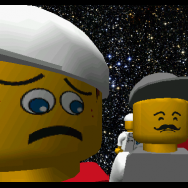
30 Screenshots #2: The Infomaniac's Revenge
Brigs reacted to legoracer91 for a topic
Out of 138 Only 30 recieved this fate To enter in 30 Screenshots 2 Which I present to youuuuuuu: No, not the LI2: Brickster's Revenge... 30 SCRENSHOTS 2: THE INFOMANIAC'S REVENGE!! Yay. Yay. EDIT: 300 Views, 30 Screenshots #3! Check it out: '?do=embed' frameborder='0' data-embedContent>>1 point -
30 Screenshots #1
aidenpons reacted to legoracer91 for a topic
I took 97 screenshots, and I only picked the best 30. That's right, I only picked 30/97. Here they are (complete with captions!): Yay. EDIT: Hey, 30 Screenshots #2 is out! '?do=embed' frameborder='0' data-embedContent>>1 point -
Xiron's LR2 Modding Tutorial Series
Rocket Racer reacted to Fluffy Cupcake for a topic
Hello all. So some of you may have heard that a tutorial series was in the works. Yes, it has been. Although I've been stalling for the last two-three months, I've finally been picking it up again, so after many revisions, I'm deciding to release part one of my series. Let me know what you think! Here is the menu first for easy access to any tutorials though. Tutorial 1: Getting Started Tutorial 2: Textures Tutorial 2.5: Animated Textures Tutorial 3: Audio I have not forgotten or gotten too lazy to do the remaining tutorials, they are just too complex due to the lack of modding programs.1 point -

The Starship
aidenpons reacted to coffins for a topic
Another hello, guys! Just for fun, builded this little white-gray starship (I think, it is), which I called "The Starship": 1. Pilot and start of the starship. 2. Left-part of it, a little (Or not) zoom out. 3. View from the "sky". 4. Wheels 0.0 Photos via Canon (Just for conclusion).1 point -

RRU Quotes 2: Reckoning
noghiri reacted to The Ace Railgun for a topic
[4/10/14 5:01:26 PM] Jim Brickkeeper: Legos [4/10/14 5:01:32 PM] JAL: ... [4/10/14 5:01:36 PM] Ace: ... [4/10/14 5:01:43 PM] JAL: L E G O [4/10/14 5:01:47 PM] JAL: LEGO [4/10/14 5:01:52 PM] Will Kirkby: butts. [4/10/14 5:01:57 PM] Ace: Heads [4/10/14 5:02:10 PM] JAL: Boo- Nevermind [4/10/14 5:02:26 PM] Ace: *glares at DM* [4/10/14 5:02:40 PM] Bug Catcher: *glares at Ace* [4/10/14 5:02:44 PM] JAL: JAL Glares at Cupcakes [4/10/14 5:02:57 PM] Jim Brickkeeper: TT games better have kept this in the resources for the Hobbit because I totally have to try modding that in later. '> [4/10/14 5:03:20 PM] Jim Brickkeeper: And because that's portably the only "new" thing in the game [4/10/14 5:03:29 PM] JAL: Hush Jim we're glaring [4/10/14 5:04:02 PM] JAL: *glares at Jim* [4/10/14 5:04:19 PM] Ace: *glares at DM* [4/10/14 5:04:50 PM] Will Kirkby: *glares at butts* [4/10/14 5:04:55 PM] Bug Catcher: *glares at Will* [4/10/14 5:05:13 PM] Ace: *glares at pancakes* [4/10/14 5:05:27 PM] Will Kirkby: *continues listening to podcasts* [4/10/14 5:05:41 PM] JAL: *glares at Alcom* [4/10/14 5:06:14 PM] Ace: *continues watching anime* [4/10/14 5:06:52 PM] JAL: *continues staring at Skype conversation for something interesting to happen* Edit: Later [4/10/14 5:10:04 PM] JAL: Let it go, let it go, let your pencil go and hit the floor [4/10/14 5:10:17 PM] Bug Catcher: let the pencil hit the floor [4/10/14 5:10:23 PM] Bug Catcher: let the pencil hit the floor [4/10/14 5:10:27 PM] Bug Catcher: let the pencil hit the [4/10/14 5:10:31 PM] Bug Catcher: FLOOOOOOOOOOOOOOOOOOOOOOOOOOOOOOOOOOOOOOOOOR [4/10/14 5:10:52 PM] Will Kirkby: the pencil's going down [4/10/14 5:10:55 PM] Will Kirkby: I'm yelling timber1 point -

You Don't Have to Cue Your Ride...
Rocket Racer reacted to Quisoves Potoo for a topic
Well, I should have posted this months ago, but here it finally is: The texture pack you've all been waiting for! I did this simply in the name of fun and merriment. The textures were derived from Lego Island 2. I should note that while one of the astronauts in Lego Racers 2 has a face based off the same head, it has only two expressions, and lacks the right character. Cheers! Quisoves Pugnat.1 point -
You Don't Have to Cue Your Ride...
Quisoves Potoo reacted to Fluffy Cupcake for a topic
They are under GAME DATAHUDTEXT BOX FACES1 point -

RRU Quotes 2: Reckoning
The Ace Railgun reacted to le717 for a topic
>Right after Fushigisaur looked at Alcom >like that... [4/7/2014 8:01:04 PM ] Triangle717: Fush is using magnet emotes. [4/7/2014 8:01:16 PM] Bug Catcher: I... what [4/7/2014 8:01:30 PM] Bug Catcher: still what [4/7/2014 8:01:44 PM] Ace: ... [4/7/2014 8:02:04 PM] Bug Catcher: righto then [4/7/2014 8:02:18 PM] Triangle717: [Monday, April 7, 2014 8:00 PM] Bug Catcher: <<< C: It's a magnet [4/7/2014 8:02:29 PM] Bug Catcher: How does it work? [4/7/2014 8:02:36 PM] Triangle717: With two small metal balls on the right. [4/7/2014 8:03:05 PM] Triangle717: http://www.thomasnet.com/articles/image/electrical-power-generation/nib-magnet.JPG [4/7/2014 8:03:28 PM] Bug Catcher: ..... [4/7/2014 8:03:52 PM] [sGT] Alcom Isst: Triangle717 has several gigabytes of stock white-background images depicting ordinary objects.1 point -
You Don't Have to Cue Your Ride...
Quisoves Potoo reacted to Rocket Racer for a topic
Looks really great! I'm surprised no one has posted a reply yet. Out of curiosity, where did you find the character chatbox pictures? I want to attempt to edit the chatbox picture for the player models and Rocket Racer.1 point -

Why can't I finish an RPG?
STUDZ reacted to McJobless for a blog entry
As I've said in the Skype group, there's a specific science to this process involving how our brains deal with patterns and grokking. I'm not going to rexplain here, but what I will say is that Cow-Clickers and s***ty mobiles games have got this entirely down to a science that they preach and sell in the same way as their games. tl;dr: You get bored when you feel you're no longer learning, which is what happens in a lot of JRPGs.1 point -

30 Screenshots #2: The Infomaniac's Revenge
legoracer91 reacted to aidenpons for a topic
... That walking on water one was what happened to me, except for the fact that the police bike was moving around WITH NO DRIVER. Another thing about that: I could drive the jetski on land, and then click on the bike, then click on my hands and I'd be on water again. I've never seen the Infomaniac with doughnuts. Either you swapped something, or I spend no time at all in the police station. If you had posted these as separate screenshots with separate topics you could well get the Post-A-Thon award ("Pulling a Lair" is the term for this. Maybe only I use it, but meh.)1 point -
30 Screenshots #2: The Infomaniac's Revenge
aidenpons reacted to legoracer91 for a topic
Also another Screenshot because I passed the image limit:1 point -
Can We Talk About How Terrible Java Is?
McJobless reacted to le717 for a blog entry
McJobless, suddenly I am in the same boat here. While the core Java exes are not deleted, it crashes the moment it loads. And you know why I am trying to fix Java? To play Minecraft. Sometimes, I wish Minecraft was made in C++.1 point -
30 Screenshots #1
aidenpons reacted to legoracer91 for a topic
Thanks for your compliments! Answers: 1) This was my first "mod" using dll, so the only dll swapping I did was the ones shown. (Infoster, Brickstermaniac, Mama Pepper, Papa Pepper, Laura/Pepper, Nick/Pepper) There will be more DLL swapping in the next one. To make a long story short: I swapped a lot, I guess? 2) That's right V+A messes up the game a lot for me. Some glitches are caused by just playing the game or exiting the game (The Infomaniac freaks out there), but V+A is probably the source of most of my screenshots. Oh yeah, and there's also + and -. Expect 30 Screenshots #2 coming to day! EDIT: IT'S OUT!1 point -
View from the "sky".
aidenpons reacted to coffins for a gallery image
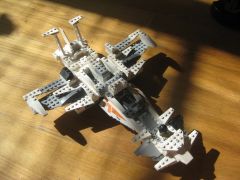
From the album: LEGO Creations
1 point -
LR Textures
Jack Bluebeard reacted to Jimbob for a topic
Your question has been answered already, but just to elaborate... GAMEDATA contains textures that are used in all the races, while MENUDATA is for menu screens (including the build racer/car menu, but not the test track). Both share many of the same textures, e.g. you will find copies of the character skins in both folders, however in such cases the MENUDATA textures are generally a higher resolution. Looking through the textures... I think it's LAVABALL.BMP located in GAMEDATA/COMMON. The red colour is made transparent when loaded into the game. That does mean that changing it for MMM will also change it anywhere else that it may be used though, unless there's a way to change the texture that it uses.1 point -
Classic Rocket Racer
Rocket Racer reacted to lol username for a topic
GAME DATACAR CRAZETEXTURESCARS, but it's not as simple as editing those. The chassis model (and models for the other pieces) all reference the various common textures for blue, red, white, etc... You'd have to edit the chassis model in a hex editor to change what textures it uses, and also do similar stuff for the models for his car parts.1 point -
Setting Up/Installing a LEGO Racers 2 Mod
Jimbob reacted to Rocket Racer for a topic
Thanks for creating this topic and sharing this tool! It's really easy to follow and opened up a lot more possibilities for me, as I'm sure it has done for others!1 point -
30 Screenshots #1
legoracer91 reacted to aidenpons for a topic
... Post the other 67. I want to see them... 2 questions: 1) How much swapping in the .dll did you do? None? Lots? 2) V+A must be your best friend... I glitched the game SO BADLY ON THAT... *cue screenshot coming sometime.. ish* [offtopic] Since I won't post it for at least a month here's what happened. 1) The jetski can drive on land, but interestingly does not refuel at the pump. 2) The police motorbike apparently moves on its own when you did something that probably involved stabbing at the V and A keys. [/offtopic] Freaking hilarity.1 point -
Why can't I finish an RPG?
BerixMaster2010 reacted to Jimbob for a blog entry
Maybe you just fancy a change? RPG's are quite demanding in the sense that they require a fair bit of investment. Not just in time (which can be over a hundred hours in some games), but story too, as the best of games lead to you coming to love your character and genuinely enjoying the decisions he/she makes that impact their world. Being human, we like change, experiencing new things. Some more than others - for some people, they will quite happily stick to one thing for huge amounts of time until its absolute completion. For others, they are like butterflies, as they feel restricted when tied down to one thing, preferring to flutter about freely from 'thing' to 'thing'. And there are those of us somewhere in between too, of course. For me, I will generally play a game for a few days to a couple of weeks, or perhaps months in some cases, before putting it down for a while. For example, I may play on the Minecraft server for a couple of weeks while I'm in the mood, and then just leave it for a few months. Or, in long RPGs like Mass Effect, I'll play it for a few days/a week and then put it down for a month. Our bodies can go through phases, or rather just searching for variety in our lives. Don't put yourself down for this. If you don't finish a game, it may just be that you're looking for something else as a change. Go with the flow, and if you really want to finish a game then come back to it later.1 point -

MOC: Technic Spitfire WIP
aidenpons reacted to apemax for a topic
Well after another month I finally have another update to this build. (Which is taking way longer than I planned.) I've gotten quite a bit of progress done since last time but there's still a bit more to do. First up I've done quite a bit of the tail section since last time. I've added the tail fin as well as the rudder control surface although the elevators are proving to be a bit tricky. The current way I have to control them isn't really working at all so I need to come up with a better way to do that. If anyone has any ideas feel free to suggest them. Looking a bit more like it should now isn't it? The wings have also been worked on and are now pretty much at there full wingspan which at the moment is about 89cm or about 35 inches. The ailerons have also been added and they actually work quite well. The entire left or right wing depending on which way you look at it. Both of the mechanisms for the landing gear and ailerons. I've also built and added the propeller which I think turned out pretty good if I do say so myself. Also looks quite good when spinning but you'll have to wait for the video to see that. Finally a view of the overall progress I've made. Really starting to look like a Spitfire now isn't it? One last thing is that I've also put in the M motor for the landing gear just in front of the IR receiver. Forgot to take a close up picture of that.1 point -

Letter to Microsoft from the UK Government
McJobless reacted to Antillies for a blog entry
EU 4 LIFE1 point -
RockRaiderWolf's Ye Olde Questions (and requests) Thread
alan reacted to McJobless for a topic
YeeeeaaaaaaNO. That's all hardcoded. Besides, that's going to nerf the point of water. I think you can make new GUI elements, but I'm pretty sure they really don't like transparency. Ultimately, impossible. alan isn't being hostile. He's our most respected intelligence point for LegoRR and knows all too well the limitations of the engine and how slow members have been at creating custom content. He's your elder, and you should be respecting what he says. The thing is, the logic doesn't work. To make a true underwater level, you'd have to have no water or lava, you'd have to make the biome sand, you'd need to make a transparent GUI element, which even if it was possible would BLOCK the mouse clicks so the game is impossible, and all other manner of problems.1 point -

RRU Quotes 2: Reckoning
noghiri reacted to Fush for a topic
1 point -
Rock Raiders Discovered Huge Sandwiches
Quisoves Potoo reacted to I Am Not Here for a gallery image
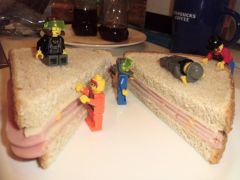
From the album: Random
1 point -
Animated Menu Backgrounds
Rocket Racer reacted to Fluffy Cupcake for a topic
This is very similar to the run DR and LR2 with extracted archives tutorial created by JJMB, so I will be borrowing the first half of the steps: (I hope you don't mind JMMB!) Step 6: Use a Go To Offset [relative to beginning of file] feature and go to 141409 OR In the search box, enter the following string: 47 61 6D 65 20 44 61 74 61 5C 46 72 6F 6E 74 65 6E 64 5C 42 61 63 6B 67 72 6F 75 6E 64 5C 25 73 5C 42 61 63 6B 25 73 31 2E 74 67 61 Once you get there, replace the last 3, 74 67 61 (also known as tga, you may see it say this in your editor) to 69 66 6C, which is ifl. Step 7: Go to GAME DATAFRONTENDBACKGROUNDPC and create an .ifl file (a txt file pretty much) for each existing .MIP material file there and refer in it what textures will be used (go ahead and make new textures if you like!), else you will get a plain white background in game because it is now refering to the ifls for its data instead of the .tgas. O.T. To get an example and understand how .ifls work, see GAME DATASANDY ISLANDTEXTURESWATER ANIMWATER ANIM.IFL1 point -
JAM Extractor (Python) GUI V1.0
coffins reacted to le717 for a topic
This was a poor project and I should be ashamed that I made it.1 point -
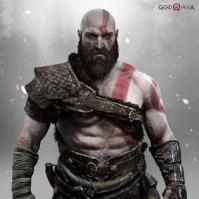
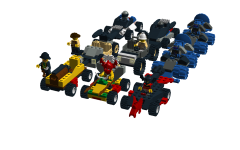
All Boss Cars
STUDZ reacted to Noob Slayer for a gallery image
From the album: LEGO Racers 1
Here they are!1 point -
Hi, I'm Alcom, and I want everything the world of LEGO Has to offer!
aidenpons reacted to Cyrem for a topic
*clears throat* May I just say...1 point -
Rock Raiders Troubleshooting
TomTomKenobi reacted to Cyrem for a topic
Troubleshooting LEGO Rock Raiders Game Installer Not Running First try running the installing in compatibility mode for Windows 98. If it still does not work, you can still salvage your game by following this guide. "Missing d3drm.dll" Error When Running Rock Raiders Firstly you'll need to download the missing DLL here. Then place this DLL file in your installation directory (Usually "C:\Program Files\LEGO Media\Games\Rock Raiders" ) or in your C:\Windows\System\System32 folder. Game Videos Not Playing First ensure you have the game disc in the drive as the video files are on the disc. If the videos still don't play you may need to install this required codec. Music Won't Play The game is burnt like an audio CD, allowing it to be played in CD players. First ensure you have the game disc in the drive as the music files are on the disc. Unfortunately, it is not uncommon for the music not to play. One of the reasons is that you have a reproduction copy which does not have the audio track on the disc, this is a common issue. Game Lag on Windows 8/10 LEGO Rock Raiders will lag in fullscreen mode when it is run on Windows 8/10. The only known solution to this issue is to run the game in windowed mode. Other solutions to try for problems Before creating a topic about your issue, please try some extra troubleshooting, such as these. Run the game with compatibility mode for Windows XP. Turn on 'Disable Visual Themes', 'Disable Desktop Composition' and 'Reduced Colour Mode' for 16bit for newer systems. Run the game in administrator mode. Run the game in windowed mode. Try the Microsoft Compatibility Toolkit. Unable to find a Solution If these solutions are unable to fix your problem, please post a topic in this forum. Please include details from the following list. Providing these details will speed up the help process. Operating System Version (e.g Windows 10) Graphics Card Model (e.g AMD Radeon R970x) Description of the issue. What you have already tried. Screenshots of the issue.1 point -
Outpost unpacking gif
Car CrazeXVI reacted to theextractor for a gallery image
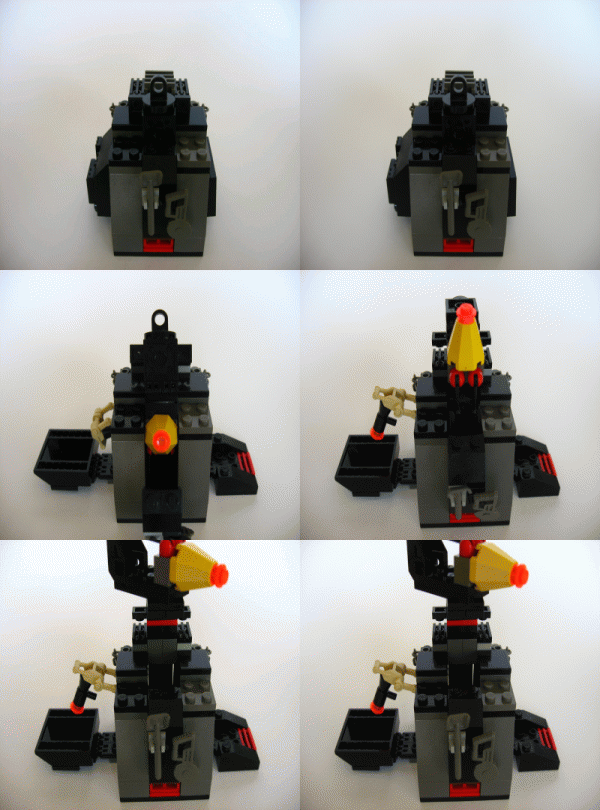
From the album: Extractable Photos
for the building contest1 point