
Leaderboard
Popular Content
Showing content with the highest reputation on 08/10/2014 in all areas
-

Model Viewer
Yajmo and 17 others reacted to dead_name for a topic
I present for your pleasure, LR2ModelViewer! This allows you to view the models in the game. This does NOT support Drome Racers models, as they use a modified format. There are also a few models in the game that use a slightly different format, these also cannot be loaded. There are some texture and transparency issues at the moment, and it does not support animated textures - it'll just show the first frame. Controls: Ctrl+O : open a *.MD2 model. Textures will be loaded automatically. L : enable/disable very very basic lighting. This does not take the model's material properties into account. Drag : turn camera Scroll : zoom in/out REQUIRES .NET FRAMEWORK 4. Version 1.0.5335.4211 (LATEST): LINK All builds: Version 1.0.5335.4211: LINK Changelog (2014-08-10) v1.0.5335.4211 > Initial version.18 points -

Custom LEGO Universe Skins/Models
ticketstoloservile and 11 others reacted to lol username for a topic
I haxed a Time Twister into a dead MMO. More probably coming sometime later, ideas welcome. What am I doing with my life. Torso texture is from Return to Blockland something something, thanks to whoever did that. The rest is LU stuff. NifSkope for model tweaking (adding the hat to a minifigure model), Paint.net for texture editing. Injected into a beta version of the game's login screen (though if beta builds worked properly with the "private servers" you could in theory actually get this guy to appear in a world as a proper NPC, too - alternately, get past the live game's anti-hax system, which I don't have the patience for). Yeah I know the hat's a slightly different shade than the body but if LU devs could be that lazy with official character models/textures so can I. There's also some minor editing goofs in the screenshots. Don't quite care about that right now either. First person to ask "how u stil play LU" gets shot with a Rank 3 Inventor's beehive and then pissed on. Further questioning will just result in the pissing bit. Edit: Classic Johnny Thunder. RTB textures again.12 points -

Shadowblaze's LR2 Music Overhaul
Ayliffe and 3 others reacted to Shadowblaze for a topic
And here it is, my secret project. I know most of you weren't expecting this before my album came out, but I can't sell the album until September, and I don't want to wait to upload this. This is my music overhaul. Every music has been remade from scratch, and all of the musics in this mod are from my new uploads on my channel. I also tweaked all the fanfares, by making them a bit more modern or by remaking them. Now that I mentioned it, I should tweak the golden brick fanfare again because I don't like very much how it turned out... Oh, and most of the musics here have exclusive edits I have made to make them loop better; also, the menu music has been made just for this mod, and there is an unreleased edit of Xalax. You are the only ones that will hear it until I release my album. To make some musics fit better for the worlds, I edited some stuff, namely the weather in The Berg's Royal Rumble and the lights on the pillars in Xalax (they should be in sync with the Xalax music. At least, they are on my computer). Download Link v1.1: http://oresome.rockraidersunited.com/download/217 Installation instructions: Drag and drop everything in your game directory. This mod overrides ARCTIC.WRL, so make sure you have a backup if you have modded it. Actually, back up everything! By the way, you may NOT reupload this anywhere. I do own all the right about this mod, as my music is copyrighted. As you might have realized, I am struggling to upload this because all the effort I have put in this, over three months of work, and getting nothing out of it. But oh well.4 points -

I found the LEGO Space Port Book...
emily and 3 others reacted to BobaFett2 for a topic
I found the Easy Reader Space Port book that links Space Port and Life on Mars. I can upload scans to mediafire if anyone wants them. Also, the topic header/title colors are impossible to read against the grey background. It's painful. Seriously. Oh, and has anyone noticed that the Easy Reader Rock Raiders book takes place after the events of the original mission (the other two books are the original mission).4 points -

Dragons and cats...
jedi299 and 3 others reacted to someswedish for a blog entry
Here is a accurate* representation of the current state of RRU as of August 09 2014. *And by accurate i mean 10%, but its still accurate because RRU4 points -
Model Viewer
RedC and 3 others reacted to dead_name for a topic
Oh piss off. I didn't spend all evening coding a very beta tool just so you could request a very advanced feature straight off the bat. Considering the model format's texture blending capabilities I'm not sure it even /can/ be accurately exported to an OBJ file.4 points -

How U stil play LU
Brigs and 2 others reacted to PeabodySam for a gallery image
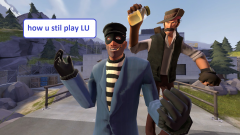
From the album: GMod Screenshots
common jammester tel me how 2 play lu3 points -

LEGO Racers Online
Ben24x7 and one other reacted to Hoithebest for a topic
It's been a dream for all of us for a very, very long time... I'm proud to announce: LEGO Racers Online! Me and my brother have been working on this very hard for the last couple of days and the result is amazing. Please note that I'm not posting anything yet but a little teasing screenshot, but we are working REALLY hard to make something that we can all use and enjoy this game like when we we're kids! 02/08/2014: New video added. Scroll to the bottom of this post to watch it! 04/08/2014: New status update added. 20/08/2014: New status update and video added. 05/10/2014: New status update added. 12/10/2014: New status update added. 20/10/2014: New status update added. 27/10/2014: New status update added. 05/11/2014: New status update added. 16/11/2014: New status update added. Current status: Currently, the following functions are implemented and working properly: Play online with two players real-time (1 VS 1) - INCLUDING POWER-UPS! Patch the game automatically. However, we do have all the required information to drive all the opponent from within the software (tested and working). We are working on an implementation of playing against eachother with up to five other players right now. We can't say when this is finished, but we don't expect a very long time. Added 20/08/2014: Power-Ups are now working properly. This means, whenever someone uses Power-Ups, this is getting fired on your client too! Although it is now possible to patch the game automatically, this is not a perfect solution and we are working on something that makes it possible to play online "on demand". Added 05/10/2014: Although I have not been developing actively on game functions, I am now working on and completing a critical step to split the software accepting both TCP and UDP network traffic which is required for some functions, for example connecting to a game server. PLEASE NOTE THAT I AM CURRENTLY BUSY WITH SCHOOL AND I DO NOT ALWAYS HAVE TIME TO DEVELOP ON THIS PROJECT! I HOPE YOU CAN UNDERSTAND THIS! The following things must be completed and working before release: Full implementation of TCP and UDP traffic; Starting a new Race; A chat function, if people are interested in this function. Added 12/10/2014: Last week I have not been developing very much and this will continue for a few more weeks due to school. The good news is that Grappigegovert has proven his immensive skills again and developed and gave me the code to disable the loading of AI paths so patching the game can be removed from the software now. Also, he created functions to start a Race from the software so the Server can tell the Clients to start a specific Race. All credits go to Grappigegovert for his massive research and developing. Added 20/10/2014: Due to school, I have not been developing actively on the online functionality again, but Grappigegovert and me made some nice improvement with the API. This API will be released in the open source (near) future and will give developers the opportunity to create mods very easy. Added 27/10/2014: Due to school, I have not been developing actively again. The good news is, the software is now fully compatible with TCP and UDP, more structured and the API has been put into a seperate project which will result in a release of the public API soon. This API will be discussed in another thread that I will make in the near future. Please note that the project is not dead and I am still developing, but unfortunately due to school I just do not have much time for this great project. Added 05/11/2014: Good news. Last week I was able to develop more actively on the software, which resulted in the possibility to start races from the Server, which brings us a step closer to the release! I will create a new video of the current progress in the near future. Also, the API is getting prepared for a release with the last bug fixes and comments above the functions. Stay tuned! Added 16/11/2014: I am currently facing problems with the starting of the game client and additional events regarding to the API. I am still not satisfied with the way the API currently works. These problems must be solved in order to continue with the online functionality. Don't think that this project doesn't gain any progress, it just takes a lot of time. Please note the following things: It's not guaranteed that this mod will be ever online for public since this project has still needs many, many development hours; The Server and Client are both only in alpha stage at this moment. We are working really hard to create something that just works and anyone would understand; It is very hard to find all the addresses and the correct pointers, so this takes a lot of time; Currently our main goal is to make everything work on a basic game copy. This means that mods are NOT SUPPORTED (YET) and will likely crash the game when used! On the bright side: We currently do have something that works and we are working so hard to make it possible for everyone to enjoy this with us. It was our dream for many years and finally we took the step to actually create something, and not just for ourselves but for everyone who just loves LEGO Racers. I will keep you guys regularly informed. Make sure you check this post at least once a week as the project is under heavy development. Special thanks: We would like to thank Grappigegovert for his great help which resulted in massive improvement of the software. Thanks to this guy, a lot of things are now working (like using Power-Ups). Videos: The following videos show a demonstration of the system in action:2 points -
Custom LEGO Universe Skins/Models
Alcom Isst and one other reacted to PeabodySam for a topic
2 points -
Model Viewer
Fluffy Cupcake and one other reacted to dead_name for a topic
Those of you having trouble running it, try installing this. http://www.microsoft.com/en-us/download/details.aspx?id=20914 Xiron, the bit-depth thing is a texture format issue that shouldn't occur - are you running with custom textures?2 points -

Model Viewer
JrMasterModelBuilder and one other reacted to Fluffy Cupcake for a topic
Yes.2 points -

Lego World Creator/TLM Glue Escape Racing Game
Brigs and one other reacted to le717 for a topic
jamesster said he thinks this was on RRU before but was sent to the Pit of Doom. If that is true, sorry, but I pulled it back out so it can go into the Pit of Hail and Brimstone forever. http://www.youtube.com/watch?v=jGcfN_9ylCk I finally finished editing and uploading the LP I recorded before Lego World Creator and was actually the only LP I intended to do, TLM Glue Escape Racing Game. Let me explain the game this way, and even it might be spoiling too much. https://www.youtube.com/watch?v=6_7OgCoszR0 YouTube Playlist2 points -

Lego World Creator/TLM Glue Escape Racing Game
le717 and one other reacted to aidenpons for a topic
That Glue Escape Racing Game... SPOILERS GUYS Why did you subject yourself to over an hour of Mad Pain Points? Why? And this isn't the first time either.... I've never liked the phrase 'Don't judge a book by its cover;' the idea of a cover is to give you a decently accurate description of what's inside the book without having to open it or get sued for opening all the plastic packaging while still in the bookstore. If you aren't judging the book by its cover, you're wasting several months of hard work on the part of the authors/illustrators. Covers exist for a reason. Good grief, even a blank cover which only has the name on the front insert and the side tells you something about the book: it's almost certainly going to be a book full of boring facts; like a dictionary or The Factors Leading to the Norman Conquest of England. This has been your daily rant for the day, proudly brought to you by none other than AidenBridge. I think you mean 'its' there, le717. ...the fiery lake of burning sulphur where there is weeping and gnashing of teeth. Or failing that, the ball pit while I'm online and not being used as a piñata.2 points -
Watch out for the Brickspy!
Arthuriel and one other reacted to PeabodySam for a gallery image
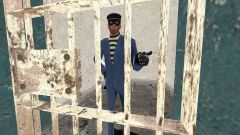
From the album: GMod Screenshots
Pepper? What kinda name is Pepper anyway? What are ya, from the Condiment family? Where's your brother, Salt? Or your sister, Ketchup? Or your exotic Hungarian uncle, Paprika? Bet he spices up the dinner conversation, don't he?2 points -
I Don't Even Know!
trigger_segfault reacted to Fluffy Cupcake for a topic
Well this happened: Yeah, I couldn't help make a goofy video about this. I know how to fix this problem when it happens regardless.1 point -
RRU Quotes 2: Reckoning
Ayliffe reacted to lol username for a topic
[5:54:27 PM] Noghiri: Jamesster, interested in MW4 as soon as I get my stick set up? [5:54:48 PM] jamesster: ... um. [5:55:03 PM] jamesster: is that a euphemism [5:55:16 PM] Hugh Wotmeigh: [5:55:31 PM] Hugh Wotmeigh: He's gotta polish the pole first. [5:55:52 PM] Ciprian: Polish poles. [5:55:54 PM] Ciprian: ... [5:55:58 PM] Ciprian: Extreme, why you do this. [5:56:12 PM] Hugh Wotmeigh: Because I'm a Pole. [5:56:24 PM] Ciprian: But are you a Polish Pole? [5:58:44 PM] Hugh Wotmeigh: (I can't speak, I'm a pole) [6:00:07 PM] Noghiri: flight stick, James. [6:00:50 PM] jamesster: wow [6:01:24 PM] Hugh Wotmeigh: He's going high [6:02:23 PM] Noghiri: flight stick with weapons trigger systems, throttle, yaw, and hat? [6:03:13 PM] Noghiri: currently in Doc's teamspeak [6:03:49 PM] jamesster: I'm 100% sure this is a euphemism [6:04:35 PM] Alcom Isst: Don't get me started on my Thrustmaster. [6:04:56 PM] Hugh Wotmeigh: Because Alcom needs all the help he can get.1 point -

A game I'm working on: A 3D, multiplayer roguelike (Released on Steam June 23rd, 2015)
Seaborgium reacted to Addictgamer for a topic
Well, that's a start. A start. It takes a lot more than no previous experience and a few sprites to go somewhere. If you're seriously considering becoming a sprite artist, my advice to you is to spend as much time as possible developing your skills. Create brand new sprites for existing games (there's plenty of old and open-source games that still use sprites), maybe even create mock projects.1 point -
Sound and music editing does not work? Why?
Fluffy Cupcake reacted to KevinVG207 for a topic
Try comparing the file exported without .2 with one that was exported with it. Audacity may have done something strange. It DOES! Apparently, the .1 or .2 or .3 etc. does indeed matter! Here I compared two exported .1 and .2 files. !They use the same audio! Here's a screenshot of some of the diffrerences: (Red = Different) As you can see, they differ a lot! So, make sure you export it with the same file extension as the actual file you want to replace!1 point -

LEGO Racers Online
Almogzxp reacted to The Ace Railgun for a topic
Seriously? That's all you have to say on a site full of mods for LEGO games? ...Ok..........what a waste of a perfectly good account though......... This looks interesting though, i'm glad somebody is working on multiplayer for LR.1 point -

LEGO Racers Online
Cyrem reacted to lolface992 for a topic
I created account only to write that : IT WILL BE AMAZING :D1 point -
Shadowblaze's LR2 Music Overhaul
Shadowblaze reacted to Fluffy Cupcake for a topic
I guess it was so secret you didn't tell me it was secret. Good thing I didn't tell anyone. Anyway, great job on this!1 point -
A Few Unused Xalax Objects
Quisoves Potoo reacted to Fluffy Cupcake for a gallery image
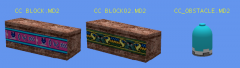
From the album: LR2 Stuff
http://www.rockraidersunited.org/topic/5932-model-viewer/?p=1052261 point -

Matt's General Gameplay Tips + Techniques
coffins reacted to Matt for a topic
Matt's General Gameplay Tips + Techniques Foreword These tips are designed to make your Rock Raidering as efficient and effective as possible. However, these are just my experiences on what works best. If you personally think that what you do is better, by all means think that, and if you wish, you can post your tips. I may also have left some things out, so please do post if you have anything else to add to this guide. This guide should also be helpful when approaching levels not done before. While I guess most people have done all the levels on the original game, we are starting to see new levels coming from the overhaul mods, and so most of these techniques I used whilst playing through Baz's Mod. (In fact, some tips may relate more to his mod than the original game, as that's what I've been playing most recently.) Gameplay Interface Tips Changing the Game Speed This is one of the most useful things. I personally didn't know about it for ages, only stumbling upon it relatively recently. To change the game speed, just click on the question mark, next to the 'action stations' Then you can click on the + and - buttons to speed up/slow down the speed the game plays at. You should probably also turn automatic game speed off as well. If it's left on, it means that every time something happens, such as a monster emerging, or just a rock raider getting injured I think, then the game speed will return back to the default speed. I find this annoying, so personally I always turn it off. To do this: Press Esc, to bring up the 'paused' menu. Then click on 'Advanced Options', to go into the advanced menu. You can then click to turn automatic game speed off. Being able to change the game speed when you want makes your raidering a lot more efficient. I usually speed the game up more than the default 4 bars, (usually to 6-8), and increase to the max when I'm waiting for my raiders to do something and I don't have other instructions to give at that time (e.g collect resources far away, or even just whilst building a building). If I'm exploring a new cavern, or trying to pay attention to something, then usually I slow the game speed down a bit. Once you get used to changing the speed to suit your actions, you should find it a very valuable asset. Using the Individual Raider Display By pressing space bar, you will bring up the health bar, current action and hunger for each of your raiders. This is fairly useful: Using the health bar: If you see that the health bar is too low, you should teleport up the Rock Raider. This is useful if you have 'skilled raiders' that have been trained and can carry several tools. If you teleport him up before he loses all his health, then he won't 'die', and you can just teleport him back down again. He will have full health back again, and then you won't run this risk of him 'dying', which if he does, you won't be able to teleport him back again. Using the hunger meter: If all of the four quarters of sandwich around the raider disappear, he is hungry, and will then run off to the support station to feed. By seeing how much hunger each raider has, if he is about 1 quarter left, you can choose to manually feed him by clicking on the sandwich at the top of the menu when you click on a raider. This will save time in him running back. Also, if you do see raiders running back hungry, or even if they're halfway through eating at the support station, you should manually feed them. By manually feeding them, they are full in just one sandwich, whereas when they eat at the support station, it will usually take them five to become full. Using the current action: Not that much added use by seeing it, but I guess it's always nice to see what your raider's intentions are. (Although usually it's just an arrow until they get to the square that the action they want to do is on.) Using the Radar The radar is a very useful tool. I find it's easier to navigate around the cavern by clicking on the radar, instead of using the mouse at the edge of the screen. To navigate using the radar, you need to click and drag on the radar to move your screen to that point. You can just navigate through the cavern radar by clicking on parts of it, and the screen won't move to that spot. This is useful when you're trying to find things like monsters (all creatures appear as red dots on the radar). Also, the radar becomes a lot more useful once you have geologists. This allows you to see rock further behind the face rock. This is useful if you're trying to find hidden caverns, or just to see if drillable rock extends out that way. It can take awhile to get used to if you don't usually use the radar, but once you get in the habit of using it, it should become a useful asset. To bring out the radar, just click on the icon of the two bracket things, on the left side of the screen. It's best if you zoom out as much as possible, as this enables you to navigate the quickest. Priorities These are very useful to organise. Each mission has them organised in a certain order, which I usually don't like that much, so if you organise it the way you want at the start of the mission, it should help. You can open the priorities menu by clicking on the '123' button next to the action stations and options menu at the top of the screen. Building, reinforcing and drilling should all be at the top of your list. Recharging crystals is good to have at the top if you will be doing some in the mission, but if you won't, don't bother about it. Clearing rubble should come before collecting ore/energy crystals. It's good if the raiders clear the rubble before collecting the materials, as it means there are extra materials lying around for your small transport trucks to collect. Which way round you prioritize ore/energy crystals is dependent on the situation. Generally at the start of a mission, I'm wanting ore for all my buildings, and so energy crystals aren't much use to me then. However, once you need some energy crystals for the buildings, and then the objective, I put it in front of ore. You may need more ore again when you're wanting to upgrade vehicles, but usually you have heaps by then. The 'use vehicle' and 'repair building' priorities don't really matter, because as I manually get my driver's into their vehicles (explained later), and I hardly ever need to repair a building. If one does need repairing, then the raiders seem to do it automatically, even if it's at the bottom of my priorities. What to do on the First Gameplay of a Mission Tree This is what I think you should do on the first mission you do of a level tree. (I say this as you may be starting an overhaul mod.) This is best done on a mission where you don't have to worry about a diminishing air supply. Teleport down the max amount of raiders (should be nine in a mission without an air rate.) Upgrade them all to the max level at the tool store. This may seem to take awhile, but if you put the game speed up to max, it shouldn't do. It's probably best to name them at this stage, just so you can tell he's an upgraded raider in future missions. They don't have to be clever names. I personally just call them names like Bob1-Bob9 Now build up a base. This could be difficult in a mission like Driller Night, so if that's what you're doing, I'd wait until a more decent mission when you can build all up a decent base. You need to build a Teleport pad, Support Station, Geological Centre, Upgrade Station, Tool Store UP2, and a Dock. The dock can be hard to do in a mission without water, so this can wait until you do a mission with water. Go train those raiders! You want to end up with nine raiders that have been trained at every station. Once these are done, you should take advantage of the buildings, and teleport down 10 more raiders to go through the same process. 19 maxed raiders should be enough to get you through the entire tree. Some people may not bother with this process, and just train when needed, but personally, I like to have everyone ready, so I'm not fluffing about with training a driver or whatever to drive the chrome crusher, and I can just do it instantaneously. Mission Gameplay Tips/Techniques/Strategy This is just a general strategy that I use when I'm doing a standard, 'build up your base and collect' mission. Especially so when I was working through the levels of Baz's mod. The amount of raiders you should use to start with (in an air mission) is debatable. I personally use 5/6, and have no problem getting a support station before the air runs out. I guess you'll find the optimum number for you. First just drill the walls closest to your base. Just focus on building the Teleport Pad, Power Station and Support Station. You don't need to spend time drilling more walls than you need to, as you can get the ore needed for those three buildings in just nine walls. (Not counting power paths though.) However, if there's a lack of energy crystals, then you may need to drill some more. I suggest getting a small digger if there's still lots of drillable walls around, but it's best to then spend your energy crystals on small transport trucks. Remember that vehicles can be teleported back up again for their same crystal value. In terms of what else to build, I build the upgrade station, super teleport, and then usually another support station. The extra support station allows for you to take advantage of those 19 maxed raiders that you have. The upgrade station is good for using up all the extra ore you accumulate, and the upgrades to the vehicles are useful. The super teleport, well, everyone wants a chrome crusher don't they? Planning out where to place your buildings before you build them is good practice. Placing them side by side facing each other is often what I do. You can see me doing this partially here (apart from the teleport pad ), in this screenie of the Tunnel Transporter glitch: As you move later into the mission, you should build power paths. Power paths only cost 2 ore each, and it gives you something to do with all that ore that you accumulate. If you build a huge power path from your base to an area of lots of resources, it can help those poor little raiders that haven't managed to get themselves a small transport truck by this stage. In terms of the vehicles that you will end up using, one or two chrome crushers can do most of the work, and then you just need several small transport trucks doing the collecting. The Loader Dozer is sort of useful, but I've found that a raider on his own can clear rubble almost as quickly, and can do other things as well. So personally, I don't use the Loader Dozer, but you still might like doing so. Defence Tips/Techniques Dealing with Monsters The best beam against Ice and Rock monsters is the laser beam, and the best beam again Lava monsters is the freezer beam. You should get in the habit of placing an electric fence around your base. Allow for base development, and place the fence in every two squares, so there is a little light crystal thing in the middle square. Having an electric fence is useful, as if a monster emerges close to your base, you could probably leave action stations off and leave the monster to walk towards your base and get fried. This means you don't have to disturb your raiders from what they're doing. However, this only works if there aren't any energy crystals around where the monster emerged. You can kill monsters with the laser beam on the chrome crusher. While it can be hard to aim, if you get the hang of how it works, this can be a useful method of getting rid of monsters without turning on actions stations. (However this works better in Baz's mod as I don't think the original Chrome Crusher laser is as powerful.) Dealing with Slugs An important thing to remember with slugs is that they only seem to come out once you collect more than 10 energy crystals. So one way of completing slug missions, is to get the required amount of crystals out of the rocks and close to your base, and then collect them all at once. The slugs will be too late to stop you. Another strategy is to turn your power off until they go away. In my experience this doesn't work as well, as when they go back to their holes, they will just come back once you turn the power on. This to me gets annoying, and so generally I don't use this method. Other people may find this more successful for them though. A third strategy that I utilized is more useful in slug missions where the crystal target is very high (mainly Baz's mod here.) I've noticed that slugs will only move towards your base from their holes if their hole is within a certain distance of your base. So if you move your base far away from any holes, the slugs will emerge once you're past 10 energy crystals, but they won't move towards your base. This does require you to find a suitable spot though, as Slimey slug holes do tend to be in most cavern rooms. A fourth strategy is to build the support station against a wall and build everything else around it so there is no path for the slugs. Then turn off everything but the support station. (Make one of the buildings surrounding it the tool store so the raiders can go through, but not the slugs.) - Thanks to INB681 and Lord Zakida. A variation of the above strategy is to build buildings like Teleport Pads or Mining Lasers around the Slimey Slug Hole, so that they can't get out and move towards your base. Make sure the power is turned off in them. - Thanks to Grank. You can use the Laser and Pusher beams to do damage/move the slugs around. (By turning on Action Stations.) You shouldn't need to use this if you're using one of the above strategies, but this could be useful if you're not using one of the above strategies and you are becoming overrun. - Thanks to Grank. General Tips for Raidering Miscellaneous tips that can improve the efficiency of your Raidering: What tools to carry For each raider, I recommend you carry a drill (default), shovel and hammer as well as a laser/freezer beam if doing a monster mission, and a sonic blaster if doing a slug mission. The hammer isn't a necessity, but it allows you to reinforce walls easier (instead of waiting for someone to go back to the tool store and get one.) Reinforcing walls is useful for the obvious stopping landslides, but it can also be used to stop monsters emerging. If that wall keeps spawning monsters, it is useful to reinforce it, so they don't keep disturbing you. You don't really need a sonic blaster if you're employing one of the strategies mentioned above. However, it can be useful if a slug gets to your base and starts draining (and you don't want to turn the power off.) When getting a raider to enter a vehicle I've found it's easier to click on a raider that's close to the vehicle, and manually tell him to enter the vehicle. This seems to be more responsive than if you just click on the vehicle and click 'get driver'. If I do this, it usually takes ages for the driver to enter the vehicle you want, as the game seems to choose the furthest away raider to get in. If you're using the maxed raiders technique, then whatever Raider is nearby should be a driver, and you can start using the vehicle straight away. Generating Free Ore If you have an ore refinery upgraded to the max, and enough ore to build another building, you can essentially generate free ore. Take a support station, which usually takes 15 pieces of ore to create, and build it using studs (takes 3) - essentially building it for 6 ore instead of 15. But if you teleport the building out once it's been built, it gives it back as 15 pieces of ore (rather than the six you actually spent on it), and your team turns it into even more studs. - Thanks to Itchytasty and Grank. When Electric Fence Lights are in the Way If you have an electric fence one square away from a building and you try to make another building in-between, it won't come down as the little yellow decoy light prevents that from happening. However, you can teleport up the fence, build the building, and then bring the fence back down. - Thanks to LMS Engineer Deter Raiders from Crossing Lava Something that I found helpful on levels with lava pools placed so that the Rock Raiders tend to take a shortcut across lava: build a Teleport Pad (or really any building, but teleport pads are of course the cheapest and fastest to build) next to the corner. It tends to stop *most* shortcuts through that particular corner, but has the disadvantage of making the rare few idiot Rock Raiders that still decide to take a shortcut take more damage because they have to stay in the lava a little longer to get around the Teleport Pad. - Thanks to Glaedr Guide History: March 2012: Guide reposted as part of forum changes 2011: Images reposted Early 2010: Second edit, tips added from other members of the community Late 2009: Guide first posted1 point -
Matt's General Gameplay Tips + Techniques
Shadowblaze reacted to aidenpons for a topic
CHIEF'S TEN COMMANDMENTS BOW TO THE SANDWICHES. PRAY TO CHIEF DAILY, SO THAT YOU MAY NOT BE TELEPORTED UP. EACH DAY THOU SHALT PARTAKE OF A FEAST OF SANDWICHES WHEN IT IS MOST ANNOYING TO THE HUMAN. THOU WILL TAKE SHORTCUTS OVER LAVA IF UNOBSERVED. THOU WILT FIRE AT THE MONSTER FARTHEST AWAY. THOU SHALT PICK UP ORE WHEN DYNAMITE IS ABOUT TO EXPLODE. THOU WILT BE SCARE BY BATS. THOU SHALT MISS ANYTHING, ESPECIALLY AT POINT BLANK. IF THOU IS THE FURTHEST RAIDER AWAY, THOU SHALT BE CHOSEN FOR THE LAST ENERGY CRYSTAL FOR THE SUPPORT STATION. THOU SHALT FORM LUNCHLINES. ~ Chief's Ten Commandments About some tips: WIth getting rid of slugs, you can sometimes build a Mining Laser and kapow them from there. Also, NEVER ever build two support stations next to each other because occasionally a slug will get trapped between them and your raiders can't shoot it, so you have to teleport one support station up... YOURAIRSUPPLYISRUNNINGOUT. Either don't build compactly with Support Stations or always put something else next to the station. (You could turn the power off, but that doesn't always help). In the vanilla RR, Laser Beams do as much damage to slugs as Pusher Beams. Pusher Beams do no damage to monsters, and they usually end up pushing the slugs towards your base. (I think in Baz's Mod lasers still do more damage than Pushers?) Also, you don't really push them anywhere, but it's enough to make your raiders miss.1 point -
Model Viewer
alan reacted to Shadowblaze for a topic
Awesome! You're on a roll. Can I have a picture? I can't theoretically install anything on this computer, even if I could. I will just download the stuff that I'm going to break due to too much use. Screw it. I'm downloading this. EDIT: I don't understand how it works. When I try to open the .exe, it tries to load something and then stops, and doesn't do anything.1 point -
Model Viewer
JrMasterModelBuilder reacted to Fluffy Cupcake for a topic
I've known about that for a while, never spoke about it. Perhaps it's time I update the >objects list topic now. Anyway, yay for the model viewer! Edit: I'm getting "Unsupported Bit Depth 0" on a lot of models, even the bridge you have shown in the OP. Considering you are showing this, and you said only "a few", I can't imagine it has something to do with the "unsupported format" thing you mentioned.1 point -
Lego World Creator/TLM Glue Escape Racing Game
aidenpons reacted to le717 for a topic
I finally finished editing and uploading the other LP, The LEGO Movie Glue Escape Racing Game. I can't really describe this 40 minute LP of agony, you just have to watch it. Also, apologies for the audio issues. I recorded this in the kitchen instead of my room like I usually do, and I had already been having audio mixing issues, so the narration did not come out as clear as I wanted it to be.1 point -

Rocket Racers Car
RocketRacer123 reacted to CVDek for a topic
It is also possible via memory editor to add RR Car as ome of your "car creator cars". Since chassis/wheels/bricks/brick pos are saved as those. You can do it by finding the address of the car you want to replace in the memory editor (those are static for every Carslot in Car Builder / Adventure Mode) and save it. And then replace the Hex with RR's Car Hex You have to do this for all 5 Worlds - it works in Adventure Mode. (The RR Car can't be rebuilt exactly otherwise... even if you unlocked all parts via modding - the brick positions are off) For the people that want to play as Rocket Racer in Adventure mode I made this Savegame 0% Progress. Name: Rocket Racer (this might "reset" to Rocket Rac2UP if you are unlucky - It happens after every Gamestart - Fix can be found below) Car(Sandy Bay): Rocket Racer Car (The Rocket Racer Car for the other worlds can be found in the prebuild Cars - also usable in Quickrace mode) Mini Figure: Rocket Racer !!!ATTENTION!!! This Savegame will probably crash your game if you try to use the 2 Player Mode Download | "Install" | Hotfix1 point -
Lego Stunt Rally Racers
lol username reacted to BadDream for a topic
Added Baron Flambo and Glacia to list. Updated the list: Sandy Surf and Sid Vacant are now on the list. I'm not sure about this anymore. Are you sure that her eyes are so big? Because when I take a look of this picture I can clearly see that her eyes are fine although her eyelashes are a bit stretched.1 point -
Skeleton Viewer
Cirevam reacted to dead_name for a topic
I present for your pleasure, LR2SkeletonViewer! This allows you to view the skeletal animations in the game, albeit without meshes wrapped over them. This also supports the animations in Drome Racers, as they're built on the same engine and file formats. Controls: Ctrl+O : open a *.BSB skeleton. *.BSA animations will be loaded automatically. Up/Down : select which animation to play C : toggle locking animations to the origin point. Scroll : zoom in/out I have yet to add proper camera controls. Expect a 1.1 update with that. REQUIRES .NET FRAMEWORK 4. Version 1.0.5333.40551 (LATEST): LINK All builds: Version 1.0.5333.40551: LINK Changelog (2014-08-08) v1.0.5333.40551 > Initial version.1 point -

LEGO Racers Online
legorr2020 reacted to RobExplorien for a topic
Caution: Excitement and sudden great/'great' progress on a project often leads to exaggerated goals, statements and/or false promises. Though I could act excited like anyone hoping for an online multiplayer LR (which had been discussed before here on this forum I bet), I'm going to back off until I spot evident progress. It's nothing personal, I'm merely being rational. It does sound nice that someone thinks he knows how to put this idea into practice. Or yeah, it's a prank. Who knows.1 point -
RRU Quotes 2: Reckoning
Cirevam reacted to Cyrem for a topic
1 point -
Lego World Creator/TLM Glue Escape Racing Game
le717 reacted to Arthuriel for a topic
Maybe it was send to the Pit of Doom for a very good reason (the game, not your review) . About the game itself: Wow, this is just horrible (you can choose any brick as long it is 2*4 or what? ). I guess, that after playing it I would also go "Oah" like those "minifigures" to escape this madness. btw: Hypothetical situation: Doomed person A (or just A): "How is it here in the Pit of Doom?" Doomed person B (or just B): "Actually pretty nice... ...okay, there are some spikes and acid lakes, but I can deal with that" A: You don't look very happy. B: Well, one day this "game" got thrown in here and I... I... I... A: You played it? B: *just stares and then begins to laugh and run like a maniac*1 point -
The RRU cat invasion thread
Quisoves Potoo reacted to MaelstromIslander for a topic
1 point -

Rocket Racers Car
RocketRacer123 reacted to Zed for a topic
Absolutely! So once you've downloaded an extractor, you will need to find the location the .zip was saved to. If your web browser is firefox, you should see the .zip in C:users(your username)downloads. But if you use another browser that allows you to choose where to save a file, the .zip will be wherever you saved it to. If you don't remember where you saved it, just download the extractor's .zip again and save it anywhere where you won't lose it. After the download is complete, go straight to the .zip's location and extract the file from there. Once the .zip is done being extracted, a new window should open up with the unzipped folder. If you don't get this window, you will most likely find the folder in the same location as the .zip. Go in that folder and then you can run the .exe and extract the .gtc1 point -
Public Art DERPO Bricks
le717 reacted to Arthuriel for a blog entry
Plot twist: those bricks were actually the failed attempt of a Lego clone brand to make bigger (and therefore automaticly better!) versions of those huge Lego Baby bricks.1 point -
Xiron's LR2 Modding Tutorial Series
alan reacted to Fluffy Cupcake for a topic
Only a mini-tutorial this week, covering how to change what material a model uses, as well as making an animated texture. Scripting has been postponed for an unspecified reason. This video was not pre-reviewed like the rest, so if there is any mistakes let me know and I'll fix it asap.1 point -

Death by a Thousand Pizzas
Brigs reacted to Biorune for a topic
So this happened... I think Pepper killed everyone.1 point -

It's just a brick
Brickantor reacted to Lair for a topic
this image is titled "xxxxxxxxx.png" and I don't know why (it's at least 8 years old)1 point -
Calcite Copter VS Cybernetic Rock Monster
Quisoves Potoo reacted to PeabodySam for a topic
Long after their famous mission to Planet U, the LEGO Rock Raiders have traveled to a jungle planet on the far side of the galaxy. Beneath the planet's surface, they have discovered that the planet is rich in Brickonium Energy Crystals and other rare minerals. However, much like Planet U, these underground caverns are home to beings of living rock and crystal. But then, as the Rock Raiders stumble the ruins of an underground insectoid civilization, they uncover some dark secrets of the past... including one of the insectoids' "little" experiments. Calcite Copter The Rock Raiders Calcite Copter is a one-man aircraft designed for quick travel in underground caverns. Its sleek design lets it cut through the air with ease during flight, while its propeller, stabilized by means of advanced Rock Raider technology, gives it full vertical access to descend into the deepest underground trenches. The Calcite Copter also has a mounted mining laser turret that, when powered up with blue Brickonium, can cut through even hard rock with ease, although it expends much of the crystal's energy in doing so. Although designed for speed and maneuverability, the Calcite Copter is not particularly well-armored, and Jet was in for a horrific surprise when she stumbled upon this cybernetic rock monster! Gallery Cybernetic Rock Monster There is no name for this monstrosity, although some of the Rock Raiders have taken to referring to it by the nickname "Mad Jack". This ancient creature was once made of living rock and crystal, much like most of the rock monsters throughout the LEGO Universe. However, it was cybernetically enhanced by a civilization long since ruined, which replaced entire parts of its rock body with incredible machinery powered by a powerful energy crystal implanted into its chest. Now, this terror roams the underground caverns of the planet, posing a nightmare to anyone unfortunate to meet its rock claws and steel teeth. Gallery ----- This was a project I was working on since late 2010. The idea for the cybernetic rock monster was loosely inspired by Mad Jack from Donkey Kong 64. Here's concept artwork, along with some artist's comments. If you want to see 360o rotations of the models and some of the ways they can be moved, here's a video showcasing the models. Comments and constructive criticism are welcome!1 point