
Leaderboard
Popular Content
Showing content with the highest reputation on 08/19/2014 in all areas
-

New version of ROCK RAIDERS - update
noghiri and 18 others reacted to Polaris for a topic
I've got some things to say. This little rant is meant to be read by both the developers of the new Rock Raiders game and the fans and forum posters alike. So this is going to be a long post - I apologize in advance - but it is only because I feel very passionately about this issue. The final word count clocks in at 2,100+ words, but good words, I believe. I encourage you to read through what I have to offer because I think it is some of the most CONSTRUCTIVE advice you're going to receive. Also included in this post are several illustrations I made trying to convey the concepts I have in my head. I'm sorry if they are confusing or difficult to read - I'm not the greatest artist, but I'm also not a tech guru, and I felt that a pencil and paper would better represent the thoughts and suggestions I had. Okay, let's dive in! First things first. There is great concern for the whole "Minecraft" thing being a large part of this game's inspiration. Though I too share this concern, I want to explain and possibly defend the developers stance on this. Minecraft is a game which is so deceptively simple to learn and universal in its approach that it has won the world over. What developer wouldn't want to make a game like this? Also, the obvious connection between mining in Minecraft and mining in Rock Raiders is valid and an understandable conclusion to make. In addition to this, there are many great features of minecraft that would serve a Rock Raiders game well - like a large sandbox to explore and mine in! I remember being a kid and playing the mission "Frozen Frenzy", (one of my personal favorites). I knew darn well where the Tunnel Transport was, (it was in the only spot of the map that when you scrolled over it, the screen dipped down because of the hidden waterfall!) but I would play the level just to collect resources and build my base as big as possible, just like a sandbox game. And that's where the similarities end, and honestly, should end. Someone once told me that Minecraft is the Pac Man of our generation. I wholeheartedly agree. 20 years from now, people will remember the cultural legacy that this game has created and any game that follows too closely in its footsteps will be forgotten in its wake, just like all those Pac Man clones of yesteryear. I'll get back to the Minecraft thing in a bit, but for now I'll move on. So from the looks of this discussion, it seems the developers have come to conclusion that there are two ways to approach the mining in this new Rock Raiders game - I'll lump them into two categories titled "Freeform" and "Grid". Here's a picture comparing them both: In a previous post, there was concern for "Freeform" mining because it would be tricky to fit vehicles into tunnels you create and I 100% agree. "Freeform" is not the way to go. Well that leaves us with "Grid" mining like Minecraft right? Wrong. "Blocks" are the devil. Remember that. It's important. If you make a game world out of blocks, you are making Minecraft. Simple as that. I could stop now honestly. Minecraft's influence over culture is so strong that simply making your game world consist of blocks that are breakable and buildable, you are creating a game that can and will be seen in the public eye as a Minecraft clone. Same with making an objective-less open world sandbox game with an emphasis on mining - you are making Minecraft. Simply put, do not make Minecraft. But let's get real. There is money in Minecraft. And money is important! It should be! You, as a game designer, have every right to make money off of your product. Hopefully, a lot of money! But I have to explain something that is vitally important to this new game's success - as it stands, there is literally NO market for this game in its current direction. Let me explain. You have two fundamental fan bases you are targeting: fans of the original Rock Raiders and fans of Minecraft. Original Rock Raider fans aren't actually that hard to please! They understand that legal limitations restrict certain things and mainly just want a game that plays much in the same way and recaptures the spirit of the first game. For the most part, they don't care that it's not Lego, or that you can't reuse music or textures or whatever. They just want something faithful to the original. Not really a tall order if you ask me. Then you've got the other targeted fan base: Minecraft fans. This is where the real money is. It's important that you get these people to buy your game! But here's the truth: Minecraft fans don't want this game. At all. I'll try to explain why by using an example. I'm a big guitar guy. I have many electric guitars and one of my favorites that I own is my Gibson Les Paul. If you're not familiar with guitars, think of the first guitar shape that pops into your head. Then think of another - it's that one. Anyways, say there is a new guitar company coming out, and for the sake of this comparison, let's call them "Raider" guitars. So Raider guitars come up to me and tell me that they've made a guitar they think I'll like. So I take a look at it - and it looks just like the Gibson Les Paul I own and love! Not only that, but they've got new features like and 3rd pick up and a whammy bar - things I don't have on my guitar! For intents and purposes, this guitar could sound even better than the one I have right now! But I hate it. I can't explain it, but for some reason I hate it! Logically speaking, it meets every criteria I look for in a guitar so I should naturally like it, right? Well, there's a little part of my brain that shouts "it's nice and all, but they just copied my Gibson! They just emulated the Gibson and added fancy features. They didn't innovate on an original idea". This is so important to understand. The Raider guitar didn't fail because it was a bad guitar, or because it was competing against an already well established guitar - it failed because it tried to take on a powerful BRAND. It's stupid, I know, but we are but animals and brand loyalty is a powerful, sometimes unbeatable force. I'm somewhat partial towards Gibson guitars, so I passed up the opportunity to play that Raider guitar. I gave up the chance to play a better guitar. And now, more to the point. Minecraft is the Gibson of gaming. No matter how great your product is, if it specifically emulates Minecraft features to reach that audience, they will hate it. If you try to take on the brand of Minecraft, you will lose. So how do we fix this? We hide our influences. Right off the hop, "blocks" are a dead giveaway, so we can't do that. Also, marketing your game as Lego + Minecraft isn't doing anyone a favor as you own the rights to neither, so what are we left with? Rock Raiders. Of course! The answer was there all along! So let's look at the original Rock Raiders and what it did right. IMPORTANT: Now is the time to really tune in, because this is where things get CONSTRUCTIVE! So here's the basic layout of an RTS game, like the original Rock Raiders: It's awesome! Keep it. So let's look at the basics that made the game great. The game was based on a single flat plane in which a grid system dictated where you could build, mine, and move. Mining was done in the form of breaking down rock "walls" that allowed passage to new areas previously unseen. I have to stop for a second to point out that this is brilliant. This format of mining based solely on "walls" is so brilliant, creative, and easy to understand, it baffles me why you would look anywhere else for inspiration. Game designers should be copying your system of mining, not the other way around. So this is my proposition for the direction you should take with this new game. It should be a grid based RTS mining game set on a flat plane that utilizes the "walls" mechanic from its predecessor, with the option to play the traditional "mission" styled gameplay, or a sandbox mode. That should be the basics. Forget "blocks", (they're the devil, remember?) "walls" are where it's at, brother. So now I'll give you some ideas expanding on this premise that may inspire you! First off, I understand the need for verticality. You want to mine deeper and deeper for new materials - I get that! I do too. But the flat plane is essential to make the "walls" format work, so here's my solution: Multiple planes. This diagram will show it better: So let's say you start on Level 1, (LV1). There are some materials and resources for you to gather, limited monsters, and that's about it. You don't have access to the better materials you need to make better buildings and vehicles. So you need to dig deeper. The deeper and deeper you go, the more difficult the game becomes, with more monsters, landslides, and other hazards. In addition to this, this allows for interesting color schemes and level features as you progress to deeper layers, greatly expanding the creativity you can pool into your project. Now, either at predetermined spaces or at viable spaces based on what's underneath them on the lower level, you will have the ability to build "ramps", allowing you to travel into a deeper level, in this case LV2. These pictures will show it better: Now you may be thinking, "how will I keep track of all these different levels during gameplay?". Well to be frank, that's your job as game developers, but here's one way I think would work great - basically, only one level will be "active" on your HUD at a time, the others will move to the top or bottom of the screen and become greyed and translucent, moving them effectively out of the way, while still keeping them "within reach", so to say, so each separate level doesn't feel like a whole new map. Then you simply could scroll the mouse wheel up and down to switch between levels quickly. In this instance you'd scroll up to move to LV1 and down to LV3. On the Wii, all it'd take is a quick upward or downward sweep of the hand. Simple. Effective. Awesome. Beyond that, please continue with some of your great ideas - the vehicles, (and possibly buildings) based on parts is also brilliant! This would work flawlessly in the format I have suggested. Basically, make this game an expansion on the direction you originally took with the first Rock Raiders and you'll please everyone. The original fans will love it because it gives them what they already love. The Minecraft fans will like it because it is DIFFERENT enough not to offend them and offers things that Minecraft doesn't have. This makes it appealing to everybody - the true thing that made Minecraft so successful. If you've managed to read this far... thank you. I am very passionate about this matter and it made it very easy for me to go on forever about this, so I apologize again for the lengthy read. And if the developers of the original game actually are reading this, I only have one more thing to say to you. Thank you. I cannot express in words how much your original game meant to me in my childhood. It was basically my first step into the world of gaming. I spent countless hours playing and replaying missions, (never could beat that last one though! And I love the Rocky Horror Picture Show reference there!) and even had to get my dad to buy me the Lego sets from the game, which he later told me was very tough to do, as they had discontinued the Rock Raiders line before I had played the game. I tell you honestly that the Rock Raiders series is still my favorite Lego series that they have ever released, no matter how short lived it was - largely due to the awesome game that you produced. Me and my brother still say words like "Dirt!" and "Tool Store!" like the characters from that game time to time. And when it comes down to it, even if you screw up this next installment, I'll always have the original to play. I hope you don't, mind you, but if "blocks" are in any way a fundamental part of this games structure, you can consider it DOA. Finally, I'd LOVE to hear feedback on my points made, as I feel all are constructive and supportive. We all want to see the best final product possible. Thanks for reading.19 points -

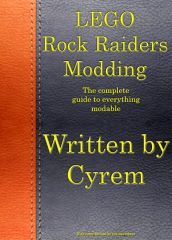
The Book of LEGO Rock Raiders Modding
Fifi La Fume and 6 others reacted to le717 for a blog entry
It has always been said Cyrem wrote the book on LEGO Rock Raiders modding. I found the book to prove it.7 points -

New version of ROCK RAIDERS - update
le717 and 6 others reacted to Addictgamer for a topic
Good read. I totally agree about blocks. Tiles are the way to go (and the enemy of boats). If the developers are looking for inspiration or proof of success of the stacked planes map system you (and others in this thread) suggested -- and please, don't lynch me for daring to mention its name -- Dwarf Fortress is a prime example. even if a game copies that system -- that's all it is, a system. Tiles are too generic and associated with too many games to bring about negative connotations when a player sees a game using them. Even if a game stacks planes on top of eachother, like Dwarf Fortress does, that in no way makes it a Dwarf Fortress clone (it'd need to add terrible ascii graphics and an atrocious user interface . In all seriousness though, it'd need to do way more than to replicate just one of its countless systems -- Clockwork Empires, a 2D world system, is more of a DF clone than just a generic game with a 3D map system like DF's stacked planes ). But I digress. All that's important on Planet U are sandwhiches and enery drinks crystals. Yes. If there are not sandwhiches in this game, I will be severely disappointed in DDI. Sandwhiches. And INFRASTRUCTURE for sandwhiches. Ooooh boy, whole complex daisy-chained interacting systems of sandwhich production mechanisms. Route the input of one to the other, then link that there, and drop a few jugs of coffee on top for good measure. Don't forget Mama's secret family ingredient! Passed down through generation after generation. Yes, Rock Raiders should be Sandwhich Simulator. Sandwhich Raiders. I like the name. Or maybe Rock Sandwhiches? Hmm... Regardless, sandwhiches. SANDWHICHES!!!1! ------------------------------------------------------- Also, speaking of using stacked planes for a map, I went and dug this up: An example implementation of what Polaris described.7 points -

Bionicle: The Game Game Archive Extracting (Research and Tools)
McJobless and 4 others reacted to maver1k_XVII for a topic
Sorry for doubleposting, but I have a big update. I've been tinkering with the files of this game and the tech demo of unreleased Bionicle 2 City of Legends and I had a few breakthroughs. Let's start with Bionicle 1. First of all - I managed to figure out the image format. Here are some images for example: Secondly - I finally extracted those .PCS and .PCSI archives by altering the BIGB script a little and as a result I gained the access to the models of characters and their textures. The format is almost identical to levels, but there are a lot of problems that I still need to solve. That includes texture assignment and telling the models apart (yes, as silly as it may sound, currently I can only view the contents of the .bin as a single model, although it contains multiple). Again, here are some examples: ' alt='' class='ipsImage' > Most models don't have textures assigned because I can only do this manually at the moment. The models generally consist of dozens of parts and it's not always obvious which texture goes where. Moving to the Bionicle 2, the BIGB files are not too different and most imprtantly are not compressed. I managed to extract some of them with a simple QuickBMS script, but I'm still not sure if it works correctly. The maps and models have somewhat similar format, but at the same time I found it much more difficult to handle. I managed to find the level and the model of Toa Matau but I am almost clueless about the format apart from the geometry, which is the same as in Bionicle 1. I also figured out how to decode the textures, but the only way I can extract them is through hex editor. Here are pictures of models: ' alt='' class='ipsImage' > ' alt='' class='ipsImage' > And most of the textures for Matau: I'm certainly going to work more with all this stuff, it's the first time I had so much success with reversing file formats .5 points -
LEGO Racers Online
legorr2020 and 3 others reacted to le717 for a topic
I've been withholding from posting on this, but I think it is now time. I will admit, upon first seeing this topic, I was a bit skeptical. I linked this topic to Will, and he gave a theory as to how this might be happening. Sure enough, the next time Hoithebest came on, he said exactly what Will theorized. From that, and watching the conversations, I could tell this was a real, albeit early, project. When Hoithebest released the video showing it off, I could tell it was real, no question about it. How do I know? Because even though Rob has done a fantastic job of learning about the binary format that controls the AI path, and we have a visualizer for it, we do not have a tool to record AI paths. Further more, the movements Redbeard made, those are not possible in LEGO Racers. He was making turns on a dime and flying all around that area. Such turns and speed are simply not possible to perform in-game. And since we do not have a tool to visually record AI paths, the only way for Hoithebest to have faked this was to spend a super long time manually writing all those coordinates, and even then, I doubt it would come out the same way as shown in the video. That video clearly demonstrates the all pointers for the racer have not yet been found, and because many are still missing the player moves in erratic motions. This is clearly a real modding project Hoithebest and his brother is undertaking, no question about it. Almogzxp, it would appear you and maybe a few others are the only ones who really think it is fake. Yes, I get your being cautious because of past experiences, but have you noticed how many times Cyrem, the founder of this forum, the guy who wrote the book on LEGO Rock Raiders modding, the guy who has also been instrumental in other game's modding, do you really think he would be posting on here saying this is a real project unless he thought it was real? Cyrem has done a lot of modding over the years. I think it would be safe to say (yes, I know we are all human and make mistakes, but aside that) that if Cyrem, though all his wisdom and experience in modding, says this is a real project, then we can believe him and Hoithebest. I'm inclined to agree that a client/server UI can be faked more than this video, especially given the movements Redbeard made. If it came down to it, and I hope it does not, I would second Xiron's idea for Hoithebest to send a copy to Cyrem or one of the staff. The staff are in that position for a reason, because they are trusted, trusted to keep the peace on this site, to remove any spambots, to be a guarding eye. Any report that came from them about this project, I'd be inclined to trust that. If I did not, then I might have trust issues. As for Hoithebest "just joining to post this", might I remind you this has happened before, that someone joined and made a first post about something modding related. "Joining and making this their first post" is no reason to immediately disqualify anyone. Almogzxp, I'm not trying to hurt you, I'm trying to help you see this is not a fake project. I'm also not one to be excited at the first Bionicle 2015 modding project I see, especially one as ambitious as this one. Even now, I am still not "getting my hopes up", but I am very interested in seeing this project succeed. Being wary of things is fine, all of us should be that way, but when our skepticism gets in the way of seeing what other are saying and the significance of it, then trouble can occur. @Hoithebest, I know you may be a bit unsure of this project right now, but go right ahead and work on it. Don't let anything bother you. You have the support of some of the most respected, trusted and experienced members here. You could not ask for anything better than that. I've seen your discussion, and you clearly know what you are doing. Keep doing it, and don't let skepticism get you down. Remember, there will always be people like that. I sure there were people who thought it was impossible for man to go to the moon. Look what happened. :)4 points -

IXS Cheat Codes
Cirevam and 3 others reacted to lol username for a topic
Wait, LI2 had physics? Seriously though, the first thing I noticed upon first playing IXS was the character control as compared to LI2. LI2 was twitchy, kept clipping through things, there was no slope detection, etc. Jumping was absolutely horrible, but at least you didn't ever actually have a use for it so you could stay clear of it. Oh wait, it's as if they couldn't decide if they wanted to be Mario (jump at the press of a button) or Zelda (jump when walking off of a ledge) so they did both, and the auto-jumping was broken as well... IXS feels much nicer to me. Instead of being able to climb up 89 degree steep cliffs except for where the devs had put invisible walls, you just slide down if it's too steep. Jumping isn't just not broken, it's useful. The only quirk with it that comes to mind is a bug where the game sometimes doesn't notice you've stopped sliding until you move in the direction you were sliding, but it's far from a game breaker - I'll take that over the various features in LI2 such as randomly getting stuck inside of buildings and flora, and somehow even getting caught on acute corners of walls. I also found the arcade-y Wave Catcher physics to be a lot of fun, and wished that they applied to boats on the main island as well. Were you playing IXS without v-sync enabled by any chance? The game gets progressively glitchier as the framerate gets higher, particularly the physics, and even more particularly the Wave Catcher physics. This was fun.4 points -
The Book of LEGO Rock Raiders Modding
PWNZOR and 3 others reacted to Cyrem for a blog entry
10/10 would buy my own book.4 points -
IXS Cheat Codes
Brigs and one other reacted to lol username for a topic
Four IXS cheat codes are listed on various websites, such as GameSpot here: http://www.gamespot.com/lego-island-xtreme-stunts/cheats/ The only one that works for me is the second one, "Display Cheat Mode", which lets you fly when pressing Tab. Unlike what most sites say, no other cheats must be entered before it. As said, the other three codes don't seem to do anything at all. They also make use of the buttons for pizza throwing and jumping, while the working cheat doesn't. Are they just fake or am I missing something?2 points -
New version of ROCK RAIDERS - update
RockRaiderWolf and one other reacted to Polaris for a topic
It was something that struck me when I was thinking about the direction of this future game. If you've got the name "Rock Raiders", and you intend on making a spiritual sequel, some things from the original have to carry over. Since they don't have licensing to use Lego figures, (or Minecraft elements for that matter!) there's only the gameplay system left to reincarnate. A "wall" system is where it's at! Thanks for seeing eye to eye with me on this! I can only hope DDI does as well.... Also, Sandwiches FTW2 points -
New version of ROCK RAIDERS - update
STUDZ and one other reacted to Cyrem for a topic
A large, logical, first post with hand drawn images to go with it? O_O That was an enjoyable read Polaris2 points -
New version of ROCK RAIDERS - update
noghiri and one other reacted to lol username for a topic
Don't apologize, I like lengthy reads. It's cool to see somebody really discussing ideas like that. I don't really have anything to reply with at the moment (I haven't even really kept track of this topic in all that much detail, so I should catch up before replying with my own thoughts) but thanks.2 points -
The Book of LEGO Rock Raiders Modding
The Ace Railgun and one other reacted to le717 for a gallery image
From the album: The Album of Randomness!
Written by Cyrem2 points -
Insane Raiders [2022-12-29: Occasional updates are still happening!]
Starrocks923 reacted to Arthuriel for a topic
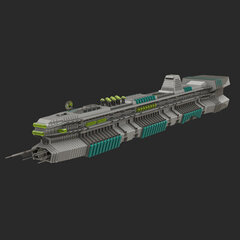
Update (2022-12-29): I don't know how often I will use this forum, but I just wanted to write that once in a while I still make Insane Raiders themed comics. They are simpler (more like a sketch) and without colour, but they are still full of dubious decisions related to dynamite and landslides! Since I posted those only in Discord chat rooms etc. so far (where they can go under) I wanted to put them in one place and so I added them to my existing Insane Raiders gallery on DeviantArt. I hope you enjoy them! https://www.deviantart.com/arthuriel/gallery/50994783/insane-raiders Note: It can take a few seconds to load all the comics (depending on your internet connection). Hi, this is a thread, where I will try to continue a comic series every or every second week (note: replace week with month(s)). Usually they are based on my experiences with the Rock Raider PC game and the behavior of the Rock Raiders (including a good portion of insanity and exaggaration). Number 1. Dynamite Number 2. Pathfinding Number 3. Reinforcement is for Losers Number 4. The Pain of Pictures Show Number 5. Badly needed professions and items Number 6. Job oppurtunities Number 7. Secrets Number 8. An unnormal day Number 9. Randompunk-Raiders Number 10. Alternative Ending Number 11. Mindless in space Number 12. Traffic Number 13. Lazor-Madness Number 14. Lazor-Madness II Number 15. The Dark Side of the Vector Number 16. Meet the Bandit Number 17. Dynamite-Madness Number 18. The Ultimate Punishment Number 19. Ore Wars Number 20. Announcements1 point -
Running LEGO Island Xtreme Stunts without a Disc
FeebTube reacted to Cyrem for a topic
Got my copy of Island Xtreme Stunts today I made this. Running LEGO Island Xtreme Stunts without a Disc is quite simple actually. By default the game keeps all it's data on the game disc. So doing this will make it run without the disc.However you will need the disc to copy data from. 1. On the disc, copy the folders titled 'cd' and 'cdc'. You'll find these in the "LIXS" folder on the disc. 2. Paste these folders in the directory you installed the game to. 3. Create a shortcut to 'Game.exe'. This is the LEGO Island Xtreme Stunts executable. 4. Open the properties of the shortcut and change the target to: "C:\Program Files\LEGO Interactive\Island Xtreme Stunts\Game.exe" "C:\Program Files\LEGO Interactive\Island Xtreme Stunts\cd\" "C:\Program Files\LEGO Interactive\Island Xtreme Stunts\cdc\" Of course you will need to adjust this to the location on your computer. But the basic format is <Game exe path> <cd folder path> <cdc folder path>. You'll have to make sure you write ou the full path like above because when I tried a relative path the game just froze. And that's it. Enjoy.1 point -

LEGO.jam File Extractor
LEGOPerry reacted to JrMasterModelBuilder for a topic
With some help from the file format information jamesster found on Xentax I have made a JAM extractor. For the amount of information it has to process, it's rather fast, but it will hang there for a bit as it processes all the files (so have patience). Without further ado, here it is: JAM Extractor Latest Downloads (RRU): Windows 32-bit Windows 64-bit Mac 64-bit Latest Downloads (Github): Windows 32-bit Windows 64-bit Mac 64-bit Other Links: All Downloads GitHub Repository Extract your download to find the main "JAMExtractor" executable (all files are required, do not separate them or it will not work). Usage You can run it by the command line or, on Windows, simply drag-and-drop the LEGO.JAM file onto the main executable and wait for it to finish creating a folder next to the original file. To recompile, simply drop a folder onto the main executable and it will create a JAM file. >If you have the 1999 version of the game, it is unnecessary to rebuild a JAM archive. It is possible to have the program also print the files being processed as the program runs if you add an "--verbose" to the arguments. >Still need a GUI? Check out this topic. Important Notes The LJAM file format does not allow file or folder names to contain more than 12 characters. As of version 1.0.2, the program will skip over file and folder whose names are longer than 12 characters. Thus, any files and folders you create within the JAM archive's folders that have names longer than 12 characters will automatically be excluded when creating a new JAM archive. Older versions would only use the first 12 characters of the name as the file name and would include them. Alternately, you can use the source code from the GitHub repository with a Python interpreter. As of version 1.0.2, JAM Extractor is compatible with Python 2.7 and newer, older versions are compatible with 3.0 and newer.1 point -
New version of ROCK RAIDERS - update
coffins reacted to StewartG for a topic
I thought I would share some good news on the remake of Lego Rock Raiders, we were going to call it Block Raiders (due to Lego trademark on the RR name, however the good news is that the trademark has expired and also the extra time they have to renew it, and we have just registered the 'Rock Raiders' trademark ourselves. The name will live on.1 point -

RRB files
Quisoves Potoo reacted to RobExplorien for a topic
LEGO Racers: The structure and values of AI path files NOTE: The following information was generally obtained by testing with the .RRB file of one racer on Royal Knights Raceway. I'm not completely sure, but the information about to follow will apply to other .RRB files in the LEGO.JAM too. Values in code tags apply to the boss racer on Royal Knights Raceway. This topic is not (yet) a full documentation of the regarding files. Tools used to gather this information are JMMB's Jam Extractor and origamyguy's Binary File Editor. I know that it is confirmed that .RRB files are the path files for an AI, but I have not found a good documentation of these files yet. I've been working a lot with these files last week, and would be glad to share the information I gained from working with these files. I will discuss the main values/structure of an .RRB file, and explain what value does what wherever I can. Some information that follows is already known by some or many, but I felt that I should include most, if not all, information of these files here. If I missed out information, or if you know more that adds to the understanding of these files, I'd be glad to hear from you then. To start off with, where can these files be found? Each track folder (RACEC*R*) in the LEGO.JAM contains a certain amount of .RRB files, mostly around 15 or so (adding up to about three for each AI). Only the TEST folder doesn't contain these files, because an actual race was never meant to be held on that track. Therefore, there aren't any path files there, or checkpoints and so forth. How are these files named? The .RRB files are named like this: Rx_y_z.RRB, where the red letters are variable for the file name. x is defined as 0, 1, 2, 3, 4 or 5. These numbers represent an AI, with 1 being the boss racer, 2 being Governor Broadside/Islander/Willa the Witch/Black Knight, 3 being Rob-'n-Hood/Royal King/Blackjack Hawkins/Admiral etc. The .RRB file with 0 is not found in all racetrack folders, as this file is the path for the demo, which is King Kahuka by default. y is defined as F, M, S. These letters might represent the speed of an AI's path, perhaps for reference to the designated AI, where F would be fast, S would be slow, and M would be, eh, Medium? These letters however do not have any influence on the speed of the path of an AI. Changing the letter in the file name won't do much to its path speed. Velocity is defined in the .RRB file itself, and I will discuss this later on, when we get to the contents of the .RRB file. z is defined as 0, 1, 2 or 3. These numbers probably represent a path number. Then it would mean that every AI has a minimum of 2 paths, and a maximum of 4 paths (I've seen racers with just two .RRB files, and racers with 4 .RRB files, and ofcourse others with 3 .RRB files). What happens when I delete or replace .RRB files from a track folder? Nothing really happens to an AI's path, when you remove certain .RRB files. Only when the first of all paths, being Rx_y_0.RRB, is deleted, the AI will not move from its startposition. Even pushing the AI won't work, it will be stuck at his startposition. When deleting the other paths for the AI (but leaving Rx_y_0 in the folder), it will move and continue following this remaining path. Thus, removing all .RRB files means that the AI is stuck at his startposition. Adding, or rather replacing the .RRB files with those of another track simply makes the AI follow this replaced path. For example, replacing the boss's Knightmare-Athon path with the one from Magma Moon Marathon makes the boss follow the latter path on Knightmare-Athon. This path obviously isn't aligned with the Knightmare-Athon track, so you would see the red dot on the Knightmare-Athon map 'floating' around the actual track. How is an .RRB file structured? Elements of an .SPB file can be found in the .RRB files as well. These elements are the startpositions and their respective rotation. However, an .RRB file has many more code lines, and only applies to a single racer, an AI. The main structure of an .RRB file is shown below. The code lines are divided in seven groups. I left out the other 681 nodes, for an obvious reason. k_29 (float)356.9742 (float)210.8356 (float)0.199971 k_28 (float)0 (float)0 (float)-0.704013 (float)0.710187 k_2A (float)367.861 (float)210.6208 (float)0.19997 k_2B (float)0 (float)0 (float)-0.765386 (float)0.643571 k_2C 77536 k_2D 464 k_27 // Nodes [682] { (f16)0 (f16)0.02734375 (f8)0 (f8)0 (f8)0 (f8)10.4375 (f8)5.625 (f8)2.5 (f8)2.5 (byte)193 ... } What are the values for in an .RRB file? The values in an .RRB file vary from defining the startposition of an AI, to the waypoints it has to follow in a race. These values are appearing as integers, floating points and bytes. How is a startposition set in an .RRB file? The floats under k_29 and k_28 are the same for all path files of a single racer of a track. For example, the following files share the same floats in the .JAM archive (providing they are located in the same track folder): R2_M_0.RRB, R2_M_1.RRB and R2_M_2.RRB. But the files R3_S_1.RRB and R4_S_1.RRB in that same track folder do not share the same floats for k_29 and k_28, because these two files do not apply to the same racer (different startpositions). The floats under k_29 are relatively simple to understand. These floats define the startposition of an AI, and work the same as for the player (which are defined in an .SPB file). The first float under k_29 is for x-positioning. This means that the horizontal position (left/right) of an AI's vehicle is set with this float. The second float under k_29 is for y-positioning. This means that the horizontal position (up/down) of an AI's vehicle is set with this float. The third and last float under k_29 is for z-positioning. This means that the vertical position of an AI's vehicle is set with this float. If you still like to know more about (editing) the startpositions, >this tutorial explains most of it. How is rotation set in an .RRB file? The floats under k_28 are for the rotation of the AI vehicle IN its startposition. This rotation is not for setting the direction of the path it has to follow, there is no connection between startposition rotation and path direction. That means, setting the rotation for the AI vehicle under k_28 to a different value may change the direction his/her vehicle faces, but at the moment the race starts, the AI will directly face its path direction. This can be clearly observed when setting the AI vehicle in reversed position (i.e. having its facing direction 180 degrees switched). At the moment the race starts, its vehicle will switch back 180 degrees to align instantly with the direction of its path again. All floats under k_28 range from -1 to 1. This rotation is not based on radians, as far as I know, so that means rotation of an AI vehicle works different than that of a player. The first two floats under k_28 are for a 3D rotation of an AI vehicle in startposition, to call it that way. This also explains why the value of this float is always (close to) absolute zero, because in all tracks, the startposition is on a leveled surface. If this float is bigger or smaller than 0, the AI vehicle will align with the surface in an angled (see image) and somewhat twisted way, but not perpendicular at absolute 1 or -1 I believe. The last two floats under k_28 are for horizontal rotation of an AI vehicle in startposition. What are the k_2A, k_2B, k_2C and k_2D groups standing for? The k_2A and k_2B groups share the same structure as the k_29 and k_28 groups, something you may have noticed already. The floatvalues under k_29 and k_28 are the same for all AI path files for a single track, whereas the floatvalues of the k_2A and k_2B groups are different for all AI path files for a single track. For example, the floatvalues under k_29 and k_28 are the same in these two files (from the same track folder): R1_F_0.RRB and R1_F_0.RRB. But the floatvalues under k_2A and k_2B are different in these two files (from the same track folder). The values under k_2A and k_2B denote the finishing position of an AI racer, the point where it crosses the finish line after three laps. The values under k_2C and k_2D are always an integer. But these integers are different for all AI path files for a single track as well. The integer under k_2C denotes the total race time of a racer on a given track in milliseconds. What are the nodes (the k_27 group)? Nodes are waypoints for an AI to follow during a race. Going through all nodes in a single .RRB file means that the AI completed three laps (thus one race). That means, that there are about three different paths for each AI on a track (one .RRB file representing one path). The nodes are the ones that really add up to the amount of code lines in the .RRB file, because one node only represents a small distance to race on the racetrack. Therefore a lot of nodes are used to fill a complete AI path. The amount of nodes can be 682, as seen in the code lines below (directly under k_27) for an AI path on Royal Knights Raceway, but the amount can also be over 1000 (which is for Rocket Racer Run AI paths). Below follows the structure of the nodes again. Each node consists of 10 code lines. I also put additional comments next to the nodes. These comments refer to the explanation given in the text below the code. k_27 // Nodes [682] { (f16)0 //value 1 (f16)0.02734375 //value 2 (f8)0 //value 3 (f8)0 //value 4 (f8)0 //value 5 (f8)10.4375 //value 6 (f8)5.625 //value 7 (f8)2.5 //value 8 (f8)2.5 //value 9 (byte)193 //value 10 ... } What happens if I remove certain nodes? If you remove a few nodes completely, and also define the new amount of nodes in the brackets (e.g. from [682] to [672]), the game won't give any errors when the AI uses this modification to its path file. The AI will simply skip the 'missing' nodes, and will eventually not be aligned with the track anymore because of this modified path. If you remove parts of a node, like only removing the (f16) part, it does affect the AI path. At the moment the AI reaches this node (with the changed structure), it will be stuck at this waypoint. You cannot move it by pushing his/her vehicle, because the node structure is messed up, meaning that the game doesn't know where the AI has to go next in the waypoint list. What are the first three values for? Values 1 and 2 contain the relative coördinates in an AI path. You have to add or subtract these numbers from the former coördinates to get the new coördinates of the racer on its path. Basically you have to calculate the position of each node as following. For the first node of the path: value 1 = (new x-coördinate) - (startposition x-coördinate) value 2 = (new y-coördinate) - (startposition y-coördinate) value 3 = (new z-coördinate) - (startposition z-coördinate) And for all subsequent nodes: value 1 = (new x-coördinate) - (old x-coördinate) value 2 = (new y-coördinate) - (old y-coördinate) value 3 = (new z-coördinate) - (old z-coördinate) However, for the z-position (value 3) it works a little different, since it is not adressed the same amount of space as the former two values. It ranges from 0 up to 16. All values (starting) from 0 up until 8 indicate an increase of z-position and all values (starting) from 8 up until 16 indicate a decrease in z-position. The change in z-position is, like values 1 and 2, also stored relative to the previous height, but since it is limited in adressing, the maximum increase or decrease z between two nodes is: |z| < 8 Also, an increase of respectively z = 1 unit and z = 5.3 units is given by (f8)z = (f8)1 and (f8)z = (f8)5.3, whereas a decrease of respectively z = 1 unit and z = 5.3 units would be stored as (f8)z = (f8)15 and (f8)z = (f8)10.7 (thus 16 - z). No change in height is denoted by 0. The other four values are the rotation stored as quaternions. Quaternions are a number system which are an extension of the complex numbers, which on itself are an extension of the real numbers (the system that generally everyone is familiar with). I have never studied any further than complex numbers, so my knowledge of how this rotation works lacks here. Values 4 and 5 appear as 0 most of the time. When it is set as 0, the AI vehicle is perfectly aligned to the surface. Tweaking or majorly changing the value causes the vehicle to appear 3-dimensionally rotated while using its path. That means you could have the AI make a wheelie for the whole race, when having the right value for these two subnodes. Values 6 and 7 are values to express the direction the AI vehicle has to face. Meaning, that in combination with modified subnodes 1 and 2, you can have the vehicle drive the 'wrong way' AND face the 'wrong way'. Values 8 and 9 are still unknown to me. I've seen that the value for these two subnodes is 2.5 in every .RRB file in LEGO Racers, but do not quite understand what they are for. What is the last value for? At last, value 10. You could say that the speed (or absolute velocity) of an AI is determined by this value. The byte (an 8-bits number) appears as an integer with an absolute value ranging from 0 up until 256. If you open a random .RRB file, the bytes will mostly be integers of around 200. My guess is that the bytes are the times in milliseconds assigned to each node. I could sustain or reject this if I took the time to calculate the sum of all bytes for a path and compare this with the value under k_2C (total race time in milliseconds). The values most commonly seen are around 3, 129 and 200. If my guess is correct, then the value has a great impact on the smoothness of the path. A large distance between two nodes with a relatively small byte value causes a great positive acceleration for the car, whereas the opposite will do a negative acceleration. It is this correlation that shows that you cannot just alter coördinates and expect the racer to run a smooth as it originally was, you'd need a good recorder to get the path right (one that records both coördinates and relative time elapse). If this measuring happens on constant intervals, then the byte value can be regarded as a contstant. The question that arises is the interval time at which to measure. An .RRB file can only hold that much information, thus you cannot create intervals so small that you'd exceed the maximum amount of nodes. Then again, it is easy to surpass the condition for the third value of the node (relative z-position) on some tracks if you measure with intervals too big. It is this issue that has kept grappigegovert from completing his RRB recorder (the GHB recorder does not have to deal with this issue as it only uses rotation and absolute coördinates for each node, with lap times defined at the start of the file). A possible solution to this is to keep record of the potential overflow of this third value and add this to the next node's third value. Does overflow occur again, pass it forward to the next node. Continue this proces until your overflow record is at 0 again (the principle of a ripple-carry adder).1 point -

Mafia: The Game
The Ace Railgun reacted to Fush for a topic
He's sure tricky isn't he? >See my post. Any final vote changes (even Sea's) were not legal and therefore did not count. Ah. See, this is why vote changes need to be either not allowed or highly, HIGHLY regulated. It only causes confusion. In any case I'm voting Seaborg, final. So... um... anyone else gonna vote?1 point -

LEGO Racers Online
LimeKiller reacted to Fluffy Cupcake for a topic
Okay, out of context typo jokes aside. I'm no programmer either, so I wouldn't be much help, aside from finding things with Cheat Engine. I've got experience with that. My expirience being the reason grappiegovert was able to make those coordinate programs.1 point -
Insane Raiders [2022-12-29: Occasional updates are still happening!]
le717 reacted to Addictgamer for a topic
Please.1 point -
Welcome! Velcommen, konichiwa, aloha! How ya doin?
The Ace Railgun reacted to Fluffy Cupcake for a topic
Hey hey! Welcome to RRU montyofmusic! Hehe, yeah. So far I've successfully gotten a bunch of people here interested in Freedom Planet. This isn't really the place to speak about it though. Yes, but more importantly: Your floor isn't.1 point -

[MOC] Technic B-25 Mitchell WIP
The Ace Railgun reacted to apemax for a topic
I've managed to get a bit more work done on the B-25 over the past week so I thought I'd post another update on what I've done. First of I've done a bit of work on the control system so now the control stick has all it's outputs and I just need to connect them all to the control surfaces which will be done once I've actually made the control surfaces. The other part I worked on was the tail. I replaced some of the 1x16 studded beams with 1x14 studded beams and started on the very beginnings of the tailplane. And finally the overall progress I've made on the fuselage.1 point -
New version of ROCK RAIDERS - update
Polaris reacted to Arthuriel for a topic
Interesting stuff, Polaris. I never really thought about the fact, that the system, that RR used was already pretty good and unique, but also expandable enough . I guess, that one solution for the multilevel stuff could be, that you would have two scroll systems. One for zooming in and out in a level and one system to scroll through the levels (e.g. one via the mouse scroll wheel and the other one via "CTRL and +/-", but I think, that customizable keyboard shortcuts are important, too). Although a small panel, where you can click on a level for fast access and/or for typing the number of the level could also be an option. Depending on what you are doing more often (zooming in a level or scrolling through the levels), it's probably better to stick with the mouse wheel for the stuff within a level and using "+" and "-" keys for the travel through all the levels. @addictgamer: Basicly the original game was about sandwiches. It just so came, that DDI had to use the license to make something about derpy miners in space, which were cursed to live as minifigs for the rest of their lifes, right ? PS: Thanks for the Dwarf Fortress comparison / reference. That gave me an idea: How about: "RRU plays DF" ? I wonder, how long a fortress would survive .1 point -
LEGO Racers Online
aidenpons reacted to Almogzxp for a topic
I don't see how it's beyond Rock Raiders United's capabilities. We are capable of viewing LR1's virtual memory (with Grappiegovert's coordinate viewer, for example,) and while I can't recall offhand if any member-made programs exist that edit that memory, it seems like a logical next step from there. The LR2 coordinate viewer can actually teleport the player, so I imagine that such jiggery-pokery is just as possible for the original. It's a comparatively simple task: Create a program that transfers a player's data (coordinates, rotation, car, minifig, name) to a server, from whence it is sent to the other racers' computers to replace the data for an NPC racer. As for the video, couldn't a functional client and server be faked just as easily, if not more easily, than gameplay? I never said it's beyond RRU capabillities. I just said we're not able to do anything like it right now (for LR1). also, LR1 isn't LR2. if we can create a mod in LR2 that lets you drive through walls, that doesn't mean you can do the same thing for LR1. Not when you don't have the tools to do so. As for the video, you can simply achieve something close to that by changing Captain Red Beard's path, and if I'm right, someone already made an In-game coordinate viewer. (So you can just drive around and copy your coordinates). making a fake client and a server will be much harder because in order to do so you need to know how to program. My own tool, Cafeteria for LRR modifies memory. A memory editor isn't that hard to make, it's certainly not trivial (look at the zillions of game trainers). All his tool does is reads points in memory that stores the position of the racers, then sends that data to a next client which then their client overwrites the position of one of the racers in their game with the position that came from the server. This is not a LR1 mod like the general file changes, it's a program that manages the game memory. I never said it's not possible, but the fact that no one ever done it before (or anything close to that) just makes me feel like it's too good to be true. It's also weird that the person who posted this thread created his account just to post this thread. but don't get me wrong, I'm not aginst this project. I think the idea of "Lego racers online" is awesome, but I don't think that someone is actually working on this project. And that's why I'm skeptical.1 point -
What are you listening to right now?
The Ace Railgun reacted to Fush for a topic
I apologize in advance. https://www.youtube.com/watch?v=boOsfs903tM ALSO:1 point -
LEGO Racers Online
Cyrem reacted to Hoithebest for a topic
Exactly as the above two comments. I just don't want to show it because it's in a very early stage, but maybe I will make a video of it some time in the (near) future.1 point -

Images Of Minifig-Scale Minecraft Sets
ProfessorBrickkeeper reacted to BerixMaster2010 for a topic
To me, the standard minifigure design do not at all fit in very well with MineCraft's aesthetics.1 point -
Bad Translations
Starrocks923 reacted to KevinVG207 for a topic
Original text: "This is translated badly." ...35 translations later, Bing gives us: "This is an example of how." XDD1 point -
Bad Translations
Wirza reacted to legosponge for a topic
Original text: "THIS. IS. MINECRAFT!" ...35 translations later, Bing gives us: "In the morning!" Original text: "SPONGEEBOBBLE!" ...35 translations later, Bing gives us: "By SPONGEEBOBBL" ...okay. Original text: "If you select the green brick-" ...35 translations later, Bing gives us: "The cube is selected" SO THAT'S WHAT THE GREEN BRICK DOES! Original text: "I SPY WITH MY LITTLE EYE... A CACTUS!" ...35 translations later, Bing gives us: "Open your eyes and look at the Cactus"1 point -

New version of ROCK RAIDERS - update
legorr2020 reacted to McJobless for a topic
It was a glitch. So, what you're saying is that people should not be able to build however much they want? If they want to include Surge as a legitimate threat, then it needs to be completely redeisgned. Simply punishing people for building big bases is not good gameplay. Don't drive them into monsters. I think that's absolutely ridiculous. The fences then become completely useless. Fences were designed to be a powerful security measure which required important resources, and as such its up to the player if they want to make the trade-off. Simply nerfing them to the point where they defend against nothing is ridiculous, and you might as well remove them from gameplay completely. The f**** are you on? This is not The Sims. Priorities was made to resolve the problem of idle AI, because they always have active tasks to attend to. Yes, it didn't work properly, but the solution theory was pretty good. If you remove the AI from the AI, what do they become? Slaves, puppets, anything that isn't AI. Your command overrides their thoughts, but ultimately those units need to be able to automatically respond to any situation, otherwise they just seem extremely dumb. Also, no, food is not an interactible object and should never be. Food is meant to be a challenge whereby you need to carefully cycle your raiders so that some are working, some are recharging their energy. Leaving food on the ground is unhygenic and adds an element to gameplay which breaks this challenge. What's the point of the AI eating and having a hunger/energy bar if you can just make them do whatever anyway? If the next game has a thing called a "Sandwich Shop", I quit. That would be a useless and downright out of place idea. Why are you building fences in the middle of an attack? Why aren't you getting guns and shooting the damn monsters?! Fences are a protective measure, not an offensive weapon. Except, raiders DO carry those tools, and vehicles can't. They're not regular objects and can only be used by Rock Raiders. Why have the truck pick up the recharged crystal if they're right there? They need to be there to recharge the crystal, last I checked. The f**** is this?! VEHICLES ARE NOT PEOPLE. VEHICLES CAN'T GET SCARED. The drivers might be scared, BUT THEY'RE IN A VEHICLE. Tanks can flatten monsters easy. Cars can outrun them. At least, that's how I assumed people and the RRs thought. There's no real danger for the DRIVER of the vehicle to be scared about, until it's too late. Because when they're in a vehicle, the game uses a different movement and control system. Energy is not counted while in the vehicle because the RR is no longer counted, the vehicle is. You're assuming also that people can't multitask and can't eat while driving. How would you know they're not eating in there? There's no animations for it, but that's because it's a ridiculous idea that Raiders need to eat when gameplay dictates they're not the ones you're controlling.1 point