
Leaderboard
Popular Content
Showing content with the highest reputation on 10/24/2014 in all areas
-

Tutorial: 3D Modelling
Cyrem and 8 others reacted to Jimbob for a topic
Note: I will be adding information on car editing soon. So far this tutorial is best used with just opponent minifigures, and possibly objects, in GAMEDATA. This tutorial will show you how to modify the GDB files in LEGO Racers. These files are used to create the 3D models in the game. This tutorial is listed as 'Advanced' for a reason - 3D modelling in LR is restricted to text-based editing and hence is very tricky and difficult. Until we have a dedicated program for it (if ever), this is the only way to create and edit models. Requirements Decent maths ability >Binary File Editor (Optional) Text editor (Notepad, Notepad++) for jotting down notes (Optional) Advanced image editor (Paint.NET, GIMP, Photoshop) to help visualise models and get coordinates (Optional) >GDBump to make moving objects a lot easier Got all that? Great! Let's get started. Defining Textures The first part of a GDB file lists all the textures that the model uses. This must relate to textures listed in the TDB and MDB files. In CRPELVIS.GDB, it looks like this: k_27 // Materials [1] { "cr_mat" } To add textures to this list, simply add a new line within the curly brackets and enter (in speech marks) your desired texture. This can be a custom one, so long as it is specified in the TDB and MDB files too. For example, if you wanted to add Captain Redbeard’s face texture, you would list it as below. k_27 // Materials [1] { "cr_mat" "cr_dflt" } The number in square brackets tells the game how many textures are listed within the curly brackets. If this is incorrect, the game will crash when entering the race (not the menu, which will load fine). Hence the above code will cause a crash, and must be fixed like this: k_27 // Materials [2] { "cr_mat" "cr_dflt" } Congratulations, you’ve added textures to a model! Note that the game won’t actually use them unless you specify it later on. Scaling This is very easy. All minifigures and parts in the game (both in GAMEDATA and MENUDATA) use the exact same scale: 0.015625. Below is the scale segment of a GDB file. k_33 // Scale (float)0.015625 Modifying this will increase/decrease the size of the minifigure/part. Below is an example where I set the scale to 0.2. Do not set this too large or the game can glitch. When I set it to 2 on Captain Redbeard, he was only visible from a distance at a certain angle. Additionally he glitched out and instantly used a shield and lightning. One last note about scaling: This is the model's scale and not its size. It's like having miniatures at, I don't know, 1:28 scale - they may have different sized models (infantry, vehicles) but they are all the same scale. You should not use this scale to change the size of the model unless you are testing things out. Modelling This is very complicated at first, but once you get your head around the basic concepts then it shouldn’t be too difficult to start drawing 3D objects. LEGO Racers has three lists for drawing elements: Vertices, Indices and Indices Meta. In this tutorial I will be editing the CRPELVIS.GDB file. Vertices A vertices list with just one vertex might look like this: k_2A // Vertices with Colors (X,Y,Z,TU,TV,R,G,B,A) [1] { (float)60 (float)60 (float)60 (float)0 (float)0 (byte)0 (byte)0 (byte)0 (byte)255 } Notice that this contains one entry (hence the 1 in square brackets), and therefore that a single Vertex entry is nine lines long. It consists of nine attributes: X: x-coordinate of the vertex. Y: y-coordinate of the vertex. Z: z-coordinate of the vertex. TU: where on the specified texture the vertex takes its appearance from. (coming soon) TV: where on the specified texture the vertex takes its appearance from. (coming soon) R, G, B: The colour of the vertex using RGB values. A: Alpha value of the vertex, meaning the transparency of it. Uses values from 0 (0%, clear) to 255 (100%, opaque). Indices An indices list with just one index might look like this: k_2D // Indices [1] { (byte)0 (byte)0 (byte)0 } These specify the Vertices to use when drawing the object. Hence they point to entry locations in the Vertices list, but start from 0 and not 1. So, how do these work? A combination of Indices and Vertexes together creates the 3D object. This is where it can get a little tricky – you’ll need to read this carefully and understand it if you want to create custom models. To help, imagine the object as a mathematical graph with X, Y and Z directions. KEY POINT: The coordinates are a little different here to usual graphs. X moves forward/backward, Y moves left/right, and Z moves up/down. Vertices Each entry in the Vertices list creates a single coordinate in the model. This has no dimensions, it is purely a location. Hence you can have loads of Vertices and not see anything. Indices Indices draw the object using a selection of Vertices. They list three Vertices to draw a single 2D triangle with – one Vertex for each point of the triangle. It is important to note here that Indices create triangles; if you want to create a square then you will need to use two sets of indices. Indices are great because they allow you to use the same Vertex multiple times, saving time and (relevant dimension in) space. Indices Meta This is where both the Vertices and Indices lists are put together to create your 3D model. An example Indices Meta is below: k_2E // Indices Meta [4] { k_27 // Material ID (ushort)0 k_32 // Bone ID (ushort)0 k_31 // Vertices Range (byte)0 (ushort)1 (ushort)4 k_2D // Indices Range (ushort)1 (ushort)4 } The listing system of Indices Meta is a little different. Every k_## section is its own entry, but several of them are grouped together to create one object. Hence the number in square brackets is equal to the number of k_## entries there are. They have four unique sections: k_27: The texture this part of the model uses taken from the Materials list. Starts from 0, not 1. k_32: The part of the model this is. E.g. in a figure, this can be head, chest, legs, etc. Important for animations and hit testing. k_31: The ushort variables specify the Vertex entries this part uses. Not sure about the byte. k_2D: The ushort variables specify the Indices this part uses. Each object requires one k_27, one k_32, and at least one pair of k_31 and k_2D. So, how do you use these in combination? Let’s start by drawing a cube. This is going to be a little tricky, but as it’s among the most basic 3D elements you’ll need to master this before moving on. UPDATE: alan has provided a great image here which visualises the cube you will be creating below. The first step is to create the Vertices list. Remember – the Vertices are the corners of a shape. A square has eight corners, so you will need eight entries. Note that // can be used to create comments which are ignored by the game. k_2A // Vertices with Colors (X,Y,Z,TU,TV,R,G,B,A) [8] { (float)400 (float)400 (float)400 (float)0 (float)0 (byte)0 (byte)0 (byte)0 (byte)255 (float)200 (float)400 (float)400 (float)0 (float)0 (byte)0 (byte)0 (byte)0 (byte)255 (float)400 (float)400 (float)200 (float)0 (float)0 (byte)0 (byte)0 (byte)0 (byte)255 (float)200 (float)400 (float)200 (float)0 (float)0 (byte)0 (byte)0 (byte)0 (byte)255 (float)400 (float)200 (float)400 (float)0 (float)0 (byte)0 (byte)0 (byte)0 (byte)255 (float)200 (float)200 (float)400 (float)0 (float)0 (byte)0 (byte)0 (byte)0 (byte)255 (float)400 (float)200 (float)200 (float)0 (float)0 (byte)0 (byte)0 (byte)0 (byte)255 (float)200 (float)200 (float)200 (float)0 (float)0 (byte)0 (byte)0 (byte)0 (byte)255 } Here we have defined 8 points, each corner of the cube. This isn’t enough to draw the cube though, as the game doesn’t know how to connect them. Now we’ll use the Indices list to join these dots up. Remember, one index uses three points to create a triangle, and two triangles create a 2D square. Hence a cube, which has six sides, will require twelve triangles (or Indices). KEY POINT: The order you write your three Vertices in a single Index entry is important. Entering them in a clockwise rotation will make that particular triangle visible from the outside only; similarly, entering them anti-clockwise will make that particular triangle visible from the inside only. You will have to choose between clockwise and anti-clockwise dependant on your object’s facing. k_2D // Indices [12] { (byte)1 //Top (byte)5 (byte)4 (byte)4 (byte)0 (byte)1 (byte)3 //Left (byte)7 (byte)5 (byte)5 (byte)1 (byte)3 (byte)4 //Right (byte)6 (byte)2 (byte)2 (byte)0 (byte)4 (byte)6 //Bottom (byte)7 (byte)3 (byte)3 (byte)2 (byte)6 (byte)3 //Front (byte)1 (byte)0 (byte)0 (byte)2 (byte)3 (byte)4 //Back (byte)5 (byte)7 (byte)7 (byte)6 (byte)4 } Each side above has two entries grouped together, or two triangles. Finally we need to merge these two lists together in the Indices Meta. k_2E // Indices Meta [4] { k_27 // Material ID (ushort)0 k_32 // Bone ID (ushort)0 k_31 // Vertices Range (byte)0 (ushort)0 (ushort)8 k_2D // Indices Range (ushort)0 (ushort)12 } The Material ID is set to 0 to use the CR_MAT texture. The Bone ID is set to 0 to use the leg section of the body (which, I'm pretty sure, isn't animated). The Vertices Range starts from (ushort)0 – the first entry – and is set to use the next 7 entries (8 in total) with (ushort)8. Similarly, the Indices Range starts from (ushort)0 – again, the first entry – and is set to use the next 11 entries (12 in total) with (ushort)12. Save this file, launch LEGO Racers, and voila! You should see that Captain Redbeard has disappeared, and is replaced with this: Congratulations, modelling tutorial complete. Texturing Coming soon... And that concludes the 3D Modelling tutorial. Go forth and create custom 3D models in LEGO Racers! You know what? I'm think going to go and make a Small Transport Truck racer mod.9 points -

RRU Quotes 2: Reckoning
ProfessorBrickkeeper and 5 others reacted to lol username for a topic
[8:26:54 PM] jamesster: https://www.youtube.com/channel/UCruu707okBmEiSxSary-LCg [8:26:58 PM] jamesster: would somebody explain [8:27:26 PM] Alcom Isst: No, and never link that again.6 points -

RRU Quotes 2: Reckoning
The Ace Railgun and 4 others reacted to ProfessorBrickkeeper for a topic
Some may now find Jimbob to be quite a ranter, filling the chatbox with idle chitchat and banter. While this may confuse many a mister and lass, I do not care, nor give a rats a**. @ JimbobJeffers : (23 October 2014 - 05:52 PM)someswedish, F U N-E T? S, V F T, 4 U N E. F U C D C-T? S, A P-T. @ JimbobJeffers : (23 October 2014 - 05:50 PM)Xiron, the brony sir. All that races, ruses and runs - their hearts he will stir. Listen as he mods - hear his brain whir? All things stupid he will deter. @ Quisoves Pugnat : (23 October 2014 - 05:46 PM) @ JimbobJeffers : (23 October 2014 - 05:46 PM)The Ace Railgun, also known as TAR. Where there's anime he won't be far. Give him a voice and he'll make you a star. To all things silly, this one yells "Haha!" @ JimbobJeffers : (23 October 2014 - 05:44 PM)Quisoves Pugnat, the herder of sheep. From his room you can hear computers beep. All things woolly - their souls he will reap. Watch them jump fences in his sleep! @ JimbobJeffers : (23 October 2014 - 05:43 PM)ProfessorBrickkeeper, the scientist whiz. He'll crack any conundrum with a pop, sparkle 'n' fizz. I don't think he's dating anyone called Liz. I can't think of another rhyme - the Prof. just is. @ Cyrem : (23 October 2014 - 05:41 PM) @ JimbobJeffers : (23 October 2014 - 05:41 PM)Cirevam, the admin chum. His sideburns rock, his shades ain't dumb. With a magic wave he'll code and hum. This guy certainly ain't no bum. @ JimbobJeffers : (23 October 2014 - 05:41 PM)[Cirevam], the admin chum. His sideburns rock, his shades ain't dumb. With a magic wave he'll code and hum. This guy certainly ain't no bum. @ ProfessorBri... : (23 October 2014 - 05:40 PM)*Preps for this to appear on the quotes page* @ JimbobJeffers : (23 October 2014 - 05:38 PM)Antillies, a cool man. Patient and bold, he'll say "I can!" Hugh Laurie in House - he's a number 1 fan. He ain't boring, not like your nan. @ JimbobJeffers : (23 October 2014 - 05:38 PM)antilles, a cool man. Patient and bold, he'll say "I can!" Hugh Laurie in House - he's a number 1 fan. He ain't boring, not like your nan. @ JimbobJeffers : (23 October 2014 - 05:36 PM)jamesster, an excellent fellow. In all things LEGO you can hear him bellow. His mood ranges from sharp to mellow. And his face... Well, it's a little yellow. @ JimbobJeffers : (23 October 2014 - 05:35 PM)McJobless, a clever clogs. He knows his stuff - just check his blogs. He'll answer you straight, no leaving you fogs. Look at his brain and its whirring cogs! @ JimbobJeffers : (23 October 2014 - 05:33 PM)Shadowblaze, a cheery chap. Music and sound makes his morning bap. You can hear his fingers, givin' the tap. Don't worry - he ain't a sap. @ JimbobJeffers : (23 October 2014 - 05:31 PM)Cyrem, an epic dude. Calm and collected, he doesn't speak crude. Shout to his face, he still won't be rude. But most of all he cooks good food. @ JimbobJeffers : (23 October 2014 - 05:29 PM)le717, an awesome guy. He's clever and cool, I will not lie. Give him an apple, he'll make it a tri. For all things Python, he has an eye.5 points -

RRU Quotes 2: Reckoning
Alcom Isst and 3 others reacted to STUDZ for a topic
[1:57:32 PM] Stan McStudz: So. Anyone figure out these new colors? [1:58:57 PM] Alcom Isst: Nope, I'm still having difficulty figuring out what color they are. [1:59:27 PM] Seradima: What color who is [2:00:13 PM] Stan McStudz: All these members look the same to me. [2:01:14 PM] Stan McStudz: nvm, I found a clue: '?do=embed' frameborder='0' data-embedContent>> [2:03:49 PM] Alcom Isst: I'm white. [2:03:52 PM] Alcom Isst: Still common rarity. [2:03:56 PM] Alcom Isst: Sad face. [2:04:27 PM] Alcom Isst: Also I'm getting a 404-ish error on that clue link. [2:04:38 PM] Stan McStudz: ??? [2:04:41 PM] Stan McStudz: uhh [2:04:58 PM] Stan McStudz: page-2'>page-2 [2:05:03 PM] Stan McStudz: try it now? [2:05:11 PM | Edited 2:05:16 PM] Alcom Isst: Nope. [2:06:05 PM] Stan McStudz: ._. [2:06:05 PM] Seradima: works for me [2:06:18 PM] Alcom Isst: '> [2:07:07 PM] Stan McStudz: wtf? [2:07:22 PM] Stan McStudz: So you're regular, AND barred off from RRU? [2:07:30 PM] Stan McStudz: try clearing your cache? I cleaned my cache, I still can't access that page. [2:09:28 PM] Stan McStudz: ._. [2:09:33 PM] Alcom Isst: Where is the page? [2:09:36 PM] Stan McStudz: Try the RRU homepage [2:09:43 PM] Alcom Isst: RRU home page works fine. [2:09:45 PM] Alcom Isst: Works great! [2:09:46 PM] Stan McStudz: Should be somewhere in the recent replies [2:09:56 PM] Stan McStudz: I dunno what's going on there [2:10:09 PM] Alcom Isst: Nope, not in recent replies. [2:10:28 PM] Noghiri: i'm just a member [2:10:41 PM | Edited 2:10:56 PM] Stan McStudz: I give up. [2:10:42 PM] Alcom Isst: Apparently I exist in a universe where that topic was never created. [2:10:43 PM] Noghiri: rru homepage works fine [2:10:46 PM] Noghiri: that one link doesn't work [2:10:54 PM] Noghiri: I exist in Univers Alcom-1 too [2:11:00 PM] Seradima: It's in the new topics. [2:11:06 PM] Stan McStudz: waaaaaaiiiiiiiit [2:11:14 PM] Stan McStudz: Maybe it's closed to regular members. [2:11:17 PM] Seradima: http://prntscr.com/4zdzrb [2:11:18 PM] Stan McStudz: IT'S A SECRET [2:11:29 PM] Alcom Isst: Nope, not in topics either. [2:11:30 PM] Seradima: OH [2:11:31 PM] Seradima: YEAH [2:11:34 PM] Seradima: It's in the editor lounge [2:11:35 PM] Seradima: lol [2:11:39 PM] Stan McStudz: WAD DAMN IT **Alcom Isst quits.** [2:12:59 PM] Alcom Isst: Fun fact: I DON'T FEEL FREE TO COMMENT ON YOUR PROPOSAL, BECAUSE I AM NOT FREE TO COMMENT ON YOUR PROPOSAL. TL;DR New member groups, pseudo-explanation on forum open for Reds and up, Alcom couldn't get to it, and both Zeph and I couldn't figure it out until I realized it was on a closed forum to normal members. And Alcom quit.4 points -

LEGO Island 2 GBC Engine (Download NEWER Engine Test!) (HELP WANTED)
BadDream and 2 others reacted to lu9 for a topic
WOW! what's that? An update to this very very old topic? IMPOSSIBLE! But it is, I decided to get back on developing this crap, so there you go, You have a small bit of the pizzeria part to walk around now, and 3 sample cards to collect. And you can now use the Pizza Chukka! Download is on the first post! NEWER TEST! What's new: -Fade Ins and Outs -Chests -Talking Minifigures! (Needs to be polished yet) -Original Game Music! https://www.dropbox.com/s/k1sr8n49l0897jq/LI2_Engine.zip?dl=1 YOU HAVE TO EXTRACT THE ZIP TO MAKE IT WORK. DON'T TRY TESTING IT FROM THE ZIP FILE. Also I need some help. I need to get the level maps from LEGO Island 2 GBC. If anyone is willing to rip the maps I would appreciate a lot!!! (one area in the game should be a different image file)3 points -
LEGO Island 2 GBC Engine (Download NEWER Engine Test!) (HELP WANTED)
BadDream and one other reacted to lu9 for a topic
This is a LEGO Island 2 Engine based on the Game Boy Color Version. Previously called "O.N.L.I.N.E. G.B.C.", it is a simple engine for fangames based on the GBC version of LEGO Island 2. Good to create some simple 2D RPG games and whatnot. It is Fully made in Game Maker Language (please don't bash me for that ) and every bit of code is explained with comments as well. Features (Italic = in progress | Underline = done): - Full Character Movement (Walk, Skate, Pizza) - Collisions - Talkable Characters (Moving or Not) - Brickster Bots - Room to Room Transition - Collectable Items & Trading Cards - Message Box system with 2 Options of Text - Sample Boss (Brickster) The rest is up to your GM knowledge. Please do not make a "Clone" (just edit levels) out of this Engine. Modify as much as you can. Please no Rude comments. DOWNLOAD ENGINE TEST: https://www.dropbox.com/s/k1sr8n49l0897jq/LI2_Engine.zip?dl=1 Controls: Arrows - Walk Space - Shoot Pizza Z - Ride Skateboard (soon) Backspace - Check Cards Enter - Pause (soon) F4 - Fullscreen F2 - Restart2 points -
Jumbo Racers 2
Yajmo and one other reacted to Jimbob for a gallery image
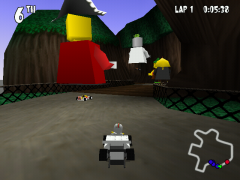
From the album: LEGO Racers Stuff
2 points -

X-Pod Playoff ?
Yajmo reacted to aidenpons for a topic
So, I was thinking "Forum Games." Then I had an idea: What about the X-Pod Playoff? You're probably wondering what I'm wittering on about. http://biomediaproject.com/bmp/files/LEGO/gms/online/Make&Create/XPodPlayoffs/ This. The closest game I can compare it to is Chess. It consists of you making "units" from your X-Pods and then trying to get them onto the opponent's home turf, being barricaded all the way. Aw, what the heck, just look up the Basic Game Rules there. They'll explain most things, and don't hesitate to ask me if you want explanatory notes. Now you heard me say "X-Pods." This game will be ludicrously difficult to play without a Pod. It's possible, yes, and even then you'd want your opponent to have a pod just so they can be checking up on you. So, Minimum Stuff you must have: Paper, pen, and the Internet. A printer could help, too. Stuff I'd recommend you to have: One X-Pod, a printer, and a nice A3 board divided into a 6x9 grid, which is the game size. A printer, scissors, and a laminator would also be recommended but I can understand that not everybody would have these. When you check out that link above, the Starter Kits would be a good idea to have, if only because they give you a Parts list at the back which is brilliant for a) finding the bricks you need to get your Pod, and b) checking what "bricks" you do or don't have if you don't have a pod and are trying to play this on Excel. Also, I have eight out of eight pods now, if ya wanted to know that The Full Plans are missing from there site I linked above, so I handily uploaded them for you here: https://app.box.com/s/one3bfcrwj2lec9zjmn9 NOTE: If you're playing with/against the Monster Pod, the Eye Beamer is a weapon of mass murder. I only let it have a Move 1 instead of its Move 2, but I then add Scare to all its levels. This is still very powerful, so I'm considering giving it Scare for only Level 3. [/ifYouDon'tKnowTheGameYou'llHaveNoClueWhatIJustSaid] ANOTHER NOTE: I hate the bureaucracy surrounding moving and acting, so I say "you can move up to your total (if you have Fly 3 then you can move 1,2, or 3 squares), if you have two moves (Thunder Dragon: Fly 2, Push 2) you can only use on of those. Actions can be made at any time in your turn, and you can play them all: if you have Move 2, Decon, Repair then you could move 1, deconstruct something, move another square, and repair something else. The exception to this is that Eat and Decon cannot be used in the same turn. If you're thinking "Ooh, this looks nice," there are 12 X-Pods in existence. Only eight of those actually were included in the game; AFAIK the game was released sometime before the second wave but after the first (dur ), and the second wave of pods had cards made for the game. The third wave did not, however, have any cards made for it. I could spend some time doing so... but I don't have any of those pods. In the spoiler below is a list of what pods don't and do have cards for the game. IN brackets is also their main colour, as Lego re-used several names for the third wave.1 point -

Creator's big custom AI racers collection
TheStranger reacted to Creator for a topic
Ok, here's how this is gonna work: Whenever I finish a new AI racer reskin, I'm gonna add a new entry to this topic. This way, you'll be able to download characters you want seperately and I don't have to make a new thread every time I finish a character. I'm making these based on the theme list from JimbobJeffer's Theme Overhaul mod, but I may still be taking requests for custom AI racers. Just send me a PM or post a reply, telling me who you would like to see made into an AI opponent. OGEL DEWEY CHEATUM BRAINS DASH JUSTICE M-TRON ASTRONAUT MINERVA McGONAGALL ----------------------------------------------------------------------------- INSTALLATION: Just put all the files from the zip into your GAMEDATA/common folder. Also, since this mod replaces existing files, please make sure to create a backup in advance! Oh, and if you encounter any problems or bugs, please let me know, so I may fix them. CREDITS Creator - car colour schemes and Minifig texture for Dewey Cheatum Fushigisaur - Decals and Minifig textures for Ogel and McGonagall, Minifig texture for Dash Rendar JimbobJeffers - Minifig textures for Brains RobExplorien - Minifig textures for the M-Tron Astronaut. Willa_to_McGoonagall.zip1 point -
Nyan Cat-Athon
Rock Monster reacted to Jimbob for a topic
While I generally don't care much for internet memes, the rainbow colours I see when working out ripped textures inspired me to make this Nyan Cat texture mod for Knightmare-Athon. It was only put together quickly, so could be better, but ah well... The download link is at the bottom of this post. Please install this mod using >PatchIt!. Special thanks to le717. Screenshot: Yes, those Nyan Cats are animated Enjoy! Download Nyan Cat-Athon v1.11 point -

The New LEGO Club
Rock Monster reacted to emily for a topic
So the LEGO Club site just underwent a much-needed overhaul. Check it out. The previous version was modern enough, but it reflected the unfortunate trend in LEGO Club content towards directing you to LEGO products and not much else. Like, obviously, the LEGO Club will always and forever be a glorified advertisement, but 2006 onward the non-Brickmaster Club has been, if I may make a sweeping judgement, extremely bare-bones. Another way to get a look at LEGO sets, no fun in it. It's done its job, but it doesn't hold much interest if you're an teen or adult fan looking for unique content (exceptions like the Adventures of Max excluded). But this new website has a lot going on. The core of it seems to be interactive missions, in a vein somewhat similar to MLN. I've yet to delve too deep into things, but I'd like to think this is a good sign that the Club is getting back toward generating some engaging new content. So, take a look and discuss! EDIT: Thoughts now that I've looked at it a little more: Not as much as I was hoping for, definitely not on the scale of MLN, or even really much like it at all. Just multiple-choice quizzes, and only a few at that. Maybe they'll build on this foundation in the months to come.1 point -
The New LEGO Club
aidenpons reacted to Seaborgium for a topic
I just didn't get MLN. It was never customizable enough to be a "network" and never interesting enough to be a game. It was just one trade after another.1 point -

MOC: Nebulon-B Frigate in LDD WIP
The Ace Railgun reacted to apemax for a topic
I've done a bit more work on my Nebulon B Frigate over the past week and what I've been focusing on this time is the colours. I've done a test render in pov-ray to see what the colours are going to look like when I do the final renders as the colours are a bit different in LDD to LDView/Pov-ray as you can see in these two pictures. What do you think? The LDD screenshot. The Pov-ray render.1 point -
Brickbeard
The Ace Railgun reacted to Jimbob for a gallery image
From the album: LEGO Racers Stuff
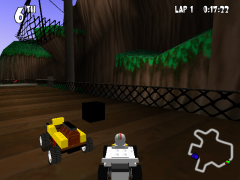
An example of GDB file modification. This brick, as simple as it may be, was created from scratch.1 point -

Dino Grand Prix
RocketRacer123 reacted to Fluffy Cupcake for a topic
Thank you, RocketRacer123.1 point -
Jumbo Racers 1
aidenpons reacted to Jimbob for a gallery image
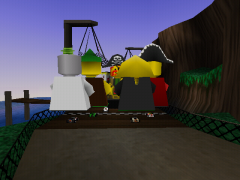
From the album: LEGO Racers Stuff
1 point -
High-Poly Head Front
Yajmo reacted to Jimbob for a gallery image
From the album: LEGO Racers Stuff
1 point -
CRPELVIS.GDB - Vertices Only
aidenpons reacted to Jimbob for a gallery image
From the album: LEGO Racers Stuff
1 point -
CRPELVIS.GDB - Vertices And Indices
aidenpons reacted to Jimbob for a gallery image
From the album: LEGO Racers Stuff
1 point -
Greetings
joeytheleo reacted to Jimbob for a topic
Good day master Joey. Your training as a Rock Raider has begun. Records indicate that your previous qualifications include: Work experience for Chief Racing, including a championship trophy against Rocket Racer - twice. Work experience for Alpha Team A short career as a pizza delivery boy High-risk stunt racing, including a championship trophy against Mr. X Creative building skills Advanced Jedi training Work experience for Bruce Wayne Archaeological expertise Musical talent Magical ability Sports talent Motivation for modification After a 24-hour analysis, you have been deemed worthy of joining the ranks of Rock Raiders United. Take >this guide on our rules - learn them well. Welcome, cadet, and good luck!1 point -

RRU Quotes 2: Reckoning
Alcom Isst reacted to The Ace Railgun for a topic
[10/21/14 6:08:28 PM] kirkbywilliam: okay so [10/21/14 6:08:34 PM] kirkbywilliam: does anyone else hate it in films [10/21/14 6:08:37 PM] kirkbywilliam: where someone's talking [10/21/14 6:08:38 PM] Alcom Isst: Yes. [10/21/14 6:08:43 PM] kirkbywilliam: and they get cut off by someone else [10/21/14 6:09:07 PM] kirkbywilliam: and the first person wasn't given a whole line so they just stop talking really unnaturally? [10/21/14 6:09:39 PM] McJob: You two f****ing scripted that. [10/21/14 6:09:49 PM] McJob: This chatroom is no longer reality TV. [10/21/14 6:09:53 PM] McJob: It's all scripted melodrama. [10/21/14 6:10:04 PM] Ramius Antillies: You're a scripted melodrama. Later, [10/21/14 6:14:16 PM] McJob: From now on, new rule. [10/21/14 6:14:21 PM] McJob: There is no gender on RRU. [10/21/14 6:14:21 PM] McJob: We just are. [10/21/14 6:14:25 PM] McJob: We're like reapers. [10/21/14 6:14:29 PM] McJob: We s*** on evrything.1 point -
LEGO TV Show Coming Next Year
coffins reacted to lol username for a topic
This has already been discussed, but I am posting it here as well for permanency: LEGO is considering various options for TV shows, including a reality competition TV show next year, featuring contestants striving to become Master Builders, and it will be tied into apps somehow. That's about all we know at the moment. Sources: Brickset Entertainment Weekly1 point -

Blacktron Moon Marathon
STUDZ reacted to Alcom Isst for a topic
Bit of an absurd sentence. I had to come up with some assumptions to make sense of it, and will now inquire about that sentence. 1. Are you playing LEGO Racers on and old PC? 2. Does that PC lack USB ports? 3. Do you own a USB flashdrive? 4. Does that PC have a usable browser and internet connection? 5. Did you try running LEGO Racers on a modern PC?1 point -
Rock Raiders montage
MadGamer reacted to zimonitrome for a topic
I made somthing you might enjoy1 point -
Royally Crafted Raceway
RocketRacer123 reacted to Fluffy Cupcake for a topic
Royal Knights Raceway with Minecraft textures. Enjoy! http://www.youtube.com/watch?v=om3gC7a6j3M Royally Crafted Raceway.zip Download for use with >PatchIt here: https://github.com/le717/PatchIt/blob/master/Extras/Royally Crafted RacewayV1.0.zip?raw=true (thanks le717)1 point