
Leaderboard
Popular Content
Showing content with the highest reputation on 11/13/2014 in all areas
-

Small Transport Truck
MaelstromIslander and 7 others reacted to Jimbob for a topic
It is finally completed! Previews More views: YouTube video: http://youtu.be/tsvCOCttm68 Information This mod took... A very long time. But I'm proud of it, and now that I've made all these parts future models should take much less time to produce. Several binary files were modified, but the main one was CRCM.GDB, which now has: 12 textures 1542 Vertices 868 Indices 150 Indices Meta entries Over 17000 lines of code All custom made! Again, I'd like to give a huge thanks to WillKirkby for making the >Binary File Editor, and le717 for making >GDBump, without which I would not have been able to produce this mod. Download You can download the Small Transport Truck here: Small Transport Truck Installation instructions, along with a brief description of how to change the car to a different racer, are included in the contained Readme file. Note that the Binary File Editor doesn't save comments, so if you'd like to check out the commented code then click here. Want to Use This Mod? If you'd like to use this vehicle (or any of the parts within it) in your own mod, then feel free! This mod was made partly as an example after all. However, should you use it (or its parts) in your own mod, please give me credit for making it. Because it took a very long time to make.8 points -

Sound Mod (NEW 2-1-2015)
Cyrem and one other reacted to McJobless for a topic
I see what you did there ;)2 points -

Cafeteria 1.0 BETA 7 - Launcher & Mod Loader for LRR
Arthuriel and one other reacted to Cyrem for a topic
Small incremental release released which fixes some possible issues with setting the toolbar and O2 bar locations with LRR of other languages, particularly a German release.2 points -
Insane Raiders [2022-12-29: Occasional updates are still happening!]
Starrocks923 reacted to Arthuriel for a topic
Update (2022-12-29): I don't know how often I will use this forum, but I just wanted to write that once in a while I still make Insane Raiders themed comics. They are simpler (more like a sketch) and without colour, but they are still full of dubious decisions related to dynamite and landslides! Since I posted those only in Discord chat rooms etc. so far (where they can go under) I wanted to put them in one place and so I added them to my existing Insane Raiders gallery on DeviantArt. I hope you enjoy them! https://www.deviantart.com/arthuriel/gallery/50994783/insane-raiders Note: It can take a few seconds to load all the comics (depending on your internet connection). Hi, this is a thread, where I will try to continue a comic series every or every second week (note: replace week with month(s)). Usually they are based on my experiences with the Rock Raider PC game and the behavior of the Rock Raiders (including a good portion of insanity and exaggaration). Number 1. Dynamite Number 2. Pathfinding Number 3. Reinforcement is for Losers Number 4. The Pain of Pictures Show Number 5. Badly needed professions and items Number 6. Job oppurtunities Number 7. Secrets Number 8. An unnormal day Number 9. Randompunk-Raiders Number 10. Alternative Ending Number 11. Mindless in space Number 12. Traffic Number 13. Lazor-Madness Number 14. Lazor-Madness II Number 15. The Dark Side of the Vector Number 16. Meet the Bandit Number 17. Dynamite-Madness Number 18. The Ultimate Punishment Number 19. Ore Wars Number 20. Announcements1 point -
Cafeteria 1.0 BETA 7 - Launcher & Mod Loader for LRR
Haozu reacted to Cyrem for a topic
Cafeteria! 1.0 BETA 7 Cafeteria is a Game Launcher and Mod Loader for LEGO Rock Raiders. It allows you to play LEGO Rock Raiders mods without manual installation and also allows you to configure the various parameters of LEGO Rock Raiders/LEGO Rock Raiders Community Edition. Installation - First, download the latest version of Cafeteria at the bottom of this post. - Extract Cafeteria and all its files into the installation directory of LEGO Rock Raiders. This is usually: C:\Program Files (x86)\LEGO Media\Games\Rock Raiders - Your installation is finished. Whenever you want to play, start Cafeteria and launch the game through it instead. Requirements Most new computers already have these installed, however if you are missing one, you may get errors in the program. - .NET Framework 4.5 (Download) Installing Mods Mods come in files with the extension *.wadp. You can find mods in topics on this forum. To install a mod, simply place the WADP file inside the "Mods" directory or use the "Add Patch" button. You can confirm a mod has been installed and is valid by visiting the "Mod Manager" tab in Cafeteria where it will display. Ordering Mods Using the arrows on the interface you can move mods up and down. Mods at the end of the list are considered "low priority" and mods up the top are considered "high priority". Mods are installed in order from Low to High Priority. As some mods overlap others or must be applied after other mods, you can order them in the correct installation order. FAQ I heard this allows playing LRR in high resolutions? You did hear correctly. Old versions of Cafeteria did allow this, however this has since changed. Playing LRR in high resolution has now been moved to the Rock Raiders Community Edition project where it will be built into the game. How do I make my own Patches? Please see this topic: Patch Documentation for Cafeteria Changelog 1.0 BETA 7 Added "Addons" to Online Mod library for installing things like D3DRM. Fixed case sensitivity on CFG:Open Added Context Menu Items "Remove Patch" and "Open in File Explorer" Added "Create New Patch" under Tools. This will create a new patch with file structure under "Mods" and added it to the Mod list. 1.0 BETA 6 CFG:AddBlock will not duplicate an existing block. CFG:AddProperty will not duplicate an existing property, instead it will update an existing property. 1.0 BETA 5 Fixed encoding issues with languages other than English. 1.0 BETA 4 Renamed JMP command to CMP command Added new JMP command to simply jump to labels without compare. Added online library for mods (not much yet still adding) Mod description tooltips. Added patch log to see the last log of patch applications. Added "FileAdd" "FileRemove" "DirectoryMerge" to replace "WAD:..." equivalents. These have enhanced debugging messages. Old commands have not been removed. 1.0 BETA 3 Added variables & related commands: VAR / VAR:FromCFG / VAR:Increment / VAR:Decrement Added the ability to Jump in a script with JMP <variable> <opcode> <value> <jumplabel> Added format specified to variable output {var|D2} = 01, {var|F2} = 1.00 Added the ability to work with ANY config file, CFG, AE, PTL, OL etc. Just CFG:Open <path> and CFG:Save when done. 1.0 BETA 2 Removed case sensitivity from AddFilesFromDirectory. Added Patch Extract and ReBuild into right-click menu. Automatically saves and reloads mods before rebuilding. Misc changes. 1.0 BETA 1 Too many changes to list since 0.9.3 Download 1.0 BETA1 point -
Character Skinner
Ben24x7 reacted to Jimbob for a topic
This is a simple modding tool for LEGO Racers which makes the process of inserting custom skin textures into the game easier. Using the GUI which is designed to look like the in-game character builder, you can scroll through all the textured body parts in the game (note that some parts don't have textures, but are defined separately in the binary files), select your desired part, and import a custom texture. The application then gives it the correct name and places it in the correct folders on your desktop, structured as an extracted LEGO.JAM file for ease. I made this tool as I discovered that the process of naming textures became laborious, as I had to frequently check my parts list and in some cases decipher which textures matched which character. The Character Skinner is therefore intended to aid this process, and is aimed at both beginner and advanced modders. I would like to give a huge thanks to le717 for helping me on the Python side of the tool, having never used Python before you really helped me. And thank you for your support along the way, despite my frequent nonsensical outbursts whenever I hit an error. Note: There are two keyboard shortcuts to make modification through the app faster. Pressing the Enter key performs the same function as clicking the 'Modify Texture' button, and the arrow keys can be used as an alternative to the on-screen arrow keys. Download Character Skinner v1.1 Character Skinner v1.0 Requirements - 24MB hard disk space - Windows operating system - The latest versions of Adobe Flash Player and Adobe AIR Installation Simply extract the .ZIP file and place it anywhere you have read/write permissions. For administrators this includes Program Files; for limited users this is restricted to folders such as My Documents and Desktop. IMPORTANT: Everything inside the Character Skinner folder must stay as-is, any changes to names or folder positions will crash the program. If you wish to hide the folder, just create a shortcut to the Character Skinner.exe file in the root directory. Note: This cannot currently be done, I will patch it in v1.2. Version History Character Skinner v1.1 - Added higher quality music and sound on/off button - Matched 'Close Help Window' text to other text buttons - Added file conversion for non-BMP images Planned Updates Note: Items with a strike through have been completed, but not yet updated. - Modification of expressions - Cycle menu options using up/down arrow keys - Mac support - Option to save to GAMEDATA and MENUDATA folders individually I have already started work on a Track Skinner, however this will take significantly longer due to the amount of different tracks and textures.1 point -

2spooky4lu
le717 reacted to lol username for a topic
So Mythrun/Ariistuujj made a nifty program thingy that I personally call the LEGO Universe Anti-Anti-Haxinator. It generates the string(s) the game uses to determine if a file is "legitimate" or not, thus allowing you to add/change the live game's assets... Er, dead game's assets. It's fun.1 point -

Hi!
coffins reacted to unison for a topic
I'm Ricky, but please call me Unison. I hate my first name. . I love music, games, writing, and drawing. I do a dabbling in programming, a project here and there; but nothing too big or serious. I'm not a good modder. I have no clue how to do any of that jazz, but I think it's coo. Just like everyone here, I'm a hardcore LEGO-er. Been buildin' for 10 years and counting. Anyway thats me. Oh and I'm a South Parkaholic.1 point -

LR2 - Scooter's Car
Rock Monster reacted to Zed for a topic
I decided to make a car for Scooter in LR2 today: To match the chassis color with his car in LR1, I modified the original .md2 file for the dumper chassis to use the light gray color. I also changed the car design rather than just laying out the original parts because the original design is bland in my opinion. I decided to go with having it shaped like his car in the Game Boy Color port, except with the PC colors: I added a flag to finish the car off because I thought it was a nice touch1 point -
Official BZPower BIONICLE 2015 Review Roster
The Ace Railgun reacted to Phantom Terror for a topic
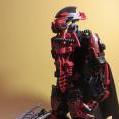
Hello everybody. As many of you probably know, BZPower has been sent all thirteen BIONICLE 2015 sets for reviewing purposes. They recently began doing so, and for your convenience, I've decided to keep them all neat and tidy here so you can easily jump to whatever set you'd like to learn about. You can either read a traditional review, or watch it through YouTube. The Masters of Okoto {} {} {} {} {} {} {} The Protectors of Okoto {} {} {} {} {} {} {} The Lord of Skull Spiders {} {} --Each image links to its respective set review--1 point -
LEGO Jurassic World?
ProfessorBrickkeeper reacted to lol username for a topic
http://www.thebrickfan.com/lego-jurassic-world-teaser-in-lego-batman-3-beyond-gotham/ Well that's interesting.1 point -
Cafeteria 1.0 BETA 7 - Launcher & Mod Loader for LRR
Crystalyzer reacted to Cyrem for a topic
I am extremely pleased to release the next version of Cafeteria which is the biggest update since it was released and possibly bigger than the initial release. There are too many changes for me to remember, it’s essentially an entire rebuild of the program, so I’ll list all the main things. - The way resolutions are applied is no longer edited in by memory, Cafeteria now modifies the Mode Selection window to insert your selected resolution and LRR does the rest. Essentially, this should mean any remaining issues with resolution being applied should be gone. - Oxygen bar + Message panel have been moved out of the way! Hurrah! (See Resolution Packs and Known Issues in OP) - Mod Loader. Cafeteria now includes a Mod Loader which applies WAD Patch files to original LRR WAD files to generate a new WAD file before the game launches. The way this is done allows you to add and disable mods easily and you never need to even extract a single WAD file to play LRR with modifications. You can add Cafeteria to a fresh install, add some WAD Patch files to the Mod folder, start Cafeteria and play your game, it really is that simple. - 30 Resolutions Packs! Cafeteria comes with 30 resolution patches for its resolution selector. You no longer need to do any CFG edits to make resolutions work. Just choose your resolution and play the game. Note that these packs are not 100% finished and updates packs will be released, these initial packs move the panels to the correct locations for in-game. (See OP for supported resolution pack list) - Mod Manager. Cafeteria also allows you to enable and disable mods through the program for the Mod Loader. It lists all the mods that will be applied when the game is launched. Any invalid patche files will not be listed and will not be applied. If you find a mod crashes your game, just disable it and run it without. - Custom Level Slot has been built into Cafeteria. This allows you to easily choose a level from the associated folder which has been designed to work with CLS and it will be installed along with all the mods. - Dev Tools have been added for advanced use, it contains features to Extract/Build & Merge WAD Files as well a Test Patches & check if your game is copy protected. - Additional launch options have been added: Debug Keys (now back again), FVF, FTM, NOM, Reduce Pro Meshes & Reduce Textures. - You can now play the next random song if you are using Cafeteria enabled music using a hotkey. (See below) - Added 2 HotKeys: - Ctrl + F9 = Take a screenshot - Ctrl + F8 = Play random music file (Cafeteria handled music must be enabled) Please READ notes on D3DRM in the first post to see why it has been bundled with it. With all these new features and possibilities, it is my hope that people will make these WAD Patches and make playing LEGO Rock Raiders mods finally easy to do, allowing modders and non-modders alike to play the things the community has created. I will be converting my mods to patches for Cafeteria as well as some of past members in the coming days. For the release I have two patches already done, you can download them here: No Splashes Bolt Molt (Level) See OP for download of new version. EDIT: Small fix released. Fixes a Patch Test error & Command AddFilesFromDirectory wasn't keeping the folder structure.1 point -

McJobless' New Computer - Part 1: The Purchase
noghiri reacted to le717 for a blog entry
Somebody has been saving (and now spending) some hard-earned money.1 point -
Small Transport Truck
MCHover reacted to Jimbob for a topic
Aw, come on, until now it wasn't known how the GDB files could be used to make/modify models. I'd call that a discovery, even if it was Will who worked out the file format in the first place. I agree though, it would be much better if someone could make a tool, but there are few people on RRU with the ability, time and dedication to do it. Until such a time as one exists, I'm quite happy putting a little extra effort in to build custom models that I can share with the community. EDIT: Update! It doesn't look like much, but these are the first few plates completed. I might add shadows later, but textures aren't required as they aren't seen (parts will be built on top). Ignore the wheels for now, too. The 2x2 plate that Redbeard sits on was modelled first, and took... Quite a while. The 2x10 plate was a lot easier though, and I was able to make the turquoise 2x4 plate in about 20 minutes (most of which was spent drawing it in Photoshop). So it's not actually as bad as I thought it'd be. I'm just dreading the difficult parts like the tipper, main dark grey base and the bucket seat.1 point -

Cool Imperial Grand Prix Speedrun tactic
Frosty reacted to HLDK for a topic
Hi guys! I have just found a really good way to get a good track record on Imperial Grand Prix. It still needs a lot of polish, but I wanna share it anyways Video:1 point -

LEGO Jurassic World?
The Ace Railgun reacted to emily for a topic
But more importantly: Will they include Johnny Thunder depicting the protagonist? No.1 point -
LEGO Island Information Center MOC WIP
Jimbob reacted to Brigs for a topic
Welcome! Velcommen, konichiwa, aloha! How ya doin? Yo! And in any language, welcome to LEGO Island the Information Center! Ever since I discovered my own copy of LEGO Island (>recounted here,) I wanted to build my own, tangible, Information Center. I started in LEGO Digital Designer with the "i" logo on the floor, continued with the Big blue Brick Book, and the big "i" in front of my desk. Brick by brick, tock by tick I began to construct the model in reality, from flowers to cups and red to blue to the elevator, to oh my yes, your score cube; Whoops, I forgot the radio! There's still so much to do, things like racing and jet-skiing getting a few parts in the right colors, building up the walls, and obstructing that ugly framework. Recreation Ingame Comparison See you later, Brickulator!1 point