
Leaderboard
Popular Content
Showing content with the highest reputation on 12/02/2014 in all areas
-

Drawings + Requests
I Am Not Here and 6 others reacted to Ben24x7 for a topic
Drill Master's Request; Shadowblaze's Request; Xiron's Request; EvaRocket's Request; Reply to Maelstromislander's Request;7 points -

Art Battle 2: A Rude Awakening
Ayliffe and 5 others reacted to grappigegovert for a topic
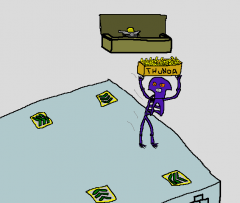
SURPRISE It's a trap!6 points -
Drawings + Requests
The Ace Railgun and 4 others reacted to Ben24x7 for a topic
Xiron's Request; Addict's Request;5 points -

Art Battle 2: A Rude Awakening
Ayliffe and 4 others reacted to ProfessorBrickkeeper for a topic
In response to the questions posed up above, I use Photoshop CS5/CS6, ProCreate, Photoshop Touch, Autodesk Sketch, and an iPad as a stand-in for a drawing tablet (Though I do hope to get one in the future.)5 points -
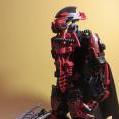
Matoro, Protector of Ice
aidenpons and 3 others reacted to Phantom Terror for a topic
"It's what you do that makes you a hero..." Flickr Gallery4 points -
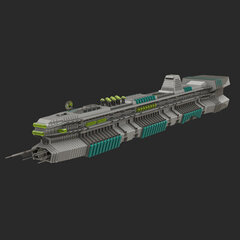
Art Battle 2: A Rude Awakening
Ben24x7 and 3 others reacted to Arthuriel for a topic
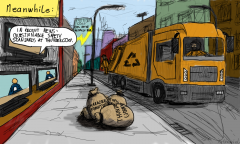
Since Ben said, that I should do a picture, I thought "Let's do at least one picture for this thread (and then forget to make another picture ^^)... ...let's see: Oh, Ayliffe forgot the other sack with Johnny Thunder". Apparently Johnny already escaped in another picture, but since it took me a while to make it, he is still trapped in my universe . Hmm, who should do the next picture? Since I have the impression, that the story has already split up in ~four different story lines, I would say, that the next user has a free choice^^. Okay, let's just say: Someswedish.4 points -

Art Battle 2: A Rude Awakening
noghiri and 2 others reacted to someswedish for a topic
Nuff said... i dont like winter Ben! Your Next!3 points -

LEGO Awesomeness
Quisoves Potoo and 2 others reacted to lol username for a topic
Were these posted before? Dunno. But they're awesome. https://www.youtube.com/watch?v=GQ3AcPEPbH0 https://www.youtube.com/watch?v=KsBLN4eP2Y8 https://www.youtube.com/watch?v=7Z1SsCl5OPY Also: http://www.pinballnews.com/news/lego.html I remember seeing this in an issue of Popular Science in 2006... It's pretty awesome.3 points -
Art Battle 2: A Rude Awakening
Ben24x7 and 2 others reacted to Fush for a topic
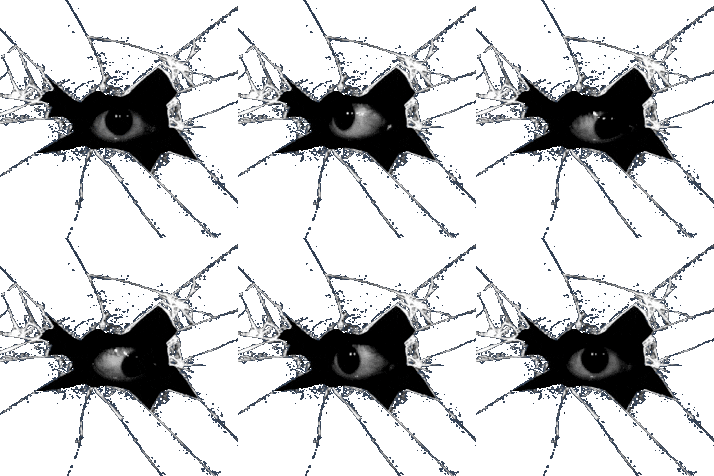
Don't worry guys, I'm carefully observing how this battle plays out so as to better organize the next one. So just to keep things straight here's the gist. Ben stole my thunder while I was sleeping. In another area, there are two bags with normal thunder and Johnny Thunder in them, and Ayliffe contemplates which one to take. I chase Ben down, but Drill Master trips him and he drops the thunder. Someswedish picks the thunder up as I catch Ben, but then a different Ben steals the thunder back. Johnny Thunder escapes his bag. Noghiri appears, punches out Johnny and then I'm not sure what the rest of the image depicts, sorry The Johnny Thunder bag ends up in the trash. Then Mealstorm traps the second Ben and takes the thunder for himself. That's what I was able to work out. Yeah.3 points -
Art Battle 2: A Rude Awakening
Ayliffe and one other reacted to ProfessorBrickkeeper for a topic
Suddenly, a rogue breeze snatches noghiri and wisks him out many miles to sea. Did I mention I enjoy shading?2 points -

Art Battle 2: A Rude Awakening
Ben24x7 and one other reacted to noghiri for a topic
The box and Johnny Thunder were in the truck, so the squid must have stolen them from there. Possibly utilizing the police car. Then, it ran back past Fush and Someswedish and Ben, and stole the bowl of thunder.2 points -

Drawings + Requests
The Ace Railgun and one other reacted to Fluffy Cupcake for a topic
Care to draw Ace and I having a waffle fight (kinda like how Pepper throws pizza), like we use to on the MC server all the time?2 points -
Art Battle 2: A Rude Awakening
Quisoves Potoo and one other reacted to noghiri for a topic
I got the graphics tablet plugged in. I pass to Fushigisaur! Also, what art programs do you all use? I'm using Artweaver (free version)2 points -
Art Battle 2: A Rude Awakening
Ben24x7 and one other reacted to Fush for a topic
2 points -
Previewing the .MIP directly from Explorer.exe
Fifi La Fume reacted to Fluffy Cupcake for a topic
I've never been told this, and never knew about it before, so I assume it is not well known. So here I am to share my knowledge! Unfortunately, I believe this is for Windows users only. Anyhow... Ever wanted a easier way to preview the .MIP files than from a viewer? Well, I've found a way! However, Windows Vista & 7 support is not mentioned. A user of those, please let me know how it works out for you okay? You'll need: http://sourceforge.net/projects/sagethumbs/ *Funnily enough, this borrow's XnView's library, which is the program I was using before. 1) Install it 2) Open Up The Options (you should be able to find it in Start Menu search) and add "mip" to the customs area. 3) Press Ok and wait for it to finish its stuff. Reboot of explorer.exe may be required. You should now be able to view all MIP files directly from your windows browser like so. Enjoy!1 point -

Resemble the AI
coffins reacted to RobExplorien for a topic
If you like to try mimic the AI in LEGO Racers, then this is the place you need to be at. The download contains a modified LEGO.JAM in which sounds have been switched around and textures have been edited to ressemble the AI behaviour as much as possible this way. You'd still need to mimic the racing style of them yourself, but this will get rid of textures and sounds the player does have, but your opponents not. Download: http://oresome.rockraidersunited.com/download/125 (paste the guts of this .zip inside GAMEDATA/COMMON/ and opt for overwrite (but back-up first is recommended) This subject has been discussed earlier on RRU, but now I've assembled all the notable changes in this download. One thing I'd still like to alter though (which is not included in the download), is to change the green arrow on the minimap into a blue dot, the way your minor opponents appear on it. Sources: >LR textures v8 >Transparency in textures >Changing sounds Changes made in LEGO.JAM: What it looks/sounds like (thank you Xiron): http://www.youtube.com/watch?v=Z9bTX9VpuHs1 point -
Art Battle 2: A Rude Awakening
noghiri reacted to Fush for a topic
RULES Jump to... >Round 2: A Rude Awakening Round 1: The Stolen Thunder - Start1 point -

Enable Select Level Menu
aidenpons reacted to Cyrem for a topic
Is this the file you were after? http://oresome.rockraidersunited.com/download/1261 point -

Lego Time Cruisers comics
Quisoves Potoo reacted to Sadie Meowsalot for a topic
More from Kim Hagen: "The Timebuster concept was developed by the the advertising agency based on a huge timebuster car build by either Lego or the Advertising agency. Lego would send me all boxes from a new published Lego universe for every episode. I then used that to come up with the stories.... When the timecruisers came out I created a story where the car was switched out with the timecruisers boat..."1 point -

Art Battle 2: A Rude Awakening
noghiri reacted to Jimbob for a topic
INTERCEPTION. P.S. I'm not becoming a part of this, I just thought I'd resurrect Ben because... Because potatoes.1 point -
Art Battle 2: A Rude Awakening
Ayliffe reacted to Fush for a topic
I don't even know. Pass it to Swedish. In response to the question about programs, I use SAI along with a graphics tablet. I've been ironing out the rules a bit, so here's some clarification on a few aspects. About passing and intercepting- When a player has been passed to, they can either post the next drawing or choose to 'decline.' if the player declines, they lose 1 point. if the player successfully posts the next image, they gain 2 points. However, if the player does not decline and another player posts an image before them, then they lose half their points to the player that intercepted them. If the player that was intercepted has an odd number of points, then the smaller half is stolen, unless the player only has 1 point in which case their only point is stolen. If you feel you won't be able to finish an image in time, it might be wise to decline a pass. You can pass to members that are not in the game yet, however since these members have no points they do not lose any if they decline or are intercepted. They do, however, still gain 2 points if an image is posted. In each round, the players will be working towards a goal. Whoever has successfully completed the goal by the end of the game earns an extra 10 points. In this case, the goal is to possess the thunder, so whoever has the thunder at the end of the game receives the bonus. The game ends when it is impossible to proceed with the story or when it has reached a satisfying conclusion. Now that that's all said, I feel like adding up the points so far. img 01 - Fush - 1 point img 02 - Ben - 1 point img 03 - Ayliffe - 1 point img 04 - Fush - 1 point (2 total) img 05 - JAL - 1 point img 06 - Swedish - 1 point img 07 - Ben - 1 point (2 total) - Pass to Arth img 08 - Fush - 1 point (3 total) img 09 - Noghiri - 1 point img 10 - Arth - 1 point - Pass to Swedish img 11 - Mael - Interception, 1 point stolen from Swedish img 12 - Grappi - 1 point img 13 - Noghiri - 1 point (2 total) - Pass to Fush img 14 - Prof - Interception, 1 point stolen from Fush img 15 - Noghiri - 1 point (3 total) img 16 - Ben - 1 point (3 total) img 17 - Swedish - 1 point img 18 - Mael - 1 point (2 total) img 19 - Fush - 1 point (3 total) Totals 3 - Fush 3 - Ben 3 - Noghiri 2 - Mael 1 - Ayliffe 1 - JAL 1 - Swedish 1 - Arth 1 - Grappi 1 - Prof I hope I didn't miss anything >_>1 point -
Drawings + Requests
Seaborgium reacted to Ben24x7 for a topic
Mael's Request; Jimbob's Request;1 point -
Drawings + Requests
Ben24x7 reacted to Addictgamer for a topic
I love these. I also like how you fulfilled the last unquoted line of the quote: [12/1/2014 10:06:21 PM] Cyrem: but enough to run GLaDOS1 point -
Drawings + Requests
Ben24x7 reacted to Jimbob for a topic
I have a request. How about drawing people and LEGO figures reversed, as in LEGO minifigures playing with little toy humans? EDIT: Bonus points if they're the C.E.O.s of Sony and Microsoft.1 point -
Drawings + Requests
Ben24x7 reacted to MaelstromIslander for a topic
Okay... Then how about something simple? Draw me in minifigure form holding a buzz saw with a rock raiders uniform and a Tri-corne hat and a cutlass in a sheath.1 point -

RRU Quotes 2: Reckoning
Ben24x7 reacted to Antillies for a topic
[12/1/2014 10:04:58 PM] Ciprian: Bed?Bed? [12/1/2014 10:05:02 PM] Ciprian: Ugh, I'm exhausted. [12/1/2014 10:05:11 PM] Cyrem: cip doesn't sleep [12/1/2014 10:05:18 PM] Ciprian: Not drowsiness. [12/1/2014 10:05:20 PM] Ciprian: Exhaustion. [12/1/2014 10:05:23 PM] Cyrem: he is a robot [12/1/2014 10:05:23 PM] Ciprian: My energy reserves are low. [12/1/2014 10:05:26 PM] Cyrem: robot potato [12/1/2014 10:05:46 PM] Cyrem: potato never have that much energy [12/1/2014 10:06:21 PM] Cyrem: but enough to run GLaDOS1 point -
Thundercorps
Ayliffe reacted to MaelstromIslander for a gallery image

From the album: Artwork
I just made this for fun, its not going to be used in The Stolen Thunder at all. Its the Thundercorp Logo.1 point -
Art Battle 2: A Rude Awakening
Ben24x7 reacted to MaelstromIslander for a topic
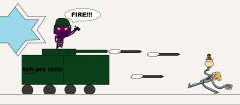
I couldn't make my own Octodad so i had to photoshop ben's. I hope i didn't break any rules or anything. Also, i made the worst tank in all of history.1 point -
MIThunder2
Ben24x7 reacted to MaelstromIslander for a gallery image
From the album: Artwork
I couldn't make my own Octodad so i had to photoshop ben's.1 point -
Art Battle 2: A Rude Awakening
Ben24x7 reacted to someswedish for a topic
I use a pogram called "Art Weaver" that came with the tablet i use. I just used it since i dunno any other software that works better Anyway... I know i might be breaking the continuity in the story, but lets say this... SInce ben has two clones running about, one clone got a Bowl of thunder, while the other got a Box of thunder (one of them could perhaps been filled from Ayliffes (normal) thunder bag). So there are 2 containers of thunder, one in a bowl that fush, Ben 1 and i are fighting over and one in a box which everybody else is fighting over. But now Octodad has taken both containers. There, that should solve everything1 point -
Drawings + Requests
Ben24x7 reacted to Addictgamer for a topic
Make it so.1 point -
Lego Time Cruisers comics
Quisoves Potoo reacted to Sadie Meowsalot for a topic
"I made a few minor comic strips for the LEGO catalogues in the early 1990s as well. Around 1990-93. In the big range brochure. In the old cataloques. Look at http://www.brickfactory.info/catalogi/index.html - choose "Netherlands full line" catalogues from 1994-96:"-Frank Madsen Confirmed. Edit: These are very interesting developments taking place here, I'm excited to see how this all pans out further into the future.1 point -
Art baatle
aidenpons reacted to grappigegovert for a gallery image
From the album: 'Art'
It's a trap! (now a real one!)1 point -
my contribution to the art war thread
Fluffy Cupcake reacted to Arthuriel for a gallery image
From the album: Other projects
We all know, what happened to the sack with the real Johnny Thunder, that was forgotten by Ayliffe .1 point -
So apparently water has rubble in it
Fluffy Cupcake reacted to Cyrem for a topic
Water? Stays. Rubble? Goes. Water YOU STAY Rubble YOU GO WATER STAY RUBBLE GO Okay I'm done.1 point -
Lego Time Cruisers comics
Sadie Meowsalot reacted to TalonCard for a topic
On whether he or LEGO came up with the initial Time Busters/Cruisers concept, Hagen said "It came from Lego or the advertising agency created specifically for the comic. It was huge. I simplified it somewhat for the comic." Not sure if he's referring to the size of the model or the story there, but we now know the idea wasn't Hagen's. I'd be willing to bet the theme was in some stage of development, but it's still incredibly unusual for the media to debut before the sets, isn't it? Alpha Team is the only other example I can think of. TC1 point -
Art Battle 2: A Rude Awakening
noghiri reacted to someswedish for a topic
Okay then, let the Tom & Jerry fight begin! (no pass to anybody specific, just post the next part before someone else does)1 point -
RRU Quotes 2: Reckoning
STUDZ reacted to Cyrem for a topic
[4:39:13 PM] Ciprian: agh dammit [4:39:17 PM] Ciprian: somebody post in the quotes topic Executing his will.1 point -
RRU Quotes 2: Reckoning
Alcom Isst reacted to Antillies for a topic
[12:38:42 PM] bartvbl: has anyone in here used R? [12:46:53 PM] Noghiri: Many times, usually in a word.1 point -
Lego Time Cruisers comics
Sadie Meowsalot reacted to lol username for a topic
Although Tim basically steals a good deal of stuff from the worlds he visits, up to and including a briefcase of cash and an entire freaking freight train, just all incidentally and because Ingo is kind of a huge jerk. Maybe Tim/Max becomes a criminal as time goes on just because everyone assumes he's evil, and by the time he is an adult he is still cruising through time, trying to find his way back home, and has become infamous in the LEGO Town time period. That's kind of a fun way to look at it. I accept this MOCanon. Also, slightly unrelated, but I remember Sadie once mentioning to me that Frank Madsen (artist of the Jim Spaceborn comics) drew this little catalog comic: I don't have a chat log, though, so I'm going from memory - take it with a grain of salt until Sadie can confirm.1 point -

Lego Time Cruisers comics
Sadie Meowsalot reacted to emily for a topic
Although Tim basically steals a good deal of stuff from the worlds he visits, up to and including a briefcase of cash and an entire freaking freight train, just all incidentally and because Ingo is kind of a huge jerk. Maybe Tim/Max becomes a criminal as time goes on just because everyone assumes he's evil, and by the time he is an adult he is still cruising through time, trying to find his way back home, and has become infamous in the LEGO Town time period. That's kind of a fun way to look at it.1 point -
Lego Time Cruisers comics
Sadie Meowsalot reacted to emily for a topic
The image isn't even public yet, but I'm already (internally) rocking as hard as this guy right here https://www.youtube.com/watch?v=AfJ7LQn8kp8 And so it may be that Max is Tim? What a twist! It makes sense though. Hagen is hired to make a comic advertising all of the current LEGO themes in 1994. He looks at his reference material, and is struck by this Max Timebuster character that travels throughout the different LEGO worlds. He adapts Max, originally a thief running from the law, into a more relatable child protagonist while keeping the time traveling aspect. Throw in a professor and a Delorean to complete your BTTF homage and you've got Time Cruisers. Then, in 1996, when LEGO adapts the comic into a theme (which I'm going to go ahead and take as a given at this point - it feels all too logical. The infamously weird features of the minifigs, plus how very marketing-ized the theme is in comparison to the evident original idea of the comic, plus the Timebuster connection), someone decides Tim is a better name for the protagonist. Maybe the comic goes through a reboot, beginning with the two pages at the beginning of World Club issue 1 (which could easily have been borrowed from an earlier issue of Klick). In that case, it might have been Tim as a name came part and parcel with the new Timecruiser last name, and that as time went on Hagen just slipped back into Timebuster and noone caught the mistake. Really looking forward to that image becoming public. EDIT: figured out the url and got to the image (deeplinked here). Looks like Tim/Max and the time machine follow the design we got a peek at Given that these two pages follow basically the same story as the first two in World Club, I'm definitely leaning toward the idea of a reboot when the theme launched in 1996. Also note, no Ingo - he must've been an addition in response to the monkey in the sets. And I agree, the first word bubble is pretty clearly the professor calling for 'Max.' Holy guacamole.1 point -
Lego Time Cruisers comics
Sadie Meowsalot reacted to TalonCard for a topic
Back on topic, I've had a bit of a break in the pre-1997 history of this comic. Kim Hagen sent me a picture of an issue of Klick Magazine. It's #1, dated October 1994. He believes that it was published bi-monthly after that. http://www.brickshelf.com/cgi-bin/gallery.cgi?i=6189914 The text isn't really ledgible (to my eyes, anyway,) but it does confirm the notion that the Time Cruisers appeared in comics long before the theme was actually released. There's a new time machine too; more Delorean-esque than the theme ended up being. Or maybe it's just shaped a little like the LEGO Delorean. While the Dr. Cyber and Tim characters are definitely drawn the same as their later incarnations; I'm not sure that's what they were originally called here. It could be a trick of the light, but I think Tim is called Max--which, combined with the name of the strip, would definitely indicate a relation to the Max Timebuster character from the catalogs. It remains to be seen whether Hagen was basing his idea on an in-development theme, if the theme emerged from the comic strip, or if Hagen just happened to have some similar characters and ideas that he incorporated into the theme when it was finally released. So...everybody keep your eyes peeled for auctions of Klick Magazine from 1994-1997... TC1 point -

LEGO559
le717 reacted to Quisoves Potoo for a gallery image
From the album: Assorted Modding Content
1 point -
Tutorial: 3D Modelling
Cyrem reacted to Jimbob for a topic
Note: I will be adding information on car editing soon. So far this tutorial is best used with just opponent minifigures, and possibly objects, in GAMEDATA. This tutorial will show you how to modify the GDB files in LEGO Racers. These files are used to create the 3D models in the game. This tutorial is listed as 'Advanced' for a reason - 3D modelling in LR is restricted to text-based editing and hence is very tricky and difficult. Until we have a dedicated program for it (if ever), this is the only way to create and edit models. Requirements Decent maths ability >Binary File Editor (Optional) Text editor (Notepad, Notepad++) for jotting down notes (Optional) Advanced image editor (Paint.NET, GIMP, Photoshop) to help visualise models and get coordinates (Optional) >GDBump to make moving objects a lot easier Got all that? Great! Let's get started. Defining Textures The first part of a GDB file lists all the textures that the model uses. This must relate to textures listed in the TDB and MDB files. In CRPELVIS.GDB, it looks like this: k_27 // Materials [1] { "cr_mat" } To add textures to this list, simply add a new line within the curly brackets and enter (in speech marks) your desired texture. This can be a custom one, so long as it is specified in the TDB and MDB files too. For example, if you wanted to add Captain Redbeard’s face texture, you would list it as below. k_27 // Materials [1] { "cr_mat" "cr_dflt" } The number in square brackets tells the game how many textures are listed within the curly brackets. If this is incorrect, the game will crash when entering the race (not the menu, which will load fine). Hence the above code will cause a crash, and must be fixed like this: k_27 // Materials [2] { "cr_mat" "cr_dflt" } Congratulations, you’ve added textures to a model! Note that the game won’t actually use them unless you specify it later on. Scaling This is very easy. All minifigures and parts in the game (both in GAMEDATA and MENUDATA) use the exact same scale: 0.015625. Below is the scale segment of a GDB file. k_33 // Scale (float)0.015625 Modifying this will increase/decrease the size of the minifigure/part. Below is an example where I set the scale to 0.2. Do not set this too large or the game can glitch. When I set it to 2 on Captain Redbeard, he was only visible from a distance at a certain angle. Additionally he glitched out and instantly used a shield and lightning. One last note about scaling: This is the model's scale and not its size. It's like having miniatures at, I don't know, 1:28 scale - they may have different sized models (infantry, vehicles) but they are all the same scale. You should not use this scale to change the size of the model unless you are testing things out. Modelling This is very complicated at first, but once you get your head around the basic concepts then it shouldn’t be too difficult to start drawing 3D objects. LEGO Racers has three lists for drawing elements: Vertices, Indices and Indices Meta. In this tutorial I will be editing the CRPELVIS.GDB file. Vertices A vertices list with just one vertex might look like this: k_2A // Vertices with Colors (X,Y,Z,TU,TV,R,G,B,A) [1] { (float)60 (float)60 (float)60 (float)0 (float)0 (byte)0 (byte)0 (byte)0 (byte)255 } Notice that this contains one entry (hence the 1 in square brackets), and therefore that a single Vertex entry is nine lines long. It consists of nine attributes: X: x-coordinate of the vertex. Y: y-coordinate of the vertex. Z: z-coordinate of the vertex. TU: where on the specified texture the vertex takes its appearance from. (coming soon) TV: where on the specified texture the vertex takes its appearance from. (coming soon) R, G, B: The colour of the vertex using RGB values. A: Alpha value of the vertex, meaning the transparency of it. Uses values from 0 (0%, clear) to 255 (100%, opaque). Indices An indices list with just one index might look like this: k_2D // Indices [1] { (byte)0 (byte)0 (byte)0 } These specify the Vertices to use when drawing the object. Hence they point to entry locations in the Vertices list, but start from 0 and not 1. So, how do these work? A combination of Indices and Vertexes together creates the 3D object. This is where it can get a little tricky – you’ll need to read this carefully and understand it if you want to create custom models. To help, imagine the object as a mathematical graph with X, Y and Z directions. KEY POINT: The coordinates are a little different here to usual graphs. X moves forward/backward, Y moves left/right, and Z moves up/down. Vertices Each entry in the Vertices list creates a single coordinate in the model. This has no dimensions, it is purely a location. Hence you can have loads of Vertices and not see anything. Indices Indices draw the object using a selection of Vertices. They list three Vertices to draw a single 2D triangle with – one Vertex for each point of the triangle. It is important to note here that Indices create triangles; if you want to create a square then you will need to use two sets of indices. Indices are great because they allow you to use the same Vertex multiple times, saving time and (relevant dimension in) space. Indices Meta This is where both the Vertices and Indices lists are put together to create your 3D model. An example Indices Meta is below: k_2E // Indices Meta [4] { k_27 // Material ID (ushort)0 k_32 // Bone ID (ushort)0 k_31 // Vertices Range (byte)0 (ushort)1 (ushort)4 k_2D // Indices Range (ushort)1 (ushort)4 } The listing system of Indices Meta is a little different. Every k_## section is its own entry, but several of them are grouped together to create one object. Hence the number in square brackets is equal to the number of k_## entries there are. They have four unique sections: k_27: The texture this part of the model uses taken from the Materials list. Starts from 0, not 1. k_32: The part of the model this is. E.g. in a figure, this can be head, chest, legs, etc. Important for animations and hit testing. k_31: The ushort variables specify the Vertex entries this part uses. Not sure about the byte. k_2D: The ushort variables specify the Indices this part uses. Each object requires one k_27, one k_32, and at least one pair of k_31 and k_2D. So, how do you use these in combination? Let’s start by drawing a cube. This is going to be a little tricky, but as it’s among the most basic 3D elements you’ll need to master this before moving on. UPDATE: alan has provided a great image here which visualises the cube you will be creating below. The first step is to create the Vertices list. Remember – the Vertices are the corners of a shape. A square has eight corners, so you will need eight entries. Note that // can be used to create comments which are ignored by the game. k_2A // Vertices with Colors (X,Y,Z,TU,TV,R,G,B,A) [8] { (float)400 (float)400 (float)400 (float)0 (float)0 (byte)0 (byte)0 (byte)0 (byte)255 (float)200 (float)400 (float)400 (float)0 (float)0 (byte)0 (byte)0 (byte)0 (byte)255 (float)400 (float)400 (float)200 (float)0 (float)0 (byte)0 (byte)0 (byte)0 (byte)255 (float)200 (float)400 (float)200 (float)0 (float)0 (byte)0 (byte)0 (byte)0 (byte)255 (float)400 (float)200 (float)400 (float)0 (float)0 (byte)0 (byte)0 (byte)0 (byte)255 (float)200 (float)200 (float)400 (float)0 (float)0 (byte)0 (byte)0 (byte)0 (byte)255 (float)400 (float)200 (float)200 (float)0 (float)0 (byte)0 (byte)0 (byte)0 (byte)255 (float)200 (float)200 (float)200 (float)0 (float)0 (byte)0 (byte)0 (byte)0 (byte)255 } Here we have defined 8 points, each corner of the cube. This isn’t enough to draw the cube though, as the game doesn’t know how to connect them. Now we’ll use the Indices list to join these dots up. Remember, one index uses three points to create a triangle, and two triangles create a 2D square. Hence a cube, which has six sides, will require twelve triangles (or Indices). KEY POINT: The order you write your three Vertices in a single Index entry is important. Entering them in a clockwise rotation will make that particular triangle visible from the outside only; similarly, entering them anti-clockwise will make that particular triangle visible from the inside only. You will have to choose between clockwise and anti-clockwise dependant on your object’s facing. k_2D // Indices [12] { (byte)1 //Top (byte)5 (byte)4 (byte)4 (byte)0 (byte)1 (byte)3 //Left (byte)7 (byte)5 (byte)5 (byte)1 (byte)3 (byte)4 //Right (byte)6 (byte)2 (byte)2 (byte)0 (byte)4 (byte)6 //Bottom (byte)7 (byte)3 (byte)3 (byte)2 (byte)6 (byte)3 //Front (byte)1 (byte)0 (byte)0 (byte)2 (byte)3 (byte)4 //Back (byte)5 (byte)7 (byte)7 (byte)6 (byte)4 } Each side above has two entries grouped together, or two triangles. Finally we need to merge these two lists together in the Indices Meta. k_2E // Indices Meta [4] { k_27 // Material ID (ushort)0 k_32 // Bone ID (ushort)0 k_31 // Vertices Range (byte)0 (ushort)0 (ushort)8 k_2D // Indices Range (ushort)0 (ushort)12 } The Material ID is set to 0 to use the CR_MAT texture. The Bone ID is set to 0 to use the leg section of the body (which, I'm pretty sure, isn't animated). The Vertices Range starts from (ushort)0 – the first entry – and is set to use the next 7 entries (8 in total) with (ushort)8. Similarly, the Indices Range starts from (ushort)0 – again, the first entry – and is set to use the next 11 entries (12 in total) with (ushort)12. Save this file, launch LEGO Racers, and voila! You should see that Captain Redbeard has disappeared, and is replaced with this: Congratulations, modelling tutorial complete. Texturing Coming soon... And that concludes the 3D Modelling tutorial. Go forth and create custom 3D models in LEGO Racers! You know what? I'm think going to go and make a Small Transport Truck racer mod.1 point -
Extreme110's Traveller's Tales Game Research Blog
lu9 reacted to Windows98 for a topic
Thanks, that's really helpful. But what can I do to replace the ingame textures? Like, is there a way to re-insert them into the .ghg file?1 point -
LR: Minifigure Space textures
RobExplorien reacted to Rock Monster for a topic
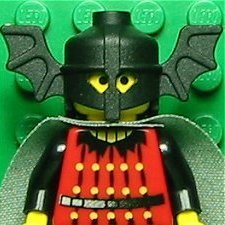
This mod is great!!! Thanks for making this, RobExplorien!!!!!!!!!!!1 point -
untitled
aidenpons reacted to ProfessorBrickkeeper for a gallery image
From the album: ProfessorBrickkeeper's Images
1 point -
LRS Files
Quisoves Potoo reacted to Car CrazeXVI for a topic
I've had this for awhile… and I have no intention of ever touching it again so you can haz. "Linked" means that it will change with anything else marked as "Linked" I wish tabs would work in posts, but this is good enough I guess… Edit: Wow, those spelling errors that went right over my head.1 point -
LEGO Awesomeness
aidenpons reacted to lol username for a topic
People who've done their research on LEGO Universe will probably have already seen all of this, but here's some concept art for the game. First, some art by Peter Coene: Jerry Meyer: Richard Tran and Jim Stigall: Mike Rayhawk: LEGO Universe had a lot of other concept artists with a ton of awesome concept art, but I don't want to overload this post. Do some searching, and you'll find some incredible stuff! Oh, and as long as I'm linking to Mike Rayhawk's site... BrikWars!1 point