
Leaderboard


Popular Content
Showing content with the highest reputation on 11/14/2017 in all areas
-

Research: Mesh files (*.msh)
Cirevam and 4 others reacted to pivke for a topic
Hi all, I finally managed to crack up all sections of the mesh file format (*.msh). Till now we were only able to read the static mesh data from a model file. 2 sections with the description "GTOM" and "MATL" did some serious headache to people like me and legomoe (as he tried to reverse engeneer them too). I was pretty sure all the time, that those section meant the following: "GTOM" - "Geometric transformation" and "MATL" - "Materiallist". But my assumption was wrong. After heavy reverse engeneering and many trial'n'error on those files, I finally got it. Those sections are adding custom matrix-transformations to specific objects of the mesh file. For example: When you are watching the policecar_lod1.msh (file being used to generate police car ingame) in LI2GE, you will notice that several objects like wheels and stuff are not on the right place. They are basically located in the origin of the model. The same for helicopter or buildings which have animated objects (like the door on radio station). Here is how those sections work: GTOM - "Geometrical transformation" { DWORD NumberOfObjects; //Representing the objects of the mesh, has to be the same amount like in GRPL DWORD Index[ NumberOfObjects ]; //Index to the matrixlist } MATL - "Matrixlist" { DWORD NumberOfMatrices; struct Matrix[ NumberOfMatrices ] { FLOAT TranslationXAxis; FLOAT TranslationYAxis; FLOAT TranslationZAxis; FLOAT RotationXAxis; FLOAT RotationYAxis; FLOAT RotationZAxis; FLOAT ScaleXAxis; FLOAT ScaleYAxis; FLOAT ScaleZAxis; } } This was pretty hard to find out. To make this information useful, we now can apply those matrix-manipulations on the corresponding object in the mesh. Everything will get on the right place then. We are basically able now, to insert our custom models (even like new high poly cars etc.). To make life easier I'm thinking of programming a 3D-Editor to apply those custom objects to your mesh. But that's not all; I'm sure that those matrix-manipulations are there to let Lego Island 2 know, which objects are going to be animated. Next step would be to crack up mesh-animationsfiles to create custom animations.5 points -
Classic Rocket Racer continued
LazerLuke19 and one other reacted to Sunchipp for a topic
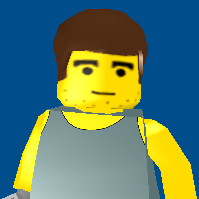
I know I'm not the one who worked on the character skin but I had an interest in it for quite some time. So I thought I'd work on his car now that I got the hang of hex editor Three different mods at once ??? like the three of em (Xir and jamessterV2 for being the creators of the three) I'll see if I can get the download soon. Edit: Here are the car files I have two Car Builder Files in there. One for Rocket Racer himself and one as the Player's Car2 points -

LR2 Sub-Zero Mod
aidenpons and one other reacted to lol username for a topic
THE POWER OF MODDING2 points -

Rock Raiders Stylized Wallpapers
groovy grover reacted to Cyrem for a topic
I'm going to put together some wallpapers for Rock Raiders that you're free to do anything you like with. Deliberations Download: https://mega.nz/#!p0s1SSrS!vkf4KOX170IWS1Tn1S2-c1BL7rHgR_WmyD4742rJ484 Which Path to Power? Download: https://mega.nz/#!Z01AyThY!t2pima-ulMIoPH1BGNtEFfnRluvYNjT7W00fiw8fv5M Careful Now Download: https://mega.nz/#!kpsx0YDR!xwWiqmiKavUcMYEP7zPxqFZOu2jvueX6i9rwcRIdCMk Wire Driller Night Download: https://mega.nz/#!UwVhyLpb!WsQ5TF-Dysb4c3ouTOv4m_NqlvBUwd8aSGWgXQNPQeg More to follow....1 point -

How To Kill Rock Monsters
trigger_segfault reacted to Lair for a topic
I uploaded this back in April but forgot to ever post it here oops. Hope it's okay to post it now still.1 point -

Track viewer/editor (skb/pwb)
Cirevam reacted to grappigegovert for a topic
A while back, I added some new features to this tool, but I was too lazy to polish it up into a new version. I've decided to just release it, because I guess it's still quite useful. Things I've added: -Viewing of RRBs and static objects -Better 120DPI scaling -more stuff As I mentioned, it's not polished, so there are some things that just do nothing (like the edit part in this screenshot). Check the OP for a full changelog and the download link.1 point -

How To Kill Rock Monsters
Lair reacted to ShadowDraikana for a topic
I was grinning ear to ear when I saw that video. FIRE IN THE HOLE!!! In all seriousness though, I think the dynamite in Axel's mod has slightly different damage values. Don't know off the top of my head for sure.1 point -

Water Pressure (Bionicle Short Film)
Shadowblaze reacted to emily for a topic
Thanks for the feedback. Here's something I wrote a bit ago addressing that: "I fudged the talking underwater thing because I couldn't find a great way around it without sacrificing the pacing - basically I was worried that a break at any point to swim back to the surface to talk would have made the whole thing less immediate and, uh, impactful I guess. also there was something about the physical pressure of being deep underwater paralleling the weight of the scene that I thought might be cool. that ended up outweighing my concern for the whole issue of them being able to talk down there, though I get why its still kind of bothersome, haha."1 point -

How To Kill Rock Monsters
Lair reacted to aidenpons for a topic
Yes, but the damage falloff is such that you can't one-shot them. Take Rocky Horror and those sleeping monsters. Dynamite the rock next to them and they'll only take ~75 damage. Dynamite the rock they're sleeping on and they'll wake up.1 point -
Cafeteria 1.0 BETA 7 - Launcher & Mod Loader for LRR
Lair reacted to Cyrem for a topic
Ok so a progress report so far, I have added in the next Cafeteria a multi-wad merge beyond 1: You will also see there a better output log textbox, which has been added as well.1 point -
Map Creator (0.9.11)
fun reacted to ShadowDraikana for a topic
I found something that needs to be added: If you place multiple raiders onto one square, like in Rock Hard, or Split Down the Middle, and export the object list from this map creator, the raiders will get dumped into the middle of the square. Some feature that allows you to adjust the locations of each object within a square would be nice instead of having to copy/paste the original positions from the old object lists or manually relocating them.1 point -
Cafeteria 1.0 BETA 7 - Launcher & Mod Loader for LRR
Lair reacted to Cyrem for a topic
Unfortunately, the resolution mod can't work without modding files and the CFG. It needs to override the overhaul. In the case of Axels mod I think it'll wreck his ui. I can't see an easy solution to this, but I can only try.1 point