
Leaderboard
Popular Content
Showing content with the highest reputation on 12/08/2017 in all areas
-

LI2ME - Lego Island 2 Mesh Exporter 0.1.0
FeebTube and one other reacted to pivke for a topic
LI2ME - Lego Island 2 Mesh Exporter Plugin LI2ME is just another modding tool for Lego Island 2. This is a plugin written for Milkshape 3D to save you custom models and meshes in Lego Island 2's *.MSH-format. I decided to develop this plugin for Milkshape 3D, because it gives you huge ability in interacting with many other formats. My first choice was to develop a plugin for Blender, but as it's not supporting that many formats it would have been not as flexible as with Milkshape 3D. Features This plugin cares for everything itself. That means that even your meshgrouping and texture coordinates are overtaken into the *.MSH-format. Furthermore it will calculate normals in realtime. You can chose between smooth and straight normals, which will lets you control wether to let your model appear more edgy or more softly ingame. Since the version 0.1.0 it supports collision files. That means, you can tick a checkbox on the plugin which will create a *.col-file besides the *.msh-file with the same name. For now, it will simply generate a single axis-aligned bounding box around your model. Screenshots Download You can download the plugin on the Sourceforge page (This plugin is, just like LI2GE and LI2TA, opensource and under GNU-GPL license) Installation To use this plugin you need to download Milkshape 3D. You need to activate Milkshape 3D by probably buying it. Please mention that we won't discuss here on how to crack that software or where to get serials. The whole export plugin is combined in one single DLL-file. From the downloaded archive, just copy the "msMSHExporter.dll" and paste it into your Milkshape 3D installation folder "../Program Files/MilkShape 3D 1.8.4/*paste here*". Be sure to not change the name of the plugin ("msMSHExporter.dll"). Milkshape 3D is registrating new plugins by it's first letters "msXXX.dll". Bugs & Improvements LI2ME isn't outgoing tested. When you have improvements, problems or you are encountering bugs, please feel free to create a ticket on the SourceForge project page. Remember that you are helping other people too with your commitment. Have fun! :-)2 points -

Super Station Master Face (Modern Style)
ticketstoloservile and one other reacted to Fifi La Fume for a gallery image

From the album: Decals
2 points -

LEGO Awesomeness
Quisoves Potoo and one other reacted to aidenpons for a topic
While reading up on some old MOCs I bumped across Phantom Terror's Makuta entry for a Lego's "Build your Makuta" competition. A short bit of googling later, the winner of the competition was thus: It took me several minutes to grasp the size of that thing. (For your convenience, the competition entries are all conveniently archived here.) Bonus: I thought this was rather amusing: Makuta, Master of Spaghetti: (oh, and is it standard practice in this topic to put images in spoilers, or not?)2 points -

LR2 Texturing Issue with Ramas
Lair reacted to Zed for a topic
Hi, I haven't modded LR2 in a few years but I wanted to update an old mod of mine. Unfortunately, I'm experiencing some strange problems. It seems that any custom .MIPs I use for Rama characters won't display correctly. I never had this issue back when I made the mod , so I'm pretty confused why this is happening now: As you can see, the head and body textures are a mess. I initially thought that perhaps I incorrectly converted my .TGA files into .MIPs, but I reversed the process and the files appeared to be intact. I also referred to some tutorials around here, but didn't catch anything that I could've missed in the modding process... Anyway, the image above was taken about two weeks ago, and I didn't keep the overriding files (they were just slightly modified Lightor and Ghost textures). So, I decided to test some other textures on Warrior to see if I got any different results. I've also saved the overriding files this time just in case This first screenshot is supposed to be Loopin. Sadly, neither the face nor torso displayed correctly: Next up is Surfer. The body displayed correctly, but the face is still bugged: Here is Pulse. Same issue as Surfer, but reversed. Also, his bugged body appears to be identical to Loopin's: Finally, here's Warrior. Strangely, he's the only one who came out right. These aren't the official textures either; I mirrored the face texture and changed the black's RGB values from (2, 2, 2,) to (23, 28, 22). There's also a different foot pattern which can't be seen: I also would like to point out that all of the files themselves show no errors, and have actually worked when applied to other objects (i.e. minifig parts, martians, etc.) Hopefully I've explained the issue okay. If there's any clear reason for this bug or a possible solution, I'd appreciate it being mentioned here!1 point -

LEGO Awesomeness
Quisoves Potoo reacted to Ayliffe for a topic
...I may have found my new favourite photographer1 point -
Standard Smile Face (Modern Style)
Zed reacted to Fifi La Fume for a gallery image

From the album: Decals
1 point -
Curly Mustache Face (Modern Style)
Zed reacted to Fifi La Fume for a gallery image

From the album: Decals
1 point -
chocolatechip.png
Zed reacted to Fifi La Fume for a gallery image
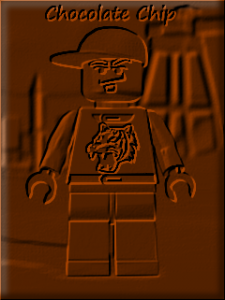
From the album: Other LEGO Games
1 point -
LR2 Texturing Issue with Ramas
LazerLuke19 reacted to Zed for a topic
Hah, turns out that's exactly what happened. Apparently since I've updated paint.NET the Compress (RLE) option got re-enabled by default. I unchecked that and resaved my texture files, and now they work fine on the ramas in-game. Still seems weird how I could use the compressed files elsewhere without problems though.1 point -

LR2 Texturing Issue with Ramas
Lair reacted to lol username for a topic
Looks like what happens when you save textures as compressed TGAs.1 point -

LEGO Awesomeness
FeebTube reacted to Pollywanna for a topic
I was very upset to recently learn that Wes Jenkins passed away back in September. I had read one of his books and followed his Doodle-a-Day blog and he was a very unique individual with a fine wit and a very good talent for telling a story. I had read about his issue last year and I had some custom Island-themed things I had intended to send as a cheer-me-up, but, like so many other things, you don't remember to get around to it until it's too late...anyway, I was happy to see this today: [source] I hope his work and talents live on, at least in some small way. I highly recommend his book on his travels in the '70s (NY2LA), and his doodles, if still online, are well worth a look. LEGO Island was my first videogame and the only one from my childhood to really stick with me, the combination of high production values and Wes' trademark surrealist humour burrowed its way into my brain and it still has an impact on my sense of comedy. I will certainly remember him and his Island, and I hope he realised what a special thing he made.1 point -

Rock Raiders Stylized Wallpapers
Cirevam reacted to Cyrem for a topic
New Wallpaper Added Wire Driller Night Download: https://mega.nz/#!UwVhyLpb!WsQ5TF-Dysb4c3ouTOv4m_NqlvBUwd8aSGWgXQNPQeg1 point -

LEGO Awesomeness
Zed reacted to Dazzgracefulmoon for a topic
1 point -
World Textures - Wish List
ShadowDraikana reacted to lol username for a topic
Acid for lava, and the walls could have kind of a green, eroded look with a light green tint. Same with the ground if possible. Cracks with a green tint would be cool...1 point