
Leaderboard
Popular Content
Showing content with the highest reputation on 12/14/2017 in all areas
-

Idleness Syndrome: What is the Root Cause?
Lair and 3 others reacted to Cirevam for a topic
Additional testing has also revealed interesting behavior that may relate to Cyrem's hypothesis about all raiders checking to see if they can perform a task. I made a 255x255 map with lots of 2x2 walls in a grid (I gave up after 10x10 and let the tunnels continue) and a 1x1 wall with 25 crystals on the opposite corner of the map to try to force the pathfinding algorithm to slow down. Nothing seemed out of the ordinary until I teleported the maximum number of raiders. Four of them contracted a strain of Idleness Syndrome where they would only react to move commands. They did not attempt to go after the crystals on the other side of the map. Instead, they caused the framerate to plummet, but only when they were standing around. The framerate recovered when the raiders were actively moving to a new location or when I teleported them out. I didn't tell them to manually pick up crystals to see if they would try, but it's interesting that the framerate dropped noticeably while the raiders were either attempting to find a path or a task.4 points -

Idleness Syndrome: What is the Root Cause?
noghiri and 2 others reacted to Cyrem for a topic
I’ve been doing some testing with one of my new maps. My first test was a failure as I may have mentioned earlier... barely halfway into the map all my Rock Raiders got Idle Syndrome. I’ve now completed a second test which has been somewhat of a huge change. Still, one or two things I found I will note. The most significant change I made to the map was turning off ore generation for rubble. This meant I placed ore under walls manually. The end result was that my RRs were clearing rubble as fast as they were drilling walls and the amount of ore out to collect was always low, reducing any backlog that was occurring before. On my previous version of the map, I ended up leaving my first area without having collected all the ore and this may have been the reason idle syndrome occurred. With less ore, it was always cleared before I moved on and at no point did any of my Rock Raiders get idle syndrome. However, I think I did notice something. My map requires that you just control 1 RR at about 3 sections in the map. At this time I was controlling a single RR, my other RRs were still in the previous area. The RRs used individually in each section seemed to have Separation Anxiety. Each were slower at making decisions, changed tasks midway and could not prioritize tasks according to the global priorities. Nevertheless, they eventually did what they were supposed to do. Now here is the interesting thing: After teleporting the RRs out from the previous section and teleporting those into the current section where my single RR is, this individual became quicker and more responsive. They all worked together as they should have. My theory is that it’s due to the fact that all RR’s are checking to perform the tasks, however none of them except the individual can fulfill it. So perhaps in the game loop each RR does its search one after the other, resulting in the slowness of decision making of that one RR. As for the changing of mind and not following priorities, perhaps another RR is taking the top priority task, then upon attempting to path find realises he can’t get there and the task is re-added to the queue. Meanwhile my individual RR takes a lower priority task. Eventually the task looping aligns with my individual RR and he gets the priority assignment and actually does it.3 points -

redbeard vs bat spice
ChileDawg and one other reacted to Zed for a gallery image
From the album: hellspawn
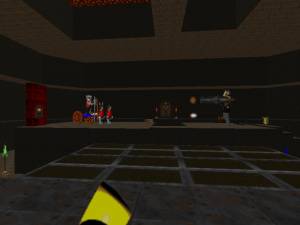
the ultimate duel2 points -

Idleness Syndrome: What is the Root Cause?
aidenpons and one other reacted to ShadowDraikana for a topic
This bug can be induced by using the Tunnel Transport: http://www.rockraidersunited.com/gallery/image/11845-disappearing-diggerpng/ Only time I see this is with the TT, and it happens with enough regularity that this could have been one of the reasons this vehicle was disabled in the original game. The only other time I've seen the bug is in the custom map uploaded here, Odyssey. I've determined that one Raider on an island (which has an energy crystal on it) will trigger the bug after a short period of time. Removing the Raider has resulted in the rest never disappearing. Since I mentioned Odyssey, I have found that I can "cure" Idleness Syndrome slightly after getting into the cavern accessible by land in the starting area. For some reason, the Raiders cease idling for the most part once I have freed the first trapped unit that I can reach. But, once every wall is drilled, and all resources collected (in that area), the syndrome returns. For the record, I witnessed two instances in the last few days of vehicles suffering from idleness syndrome but NOT the Raider driving them. First instance was in Gephyrophobia: Small Truck refuses to pick up anything and will drive around to new ore/crystals and sit there. This level is huge, so that might have played a role. Second instance was in Cornered: A Loader Dozer drove around to different squares and refused to clean anything. And it was an unupgraded one too. Granted, I did have a good deal of rubble to be cleared. And this map is massive as well. I've seen this once every few levels, and it isn't limited to Transport Trucks. Raiders have done this too, although sometimes I can't click on them. ---------------------------------------------------------------- Something I wanted to share is that from my experience, I've seen idling Raiders appear when a priority gets turned off, and then turned back on. This might be wreaking havoc with the pathfinding process, especially if the tasks are possibly getting screwed up by them appearing and "disappearing" thanks to the user turning things on and off. Any thoughts on this? Also, I've done a lot of experimenting with reactivating unused priorities, and I've noticed some differences in the performance of the AI and the number of occurrences of idleness syndrome. Maybe Idleness Syndrome is in fact related to pathfinding+priorities?2 points -

LEGO Stunt Rally version differences
Maniac4Bricks reacted to Lair for a topic
Here we go again folks. After making this post when I discovered my copy of LEGO Stunt Rally did not contain all the command-line parameters mentioned by @TykeDean, I went tracking down this elusive other copy of LEGO Stunt Rally that contained more parameters. I managed to find it, and I've tried to write out all the file differences I found as best as I could. I think the gameplay is the same otherwise. Executables _msr.exe: The 0.3.5.1 version is dated Monday, August 21, 2000, 8:40:10 AM, is 1,785,913 bytes, and is signed as version 0.3.5.1, "Copyright © 2000 Intelligent Games Ltd". The 0.3.8.1 versionis dated Friday, October 06, 2000, 9:12:32 AM, is 1,785,913 bytes, and is signed as version 0.3.8.1, "Copyright © 2000 Intelligent Games Ltd". The Russian version is dated Monday, June 04, 2001, and is 1,658,880 bytes. It uses all the same parameters. Though I'm not entirely sure what they all do yet, all of the following command-line parameters should work with the 0.3.5.1 version of _msr: /ALLAI /CDIN /DEBUGINFO /FILES /FREEFORM /FROMLAUNCHER /IGTEST /LOAD_TEXT /NORES /NOINTROVIDEO /RES_FILES /WINDOWED /XAFTOXBF The 0.3.8.1 version of _msr can only use these parameters: /FILES /FREEFORM /FROMLAUNCHER /IGTEST /NOINTROVIDEO /XAFTOXBF StuntRally.exe/Setup.exe: The 0.3.5.1 version is from Thursday, August 17, 2000, 8:00:22 AM, is 409,600 bytes, and is signed as version 0.3.1.1, "Copyright (C) 1999". The 0.3.8.1 version is from Wednesday, September 13, 2000, 5:56:34 AM, is 421,888 bytes, and is signed as version 0.3.7.9, "Copyright (C) 1999". Installed files But wait! That's far from all that's different between these games. A good deal of files were removed or altered between the two versions of the game: For starters, 0.3.5.1 is the version of the game that has the credits sequence tacked onto the end of the outro video. That version of the outro was created August 17, 2000, while the FMV without the credits was created August 30. The elusiveness of the credits sequence leads me to believe 0.3.5.1 is probably the rarer version of the game. In version 0.3.5.1, the MIDI files of George Stone's "Trip Through the Grand Canyon" and Yello's "Oh Yeah" that can be found with the direct music files in ART0001.RFD are sitting uncompressed in the folder called art\music. They're still also in the archive file though. The folders for the direct music files are also in art\music here, but are all empty. A bunch of empty folders are also in art\frontend. These aren't here in the CAB data, so it must be something left over in the installer that was removed in 0.3.8.1. ART0001.RF: The 0.3.5.1 version of ART0001.RFD is from Wednesday, August 16, 2000, 10:55:08 PM, and is 78,815,447 bytes. The 0.3.5.1 version of ART0001.RFH is from Wednesday, August 16, 2000, 10:55:08 PM, is 298,924 bytes, and links to 2793 files. The 0.3.8.1 version of ART0001.RFD is from Monday, September 11, 2000, 10:50:50 AM, and is 63,618,752 bytes. The 0.3.8.1 version of ART0001.RFH is from Monday, September 11, 2000, 10:50:50 AM, is 151,112 bytes, and links to 2793 files. Why the big size difference but no file difference? Well, for some reason, with version 0.3.5.1, if I extract the game data directly from the CAB files, the ART files are dated 4:55 PM instead of 10:55, and even though the content of all files is completely identical, extracting the CAB-extracted RFD file will dump out 5303 files. I have no idea why the RF Tool treats these two archives totally different just because one was extracted while the other was installed, and the RF files from the 0.3.8.1 version don't act like this. A number of strange things extract from the 0.3.5.1 cab-extracted ART RF file. Most of the extra files seem to be .txt versions of already-existing files, and redundant audio files. In aidata, there are txt files for the car AI alongside bin files that are used in the final game. Bluemon.txt (presumably Glacia's car?) contains this: While Bluemon.bin is not human-readable: Maybe this is another situation like the unused NRM/NRN files in Rock Raiders that were used to create the final NPL files that the game uses. Oddly, according to these files, Mr. X isn't actually faster than the other bosses, he just has faster "reflex", more rubber-banding, and higher "intelligence" whatever that means, so I don't know. Again though, why I can only access these files if I rip the RF file directly from the CAB instead of installing it, I have absolutely no idea. If they are related though, maybe they could help us figure out how to edit the AI files. There's a new folder "Sounds", which seems to just contain a lot of the same stuff from the SPEECH RF file. In this extraction, it's all in Dutch for some reason. Same thing happens when I extract SPEECH directly from the CAB of either version - now that I think about it, I'm not exactly sure how installers handle language files, but I guess that has to do with a lot of this stuff acting differently. There's also a new folder called "text", which mostly seems to contain short .txt files that each have a single bit of interface text in them. Not sure what it was replaced with, but nothing really interesting here, aside from some planned bio texts for the racers. Most of them just contain "placeholder" with a driver's name below that, but two of them actually have more stuff written in them (The first one is the file for Baron Flambo): Finally, there's a worlds folder that seems to contain textures for all the roads and scenery, as well as their sprites for the construction zone. I don't see how this would be unused though, where else would this stuff be stored? I don't know where the used textures are located, so if anyone else is familiar with the file structure of Stunt Rally please help out - if they aren't anywhere normally then somethings up and the RF Tool isn't perfected, if they are then maybe I'm just unobservant lmao. SPEECH0001.RF: The 0.3.5.1 version of SPEECH0001.RFD is from Wednesday, August 16, 2000, 4:48:06 PM, and is 9,698,913 bytes. The 0.3.5.1 version of SPEECH0001.RFH is from Wednesday, August 16, 2000, 4:48:06 PM, is 8,508 bytes, and links to 156 files. The 0.3.8.1 version of SPEECH0001.RFD is from Friday, September 8, 2000, 1:43:32 PM, and is 9,698,317 bytes. The 0.3.8.1 version of SPEECH0001.RFH is from Friday, September 8, 2000, 1:43:32 PM, is 8,508 bytes, and links to 156 files. The only difference I can find is with the the "congratulations, world champion" line that plays over the outro. In 3.5.1, the audio clip starts at the same time as the video does, and contains silence for the time until he starts speaking. In 3.8.1, the audio clip only contains his line with no silence at the beginning. Presumably they changed the audio syncing code to be a little fancier, so they could save a full half-kilobyte of storage space. Demo executables Finally, I checked the Eidos Interactive Japanese demo of the game, as well as one of the English demos - I'm not sure if there's only one version of that though. The Japanese demo version renames _msr.exe to LegoSRally.exe. This version is dated Friday, January 12, 2001, 5:49:18 PM, is a larger 2,039,808 bytes, and is signed as version 0.3.8.1, "Copyright © 2000 Intelligent Games Ltd" (and strangely still claims its language is UK English). The following parameters work with this version of the game: /FILES /FREEFORM /FROMLAUNCHER /IGTEST /NOINTROVIDEO /NORES /RES_FILES Unlike the English 0.3.8.1, it's missing /XAFTOXBF and now has /RES_FILES and /NORES included from the former 0.3.5.1 version. Unfortunately, I don't know if the main Japanese version is like this, nor do I know what the Russian and Hebrew versions of this game are like. If anyone has or finds those please let me know. The English demo that I have seems to rename "moto.exe" to StuntRally.exe. This version is dated [I forgot lol], is 1,785,918 bytes, and is signed as version 0.4.0.7. Only the following parameters work with it: /FREEFORM /FROMLAUNCHER I don't know what release versions of the game corresponds to what version of the game files. My 0.3.8.1 copy seems to be an original release version by LEGO Media International, IB2G-STUFRS 2298851, might've come in a big box but it was just the case when I got it. I don't know what region it's from, the back of the case has the LMI copyright in French first, then English below it, and both full versions have a bunch of European languages available in the installer but default to English. I'm not sure how to check the exact region formatting - maybe it's from Canada? I guess if any of you have Stunt Rally, try to find which version of the files you have, the one with credits and parameters or the one without credits and few parameters (or any other ones that might be out there like the 0.4.0.7 that the en-demo uses), and what release of the game yours is if you can tell.1 point -

Should "Haha" count for rep?
MineTimelapser reacted to aidenpons for a topic
As I'm typing this I realise what a puny small thing this is compared to the site overhaul. Still, I'd like to ask. On one hand, it allows you to give someone reputation for making a funny joke. On another hand, it allows you to react to someone's quote of something funny (eg RRU Quotes) without giving them reputation as solely being the medium through which this quote came to you.1 point -

The Infomaniac
Maniac4Bricks reacted to Fifi La Fume for a topic
Download: https://www.rockraidersunited.com/files/dl-r440/1 point -
Sparks (Rock Raiders)
Maniac4Bricks reacted to Fifi La Fume for a topic
A mod I made of a certain Rock Raider. Download: Replaces Player 3 by default.1 point -
Some LEGOLAND Characters in the style of LR2
Maniac4Bricks reacted to Fifi La Fume for a topic
Just some skins I made, mostly because I was curious to see what they would look like if they were in LR2.1 point -
Some LEGOLAND Characters in the style of LR2
Maniac4Bricks reacted to Lair for a topic
1 point -
Some LEGOLAND Characters in the style of LR2
Maniac4Bricks reacted to Fifi La Fume for a topic
Mr Bimble, and an alternate version of Bob.1 point -

Lego Time Cruisers comics
Maniac4Bricks reacted to Wognif for a topic
My translations of it:1 point