
Leaderboard
Popular Content
Showing content with the highest reputation on 08/06/2018 in all areas
-

Running LEGO Island in HD On Windows 7 & 10 - Tutorial Video
Mr. Skeltal and one other reacted to ZANTHERA for a topic
Linked below is my video tutorial for running LEGO Island in whatever resolution you want using dgVoodoo. This method was discovered after Mr Skeletal helped me get Rock Raiders running with dgVoodoo and my curiosity saw my trying to run Island with it and it worked! This method was tested on Windows 7 by myself and 10 with the help of some members over on the discord server. If you follow the steps exactly as shown in the video in the same order it will work first time.2 points -

God Bless you all
DRY1994 and one other reacted to silent771 for a topic
What a throwback to when Lego used to make banger after banger. Ive been trying fruitlessly on my own for years to try and figure out how to get Rock Raiders to work on Windows 7+, had a dream last night of playing it (seems my subconscious even can't let this one go) and finally was able to get all systems go thanks to his forum and the files, links, and information provided here. I just wanted to thank everyone involved from the bottom of my heart, and I'll post a screenshot once I've cleared out all those X's and see if I can't finally get rid of that final massive X that stumped me in my formative years. Today's kids don't know what they are missing out on with the rinse wash and repeat copy and paste Lego Star Wars formula that seems to be all the current Lego interactive is working on. ^^ Cheers to you all, now if you'll excuse me... I've got some ore to mine and crystals to collect. ?2 points -
Some levels
sinftw reacted to tzizi for a topic
I want to reimplement the game engine, and so I'm reverse-engineering the file formats. I'm planning on sharing both the documentation for the formats, and the process for how I reverse-engineered it, so hopefully someone else who wants to do this can jump in and start much easier. I wrote a quick .obj exporter and imported it in blender, so apologies for the weird triangles. Darth Maul's level (intro): Inside: A view of the podrace level: (the objects floating around the 0 coordinate, those are objects sprinkled throughout the level, such as boulders and coins, but also partly a bug as well) I'll add textures soon, and update the post when I do.1 point -

Loren Nelson uploaded some unused LEGO Island music to his YT channel
Brightfall reacted to tfishell for a topic
https://www.youtube.com/user/LorinTone/search?query=lego+island (I think in some cases he was confused because some marked as "unused" did make the cut, but a few I heard weren't in the game.)1 point -
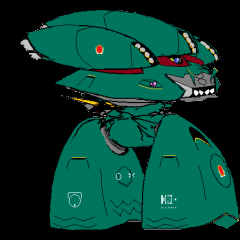
Sound addons for Axel's Mod
Ben24x7 reacted to paperpanzer for a topic
@Cirevam Thanks for the offer- I wasn't planning on making maps but I've been playing around with Cyrem's map editor tool for a while now. (There are a few things that I still don't know how to do in the tool, like adding sleeping monsters, rotate the starting camera and buildings, etc.) Despite that I think in the future I may make a map pack for LRR. I wouldn't know where to start with adding in null sound generators in Cyrem's tool though. (that being said I have worked with them before in other editors.) As of now my sound addons have reached a near-final point. Having played through Axel's mod I can say that there are a few of his sounds that I would like to use in it as well (such as the SMLC, Cargo Carrier, and Tunnel Transport engine sounds.) which I would make as a separate sound mod. Currently what I have is just an addon pack. Loader Dozer sounds up next- reworked the animation file to re-align the sound play for the shovel.1 point -

Island Tunnel?
Cirevam reacted to lol username for a topic
The extractor gets it fine (at least the current version, dunno about older ones), you can find it at ACT1\sub1\RACEBRDG.1 point -
LRR remake project
miningmanna reacted to lol username for a topic
As far as I know it always looks for textures in the same folder as the LWO. Meanwhile, there's two ways the LWS files can handle paths to LWOs: Z:\Lego\Data\Buildings\BIGTeleport\TP_SideSlab.lwo \\Mother\lego\Meshes\Lowpoly\Buildings\Big_Teleports\Teleport.lwo Most of the path is actually irrelevant as far as the game is concerned. The first path will make it look for the LWO in the same folder as the LWS. The second will make it look for the LWO in the World\Shared folder (you could replace it with \\Teleport.lwo and it'd still work fine). This topic may be of interest: Also:1 point