
Leaderboard
Popular Content
Showing content with the highest reputation on 06/10/2019 in all areas
-

Run LEGO Rock Raiders with dgVoodoo
trigger_segfault reacted to Cyrem for a guide
This guide is more or less a re-write of many posts of this method that are scattered around the forum with updated links and pictures to make it easier to follow. First and foremost there is sometimes confusion between dgVoodoo and Cafeteria. These are significantly different and perform entirely different things. dgVoodoo is an graphics API wrapper (or “converter”) for DirectDraw & Direct3D (Part of DirectX 6 - a graphics API developed by Microsoft). Most modern graphics cards are not compatible with games utilising old versions of DirectX, Rock Raiders is one of them. Cafeteria on the other hand is a Mod Launcher that allows easy installation of game resource modifications for LEGO Rock Raiders. It also has the ability to force LEGO Rock Raiders to run in resolutions higher than 640x480. You can use both of these together for optimal graphics improvements. in summary - dgVoodoo is what makes it possible to run LEGO Rock Raiders on modern graphics cards, not Cafeteria. Cafeteria is merely a toolkit to make an already working game even better. Secondly, Microsoft has updated Windows Vista through to Windows 10 with patches that remove SafeDisc and SecureRom support from those systems. This is a problem if you own a copy of LEGO Rock Raiders that is copy-protected. If you own the copy-protected version of LEGO Rock Raiders (some of the re-releases did not have copy protection) you'll probably find the game will not run at all. Following this guide will also correct this issue as well. Now that we know what dgVoodoo is and we know about the SafeDisc issue, lets begin. Guide While setting this up is really a piece of cake and requires barely any steps, people still can still get it wrong, so please follow the steps below. If you get stuck, try it again. If you're still stuck, reply to this topic. PREPARATION Before you begin, you will need to download some files. Please note that some Antivirus software may complain that dgVoodoo contains a virus. This is a false positive, it is a clean file. Download the files in the list below. LRR Masterpiece Editon Executable - Download D3DRM - Download dgVoodoo 2.55.4 - Download Note: dgVoodoo 2.53 is also compatible with LEGO Rock Raiders, download this version if you have issues with the latest version above. STEP 1 If you haven't already, install LEGO Rock Raiders. If the installer isn't working, try the Alternative Installer. Once this is done, navigate to the Rock Raider's installation directory (usually its: C:\Program Files (x86)\LEGO Media\Games\Rock Raiders ) and extract the contents of the "LRR Masterpiece Edition" zip file you downloaded just earlier into your installation folder, overwriting the original files. This folder then should look similar to this: STEP 3 Next, from the D3DRM archive you downloaded before extract the D3DRM DLL File into the install folder. After that, open the dgVoodoo archive you also downloaded. You will need to extract: dgVoodooCpl.exe and the contents of the MS folder into your installation directory. STEP 4 You're almost done. We'll now configure dgVoodoo, so double click dgVoodooCpl.exe to start the configuration program. Ensure that you are running the program in Administrator Mode (Right Click > Run as Administrator) or changes may not be saved. When it starts, look at the "Config Folder" path, if it is not the same path as your Rock Raiders install folder, click the ".\" button on the right. Next click the "DirectX" tab. You may want to play with some settings in here, however for this guide we'll just do the important ones. Change the "Resolution" to the same resolution that you are currently using (e.g 1920 x 1080 is common) and uncheck the "dgVoodoo Watermark". Finally click apply. STEP 5 Congratulations, you're set! There's one thing left to do and it's very important. You need to start the game from LegoRR.exe. Afterwards a window will appear, and if you've set it up correctly it will display the driver as "dgVoodoo DirectX Wrapper (display)". STEP 6 (OPTIONAL) While the game will now run, you will notice an absence of music. Typically, Rock Raiders plays music from the disc. However I have a fix to restore the game music into the game without the disc. If you would like to do this, follow this short guide. I hope this guide has helped you get your copy of LEGO Rock Raiders to work. Be sure to reply below if it worked for you or if you're having any troubles. Don't forget that if you do get it running, check out some of the great mods for the game around the community.1 point -

LEGO Star Wars: The Skywalker Saga
RobberBaron reacted to MinifigRenderer for an article
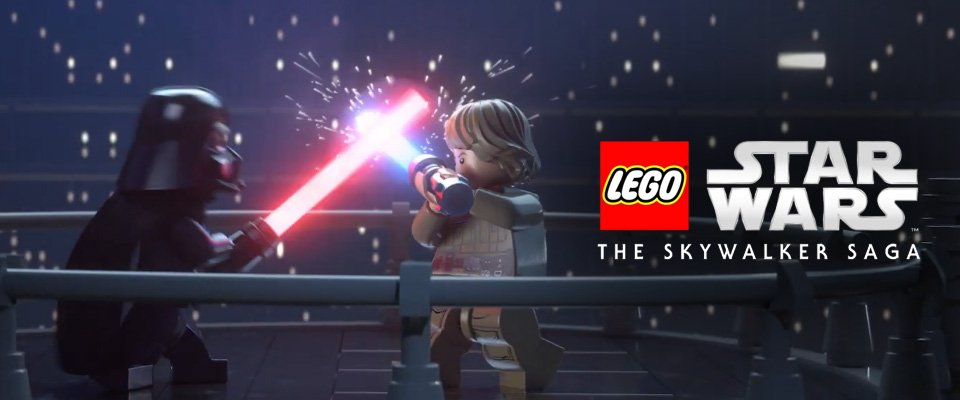 Well LEGO Star Wars has made a return to the video game world with a brand new collection of all 9 films to be released in 2020. The game was announced at the recent E3 2019, and will not only include levels from the more recent films but also the Prequel and Original trilogies. “LEGO Star Wars: The Skywalker Saga marks our return to the franchise that kicked off the LEGO video game series. The game will give fans an all-new LEGO Star Wars experience with complete freedom to explore the LEGO Star Wars galaxy,” said Tom Stone, TT Games managing director. “It was an absolute pleasure to be part of the launch of the original LEGO Star Wars game and it’s equally exciting to now move the series forward and help create a new era of LEGO Star Wars games.” The game will also feature the biggest amount of playable characters in a TT LEGO game to date! Screenshots: Trailer:1 point
 -

Custom Level Cafeteria Framework
Cyrem reacted to aidenpons for a topic
I've picked up LRR modding again, and one of RRU's dreams has, I think, always been to convert the Training Missions accessible from the main menu into an area where you could quickly play custom levels. However, given the difficulty of file naming (Cror_13.map), CFG shenanigans (FrontEndX and FrontEndY), and images, it's just generally been a bit painful: hence why several levels just overwrite existing ones: clearly not good for compatibility. However, I have created a Cafeteria framework which allows you to insert your own levels with ease! It functions by ignoring the config for the tutorial levels entirely and creating its own new batch of levels: RRULevel01 through to RRULevel08*, shamelessly copying the icons and positioning from the tutorials (why not?) But from here, levels can be inserted using a common file configuration: you only need to specify the level number and some properties about the level: for instance, what biome, what level name, erosion parameters. * It will be extremely easy to extend this up to 8+25 = 33 using the existing LevelPicker, and it is straightforward to add more, so there's hardly a limit. Screenshots? Well, I have to say they don't exactly look that impressive due to Community Edition not having a background for the tutorial missions. But I guarantee you it works! Download the framework here (also contains a template which contains Driller Night.). I also have prepared some examples for you, using Ice Sanctuary. Bolt Molt, Cunning Canyons, and Xiron: download these here. List of levels that are known to use the framework. Bracketed indicates name of author. - Ice Sanctuary (aidenpons) - Bolt Molt (Cyrem) - Cunning Canyons (alan) - Xiron (aidenpons), download links for the four above - Christchurch (aidenpons) - Hard Luck (JimbobJeffers) - Water Lot of Fun II (aidenpons) Known Issues and General Shenanigans: - Levels that do not have data set to them will show up as RRU Level 05 or suchlike, and clicking them will crash the game. Just click on the levels you actually installed files for - The set of default priorities includes Priority_BuildPath. If Improvements Pack is not installed, this will show up as an empty box. However, it does not have an effect on the game. You can modify this for your own maps. - Due to the Training Missions being unable to reliably access saved data, you will not have upgraded trained raiders. This is especially a problem where certain levels require Explosive Experts (eg Bolt Molt). If this is neccessary, load a save with upgraded raiders, go back to the main menu, and re-access the Training Missions. - Using the same number for two sets of level data will probably cause stupid stuff. Just don't even try. - Plays up on Cafeteria v0.9.3 due to that version of Cafeteria liking to do doubles of everything you tell it, which doesn't work well when the commands are separate. However it works fine with the version of Cafeteria that comes with Community Edition. - No background for Training Missions means it looks extremely glitchy as it doesn't 'paint' over where your cursor / anything else was. The menu is still functional. This depends on what version of CE you are using. - "Reward" (the scoring system) is currently not functional. - A crystal requirement of less than 25 will not be reflected in the size of the crystal bar on the right (for instance in Driller Night you can clearly see you only need five crystals). This is because the size of the crystal bar is actually defined under Reward. You can change this by using CFG:SetProperty in script.txt - The menu still says "Training Missions" as opposed to "RRU Levels" or suchlike. The hope is that @Cyrem will be able to automate this into Cafeteria: such that you don't even need to pick a number, you just put your files in a Custom Levels\MyLevelName folder and Cafeteria sorts everything out, and it shows up! With thanks to: @Cyrem for Cafeteria, for the modding tools, for the forum, and for everything Also putting up with the pings on the Discord @alan for making me realise that we weren't restricted to just Level01...Level25 for level names @everyone for making RRU my happy place (this is why Christchurch was not included as one of the example levels).1 point -
Custom Level Cafeteria Framework
aidenpons reacted to Cyrem for a topic
Great stuff Aiden! I think we can get a good amount of this automated in Cafeteria with an unrestrained amount of levels that can be added.1 point -
Custom Level Cafeteria Framework
Cyrem reacted to aidenpons for a file
See topic for info. I'm tired.1 point