
Leaderboard
Popular Content
Showing content with the highest reputation on 08/07/2019 in all areas
-

Desktop Minifigs
FeebTube reacted to lol username for a topic
LEGO used to have a "Desktop Minifigs" program downloadable from lego.com. You can now get the installer from the Bionicle Media Project: http://biomediaproject.com/bmp/files/LEGO/Computer/DesktopMinifigs.exe Today I found this: https://www.webspun.org/portfolio/lego/index.php In case that link goes dead, it says: And more importantly, it has four gifs of animations from it. I found more of them unused by the page here, plus a few jpg thumbnails: https://www.webspun.org/portfolio/lego/img/ imgur mirror: https://imgur.com/a/D7toi I think they might be higher res than the animations in the actual program which is kinda neat. And Dooku isn't in the final program at all. I dunno what's up with that - licensing issues maybe? The final roster is Johnny Thunder, Dr Kilroy, Pepper and the Brickster, Cam Attaway, and Dash Justice.1 point -

LEGO Alpha Team HD Texture Overhaul
Ben24x7 reacted to Jimbob for a topic
EDIT: I'm reworking this mod, making most of the textures from scratch instead of upscaling them. I'll leave the downloads below but I'd recommend waiting until I've overhauled this overhaul. This mod replaces almost all textures in the game with higher-quality versions, with each texture usually being anywhere from 4x to 8x larger than the original. Everything should look crisper and cleaner at high resolutions. The GUI has been redrawn from scratch to look good in widescreen, and most real-world textures (that is, textures not used in a LEGO model) have been remade with more realistic graphics. LEGO textures were put through a kind of vector upscaler, due to the simple graphics, and hence you'll see some parts are rounded so I might come back and clean them up another day. The only textures that haven't been edited are cursors, which don't scale, and fonts. Also the LMap.pac file was left alone as there is some crazy junk in there. Download Warning - this is a 520MB download, which uncompressed hits around 1GB. You'll need enough RAM to load that, and may notice loading screens being a tad slower than usual. Google Drive Mega Installation If you have LEGO Alpha Team installed, see @lordtobi's post here to set it up for custom resolutions including widescreen. If you don't have LEGO Alpha Team installed, check out the Windows 10 installation tutorial here. Go into the game's install folder, which for me is C:\Program Files (x86)\LEGO Media\Games\LEGO Alpha Team, and create a new folder called "Original PACs" or something to that effect. Move the game's original Map.pac and Etc.pac files into this folder, so that they are no longer present in the same folder as the game's install files and you have them as backups to easily restore. Now extract the Map.pac and Etc.pac files from the downloaded ZIP file and move them into the install folder. Launch the game as usual and enjoy the mod! Previews Check out previews of the mod here. I recommend you open them in a new tab and flick between the two for comparison. Splash Screen The main level is too zoomed out, but notice the new "Alpha Team" logo and water. Main Menu Earth uses textures from NASA, I redrew TeeVee's screen from scratch, and you can see the new widescreen HUD too. For some reason TeeVee's antennae always look somewhat pixellated, even though they're currently smooth at 1024x1024 resolution. Game Here you can see substituted textures for the real-world elements, as well as the smoother LEGO parts such as the text on the studs.1 point -
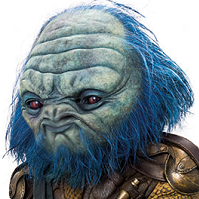
Anyone else hate the voice acting?
aidenpons reacted to FeebTube for a topic
https://www.imdb.com/title/tt1843198/fullcredits?ref_=tt_cl_sm#cast1 point