
Leaderboard
Popular Content
Showing content with the highest reputation on 08/29/2019 in all areas
-

Higher Resolution Textures [Upscaled, less blurry/noisy]
Thomkok23 and one other reacted to dorpz for a topic
WARNING: This texture pack is rather large when unpacked (1.35 GB) and may cause performance issues on some older systems. I made this pack because the UI graphics look so blurry on a 1080p monitor. This texture pack contains every texture in the game which has been upscaled and has had noise reduction and sharpening, making it less blurry. Fonts are still blurry. The level of upscaling is as follows: UI elements such as the HUD, menus, backgrounds, chat heads, indicators etc. have been upscaled to 4 times the original, making them extra crisp (other than the fonts, couldn't get them to work well). Everything else like textures for 3d objects, people etc. has been upscaled to 2 times the original, this makes a mild increase in visual fidelity but isn't breathtaking. I cannot guarantee these will work flawlessly, this is my first venture in to modding Lego Racers 2, so please use at your own risk. To install extract the game data folder from the downloaded rar and place it into your lego racers 2 main directory, provided you have already unpacked your game files and patched your game with For those interested in the method of how these files were created, I first "converted" (renamed) the game's MIP files to tga, I then ran them through a program called Waifu2x which is an amazing piece of software, then the software took an hour or so to make all the files all crispy looking and after that I turned all the tgas back to MIP and boom, that was that. Here are some screenshot/comparisons of the menus, I didn't get any in-race shots as I have no idea how to position myself in the same way twice. You'll have to zoom in to notice any changes, it is very subtle and was barely worth the effort, honestly.2 points -
Tunnel Tranpsort Minigame: Download Available!
baraklava and one other reacted to BlenderIsac for a topic
I created a Rock Raider Minigame called Tunnel Transport Minigame. I need to fix it up a bit but I will hopefully soon post it so that you can play it. You fly around a cavern, collecting 24 crystals at different levels of difficulty. You try to stay away from the walls as they will bounce you away and take off health. It has a Main Menu, music from the Playstation Rock Raiders game, and cheat codes. You can also find ore that will boost your health. I am aiming to create several other Rock Raider Minigames. You can suggest ideas on this thread: Have Fun! Download Links: https://www.rockraidersunited.com/files/misc/tunnel-transport-minigame-03-r334/ Copyrights? < Someone correct me if I don't have to do this. Rocks font <https://www.dafont.com/rocks-g.font Tunnel Transport model, Bat model and Walls texture are from the Baz's mod Wads, rendered by me. Crystal and Ore models are from https://mecabricks.com/ If I don't need to list those things it would be helpful for somebody to correct me.2 points -

A question about Ice Planet Pathway
Jugebox98 reacted to lol username for a topic
dy_enforcer is correct, it depends on the keyboard, not the game itself.1 point -
Mighty Miners
Ksyon reacted to ShadowDraikana for a topic
Yep that did it. Works fine now.1 point -

Mighty Miners
ShadowDraikana reacted to Ksyon for a topic
Figured it out - I'm using Patreon for my file-hosting and I forgot to set the post to "public" instead of "patrons only". I think I fixed it - try downloading it again.1 point -

Interview with one of the LEGO Rock Raiders Designers
aidenpons reacted to Cirevam for a topic
You covered many of the questions I had already. 1) What made the team choose to go from grey or silver roll cages on some vehicles (just like your avatar, Colinou) to brown? Like the blue crystal, there's plenty of evidence that makes me think the decision happened later in development. 2) How did you create the various objects and animations in the game with Lightwave? Some of us here have tried Lightwave 5, but it doesn't seem to work very well. Textures don't like to appear and the interface seems extremely primitive. Version 8 works best for what we do now. 3) Is your last name based on a color, like Karl White and Stewart Green?1 point -
(Almost) Everything You Wanted To Know about Vehicles, Upgrades, and .ae files
trigger_segfault reacted to Cirevam for a topic
I'm still reading through the first post, so I'll add addendums here and keep editing until I get through all of it. I'm finished. PickSphere is used for the size of the selection box around units, as well as their collision for the mouse. If you set it to zero, you cannot directly click on the unit to select it. You must click and drag. Generally, units pick up things either by putting their origin directly over the object's origin (trucks picking up materials), or by putting a specific null on the target object's origin (monsters, Cargo Carrier). But I remember that, sometimes, units don't need to move to pick up nearby materials if they are close enough. Maybe it uses CollRadius. I haven't tested that. An easier way to explain the vehicle upgrade system, if you understand binary, is to consider that upgrades are (probably) stored as four bits. If 0000 is the beginning state of the vehicle, then 0100 is an upgraded state. It goes like [Carry][Scan][Speed][Drill], so that upgrade state is a vehicle with a scanner and nothing else. 1001 means it has a carry and drill upgrade. 1111 means it has everything. Since Carry is first, you can ignore it if the vehicle has no carrying ability. That's why the SmallDigger has eight levels and the SmallTruck has sixteen. 0111 is 7 in decimal, and 1000 is 8. The SmallDigger's level variable will never go higher than 7, so you don't need to specify anything further than that. This is false but I wish it were true. Any driver nulls you see are unused. The driver is always positioned at the origin and his animations are manually synced to the vehicle's. This is extremely annoying as it means I have to copy a blank raider to a new vehicle, position him, tie him to the null I'm using to animate the vehicle, then delete the vehicle (without deleting that animation null) and export the raider animation. I can't just sit a raider at the origin. Repeat this for each of the vehicle's animations. If you ever looked into Time Raiders' files, you might see LWS files like "DigTankDrillCombined.lws". Anything with "combined" is one of these vehicle-with-raider animations I saved before deleting either the vehicle or the raider. If I ever make revisions to the vehicle's animations, I use this file. The game checks to see if this null collides with a wall to know when to start drilling it. It has to be out far enough because the null rides up the wall... sometimes. The specifics are still unknown to me. Some vehicles like to ride up walls and others don't. There are also differences between first and third person drilling. X Y Z H P B X Y Z X position, Y position (height), Z position, horizontal rotation (clockwise positive), pitch (downwards positive), roll (anticlockwise positive, labeled as B for some reason), X scale, Y scale, Z scale These values do correspond to an LWS file. They are used by the laser object that gets tacked onto the vehicle. Rotator is a null that is a parent of every object in the animation, but you can use anything from the animation as long as everything else is a descendent of it. Fire_Null is where the laser shot is spawned. These MUST be specified correctly or the laser will not work right. It will not rotate and it will not create the laser shot, but it may still fire if you click. Usually the laser sound plays and nothing else happens. I don't remember ever messing with yPivot. The funny thing about this is that, up until recently, I thought this was true. It's actually false, which sucks. Activities merely allow you to specify an animation for a given activity. The actual activities are hard coded by object type. I discovered this when trying to make a raider type that could only do a limited number of things. I will post my findings here because CYREM HID HIS TOPIC FROM PUBLIC VIEW -------------------------------------------------------------------- There's something interesting about raider types that all of you should know if you decide to pursue your own additional raiders in the future. It seems like the activities that objects can do are not limited by the Activities listed in the object's AE file. The real factors are a combination of CFG entries and (assuming) hard code. I created a brand new raider type with only a few basic activities to see if it was possible to limit what it could do, but the game doesn't ignore missing activities. So while this new raider will pick up and drop materials as expected, since it has the right activities and animations... ...it will also drive vehicles even though there's no activity. Also, things like teleportation and training/upgrades happen instantly since there's no animation defined (which is specified by the activity). The result is a floating robot that does everything much more quickly than the standard raider.1 point -
A question about Ice Planet Pathway
Jugebox98 reacted to dy_enforcer for a topic
From first paragraph, Based from what I can understand, its because the keyboards have different setups depending on the manufacturer, there are times that it limits the functionality of a specific key if you hold down one of them and then hold down another. From second paragraph, I don't know about button mapping but I do know you can change the keyboards settings from the options menu. Also, you can hold down both brake and powerslide while accelerating. It won't have any effect on slowing the car down and you can still turn left or right to powerslide or superslide.1 point -
Arthuriel's Amazing Art (Un)Adventures!
Jimbob reacted to Arthuriel for a blog entry
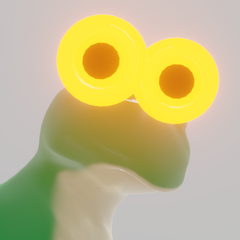
You may know me via the recreation of the L.M.S. Explorer in different scales (including 1:1) or the Insane Raiders comics, which are insane, but believe me: the Rock Raiders in the game LEGO Rock Raiders try to challenge Homer Simpson for title of being the dumbest fictional person. So what am I doing creativewise at the moment? Will the Insane Raiders come back? Will they crawl out of the grave or the chimney during some Halloween or Christmas special (or both. Nightmare before Christmas is the proof for this XD)? Well, that I don't know, but I wondered if I could make more elaborate pictures instead of many simple pictures (my comics) and so decided to do that as a training. As a start I decided to draw the avatars of two users based on their current avatars. The first one is someswedish's orange dragon with a pink afro and the second one is Ben24x7's mining cat: After that I recreated a LEGO MOC (a figurine called "Electra"), that I did years ago, in some sort of superhero fashion/style. There is also experimentation with the shading (also sorry in case, that the eyes etc. look weird): Then I wondered, if I should do something really detailed based on a more well known franchise. For that I provide a bit of background: You may see a character in a clear pose, that can be described as an arch for example. That is called a "line of action". I thought about ways, how to emphasize (the length of) such a line and then I remembered the Viera from the Final Fantasy series, that can be described as tall humans with rabbits ears. No no, please don't run away (in case you have an aversion to furry stuff). It will all make sense (or fall apart in a hilarious fashion or a really awful one, that nobody dares to mention decades afterwards)! I wanted to do some sort of cool samurai pose, but it didn't work out (it just didn't look right) and so I just went with a rather boring standing pose, but at least I learned about designing a plate armour (based on the armour/"armour" from the character Fran. Why do I mention plate armour? Well: In general the Viera aren't dressed in a practical fashion (it can be described as skimpy), which made me wonder, how a Viera knight would look like (since they seem more about professions like dancing etc. and a knight is a nice change). To be fair: The end result with the ears and hair isn't really practical, but at least it's memorable (the goggles do nothing! ; ) ). I also made a version without the ears and hair, which looks more like a regular knight: Then I went the opposite way in regards to the graphical style (doing something very simple for a change) and combined the Prince from the Katamari Damacy series with his Katamari (the ball thing) and Link with Ezlo (the bird cap) from The Legend of Zelda: The Minish Cap. The theme: When tiny heroes meet (to be fair: everyone and everything, that's being rolled up by the Prince, will be crushed by the pressure of the surrounding objects and then turned into a hot plasma/star in the sky, which sounds like a horrible fate (hint: it is), but least you will glow in the dark (also day, if the viewer is close enough)!): Update (2019-09-01): Sonic the Hedgehog In case you want to know, where you can find my stuff: Here is my deviantart account: https://www.deviantart.com/arthuriel And here is my twitter account: https://twitter.com/_Arthuriel_ Obviously I am also on RRU (and also on Discord). Of course I am still learning since proportions can be of or a pose too boring etc. and me trying do this faster since I am not really fast at the moment, but I try to improve. One thing, that I am thinking about, is doing this on a more professional level (paid commissions?). At least I am curious, how it is and while my art isn't the best it's certainly not the worst, so maybe people are interested in that. For that I will probably have to work on stuff like a price list etc. since I haven't done that yet and also trying to have a bigger reach (or a reach at all). The last point also the reason for the word "(Un)Adventure" in the blog title.0 points