
Leaderboard
Popular Content
Showing content with the highest reputation on 09/01/2019 in all areas
-

Pass the Torch
Ben24x7 reacted to Jugebox98 for a topic
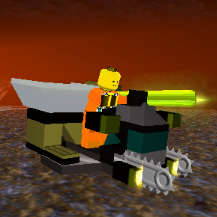
I came up this idea by my own but honestly I didn't viewed EVERY SINGLE game which is currently on so I apogolise if this is just knock off from some other game In this game there's us carrying the torch and we have to pass it each other. But it's not that easy: everyone meets some kind of hazard in their way! The next person tries to think the way how to encounter it that our torch doesn't exhaustion itself. Use your imagination and rich the story I don't care how you describe things but ctrl+v things might help the newcomers and people which aren't good at English (like me :DD). Here's example: General rule is that torch can't be exhausted and it never run out the fuel. That helps this game to run as far it can I'll update the rules if there's something I din't bring up clearly or there's grey areas Are we good? Let's start!! Jugebox98 found the burning torch and he started to carrying it. On Jugebox98's way he found: Rock Monster's Cave1 point -
Manic Miners V0.3: An in-progress complete Lego Rock Raiders remake (The Miners and machines update is here!)
JohnnyBricks reacted to baraklava for a topic
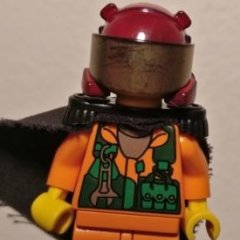
(2020-08-31) It's been a long while, but today the largest update so far drops for Manic Miners! The vehicles are here, together with an extensive miner customization system and many surprises and improvements. Dive in and re-live an almost-complete Rock Raiders remake today! The only thing missing are the monsters... so stay tuned! Thank you for following development! V0.3: The Miners and machines update trailer: Initial reveal trailer: Latest version: V0.3.5, released 2021-01-28) Download link: https://baraklava.itch.io/manic-miners Resource links: Trello (my development progress) Discord (active daily discussion AND usually weekly in-progress builds) Subreddit (active daily) Facebook page (not very active, but will announce major updates) Here's some more information on the project, taken from the Trello: If you have played the original Rock Raiders game and just want to jump right in without reading the project backstory and explanations, here are some quick notes: Original post: Full information dump can be found here1 point -
Knight Rider (KITT)
Jugebox98 reacted to Sunchipp for a topic
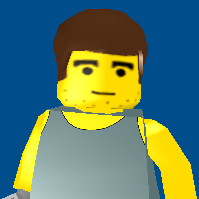
The Car From Knight Rider Now Has Made Its Way Into LR2!1 point -

Run Soccer Mania without CD
Technoki reacted to Cyrem for a topic
LEGO Soccer Mania (Football Mania) runs pretty well on Windows 10. I couldn't see any mention about running LEGO Soccer Mania without a disc so I thought this method is worth a mention because it's simple and doesn't require any no-cd game fixes. Locate your installation directory. (e.g C:\Program Files (x86)\LEGO Media\Soccer Mania) On your CD, copy the entire "Mania" folder and paste it in the Soccer Mania install directory above. Create a shortcut to "Game.exe" (found inside the installation directory). In the Properties dialog for the shortcut, add: Mania\CD\ to the end of the Target field like this. You're done, you can start the game from this shortcut and you'll no longer need the CD to play.1 point -
Need Help: Lego Football Mania on Windows 10
Technoki reacted to Rogue_Toa for a topic
Hi! So, I brought up this question on another site I'm part of, and was directed to ask it over here instead. I apologise if there's already an answer to this floating around - I did a search and couldn't find anything, although I might have missed it. But, yeah. I was hoping that someone might be able to help me get Lego Football Mania (otherwise known as Soccer Mania) running on Windows 10? I just had a desire to play it again a couple of days ago, mainly for the old nostalgia; but while it installed insanely quickly on my Windows 10 gaming-quality laptop, it just... doesn't run at all beyond that. The launch screen comes up, I click 'play game', and... Well, first it told me I needed to log in with administrator permissions to go any further. So I did 'run as administrator' from my computer, and just... nothing happened beyond that. The launch screen came up, I clicked play, the launch screen closed - and that was it, it did nothing further at all. I tried running it in various compatibility modes too; all with the same lack of result. Does anyone know if there's a solution to get it working? Thanks! ^^ For added reference, the game played okay some years ago on my previous Windows 7 desktop PC (albeit with a glitch in the save feature); but it just doesn't do anything at all on this computer.1 point -
Pass the Torch
Jugebox98 reacted to aidenpons for a topic
Fortunately Rock Monsters are scared of bright lights, so they all hid in the shadows and watched the flaming torch pass by. Jugebox98 made it to the Support Station and passed over the torch to aidenpons whilst eating sandwiches. Aidenpons took the torch along, but the tunnel had been blocked by a landslide. A LANDSLIDE HAS OCCURED1 point -
Need Help: Lego Football Mania on Windows 10
Technoki reacted to Kabajsa for a topic
Any news on how to run it on Windows 10, same problem occurs for me. I install the game, Run as administrator, try to run it with Windows XP (service pack 3) and all the other things but it just wont start. nothing happens after I click start game. Please Help :/1 point -

Need Help: Lego Football Mania on Windows 10
Technoki reacted to grappigegovert for a topic
I got it to work on my windows 8 machine by running unsafedisk on it (in a winxp vm, it didn't work on win8). To get it fully working without a disk, you need to copy the 'CD' folder from the disk to your hard drive and then launch the game by starting game.exe with that copied dir as an argument (similar to how you would run IXS without a disk, except football mania has no 'CDC' folder). I'm not 100% sure if this will work on win10 as well though.1 point -
Need Help: Lego Football Mania on Windows 10
Technoki reacted to aidenpons for a topic
Firstly, throw compatibility settings on the executable (if the compatibility tab isn't there because Win10 likes to screw with you, run the troubleshooter and tick that you have ALL THE PROBLEMS - it'll throw on settings that you can then take off as you like). Beyond that, I'm guessing that Soccer Mania probably needs the disk to run? If so, it's probably been hit by the removal of SafeDisc, which basically means all the check-do-you-have-your-disk-in-your-drive break horribly, sometimes not even throwing any useful error message. (It was removed due to security problems and you probably shouldn't try to reinstall it) All of this is total guesswork on my part, I have a Soccer Mania CD sitting next to my computer but have never even bothered to install it . So your best bet for reliably getting it to run is probably to fish up your Windows 7 PC1 point