
Leaderboard
Popular Content
Showing content with the highest reputation on 04/15/2020 in all areas
-

WIP Biome BrickWorldTexture
phenix8fr reacted to LiquidGravity for a topic
Hello everyone, I'm a long time LRR player (since the original PC release) and am now getting into modding it (though I have modded other games before). I've looked around a bit but I can't find any brick-ified world textures so I decided to make my own. I'm attempting to make them in ways and that could actually be built. It seems to work great - many buildings even line up perfectly. I have plans to do the rock walls yet. Making a dirt colored base version is also in the works. Let me know what you think. FYI - I did have some other mods running when I took the pic - but this topic is only about the modded world textures.1 point -

WIP Biome BrickWorldTexture
lol username reacted to Prehistoricman for a topic
I have some interesting results. You can force the game to use promeshes all the time. Here are the changes you need to make to the exe to do that: Address 33592 (hex): Replace 0F 83 18 01 00 00 With 90 90 90 90 90 90 Address 335A6 (hex): Replace 0F 84 04 01 00 00 With 90 90 90 90 90 90 If you can't find the correct data at the address, do a search for the data to replace (it should be unique). That said, if it's not at the right address, the code will probably be different too. So that stops all the awkward popping in and out that can be seen when moving around. For some reason, the game doesn't seem able to stitch these meshes together properly, especially on edge walls. So you often see into the void. That might depend on hardware/graphics wrapper. This effect changes with distance. As you get closer to the edge wall, the two meshes get closer and look better (there's no longer a hole). Trivia: The two changes to the exe I just mentioned skip two checks. These checks are BEFORE the global "Wall Detail" check. Why? Who knows... There is a global variable hard coded to be 1.0 that controls how distorted the wall meshes are. Increase it to 100 and they go wild. Decrease it to 0.5 and you can only see a few tiles in front of you. Weird stuff.1 point -

WIP Biome BrickWorldTexture
phenix8fr reacted to Cirevam for a topic
Promeshes are the detailed 3D models used for the environment (walls, ground, even water). They are located in Data\World\ProMeshes and are named like world textures are. Going off memory, they only appear in 1st and 2nd person view and only within a certain distance. If no promesh model is defined, it defaults to a single triangle (two make a wall, of course). This is easy to see with the Recharge Seam. Its ID number is 67, but there is no associated promesh. Get up close to one in 1st person and you'll see how it doesn't match up. Here are some CFG entries which may help you. WallProMeshes TRUE Textures { Lava { rooftexture World\WorldTextures\lavaroof.bmp surftextwidth 8 surftextheight 8 meshbasename World\ProMeshes\LavaPM texturebasename World\WorldTextures\LavaSplit\Lava }1 point -
WIP Biome BrickWorldTexture
LiquidGravity reacted to Prehistoricman for a topic
Damn! That reinforced 3D model looks amazing. Can you explain what promeshes are? Under what conditions are they not visible?1 point -
WIP Biome BrickWorldTexture
LiquidGravity reacted to Cirevam for a topic
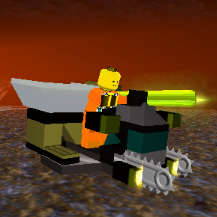
I'm pretty sure you can't make promeshes visible at all times (maybe our EXE hackers can figure out a method), but I have experimented with custom promeshes in the past. Each wall is two models and the game will flip them in order to make sure corners always look right. They're really unintuitive and nothing seems to line up as expected. You can see Z-fighting where the two seams are supposed to meet in the image below, despite me using the original models to line these up. You can probably get away with it if you're making a rock face. Parallel lines are really obvious but a bunch of rocks aren't so much.1 point -
WIP Biome BrickWorldTexture
LiquidGravity reacted to aidenpons for a topic
Wow! I really like that! I've also often wanted the biomes to be more Lego-y, and this is exactly what I thought of - as you say, it really works! I love the way the paths look. The reinforcement does seem a little weird (it looks very flat compared to the original texture - there's a 3D model viewable in first person when you go to a reinforce wall), and the ground being green is weird (maybe make it brown? maybe even brown with random speckles of grey and other colors), but I really like it. Shame the 'lighting' on the studs doesn't line up on a tile-to-tile basis, but there's nothing you can really do about that I'm looking forward to what you can think up for the walls!1 point