Leaderboard
Popular Content
Showing content with the highest reputation on 10/22/2021 in all areas
-

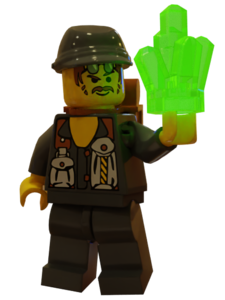
Rock Raiders Renders and Decals
trigger_segfault reacted to ticketstoloservile for a gallery album
From my collab with @Zorg_Sinister! Free of use for any project you like, enjoy!1 point -
-

GeoTool
trigger_segfault reacted to sheepandshepherd for a topic
GeoTool Beta 2 - 18 June 2016 A map viewer/editor for Lego Rock Raiders. Currently it can edit most aspects of a map's terrain, and can also convert the heightmap to and from images for editing in GIMP/Photoshop/Paint. It's written in D and OpenGL. Windows only. You can get the source code on GitHub. It replaces the old Heightmap Converter tool, which was ugly and too badly coded to improve any further. Also, I much enjoyed switching to D, it's a fun programming language. Usage Buttons for creating, loading, and saving maps are at the top right. You can also load by dragging a map's icon onto the GeoTool window. The load and save functions automatically detect the map components by their names, so you only need to open one of the map files; the rest will automatically be detected. They do need to be named correctly though -- as in, contain the words "surf"/"high"/etc. somewhere in their filename. You can view and edit the Terrain and the Heightmap with the tabs under the New/Load/Save buttons. Most image formats are supported for heightmaps. Images are grayscale, with black representing height 0 and white representing height 63 (higher than that bugs out LRR, so no point going that high.) You can move the camera with the keyboard or by clicking/dragging on the minimap. Screenshots New GUI to replace the buggy, gray old one: By default, LRR's radar map colors are used for the terrain: Terrain can also use the textures loaded from LRR biomes. Here's level 23 in terrain edit mode, with the rock biome: Heightmap editor: Controls WASD/Click on map = move Home = reset and center view to the center of the map Arrow keys = rotate camera PGUP/PGDN/+/-/Mouse wheel = zoom camera F5/P = save a screenshot F = toggle the FPS/status bar at the bottom Esc = exit You can load a folder containing textures for biomes. Biome folder paths are saved in the settings.ini file, so you don't have to reload them later on. Requirements Windows OpenGL 3.3 and a video card with relevant drivers Download Latest release Source code1 point